V20 Out of Office Hours

Status
Not open for further replies.

Glenn Challen

Joined
Jun 26, 2018
Messages
1
Reaction score
4
Hi there,

We've only rolled out a couple of clients on V20 but we're getting some resistance from our clients in the way out of hours is toggled on/off.

Previous versions were simple. Any handset or App connected to the phone system could simply dial *640,*641,*642 and control this function quickly and easily.
The best part was that they may have left the office and forgotten to switch the system and could do it in seconds from the car.
Now it appears in V20 they must use the override the Office hours function from the web client or desktop. This isn't exactly quick and easy.

Can we please have the old function brought back in future releases.
 
I totally get your point about removing features*, but, v20 isn't even released yet so I'd expect some rough edges. There is a list of things they've said won't be there until update 1 or 2. So...maybe?


* one needs to have the Receptionist role (or another) to use shared parking.
This is the Trap i Fell in to......... Our production system was Hounding us about a new update - And the V20 has gone from Beta to Release candidate ...

it's my own fault really for not feature testing it first - But we live and learn. My point still stands regarding the feature i can't see anything in the roadmap to adding this back in, and this will be a dealbreaker to us if it's left out on full release.

- I already got caught out by the shared parking thing, but figured that out pretty quickly!

I do keep forgetting this is an RC and not full release. I'm pretty tempted just to roll back to my V18 snapshot and hope the licence will revert back also!
 
  • Like
Reactions: astro65536
Fully agree with switching office hours with a dialcode.
Several of my customers have very flexible office hours, and it's a feature they can't miss.
They have a button on their phone. Just press it and the status is set. They don't use the web or the Windows client either, just physical phones.
Just had the v20 upgrade session with 3CX. And as far as I understand it, this will not come back.
 
  • Like
Reactions: astro65536
Fully agree with switching office hours with a dialcode.
Several of my customers have very flexible office hours, and it's a feature they can't miss.
They have a button on their phone. Just press it and the status is set. They don't use the web or the Windows client either, just physical phones.
Just had the v20 upgrade session with 3CX. And as far as I understand it, this will not come back.
I hope it does come back. Besides this issue, 3cx has been rock solid and secure in our environment. I really don't like the prospect of having to return to an asterisk based system. But alas if we can't use the dialcodes - it looks like we'll be switching at renewal time... I might have a play with some call flow stuff and see if I can write a script to do it... But don't really have the time to be messing with it!
 
After banging my head against the wall for hours I finally came here and found this thread. This is a blocker for us as well. Will attempt to revert back to v18 until a solution is implemented
 
Hello,
I'm having the same problem here.
Fortunately, only my company's system has been migrated to v20, precisely to anticipate this kind of problem before deploying to my customers.
I have several pharmacies among them, and the *64 dialcode is used a lot by them when they are the all-night drugstore, because they don't use the desktop application at all, only physical handsets.

Worse than that, during my tests, the "Override office hours" function in the desktop app didn't work either! The same goes for public holidays, which are ignored!

3CX absolutely must find a solution to this problem, otherwise it's going to be unacceptable for my customers and I'll have to switch to conccurence, which annoys me to no end...

PS: Sorry for my poor English...
 
  • Like
Reactions: astro65536
Hello,
I'm having the same problem here.
Fortunately, only my company's system has been migrated to v20, precisely to anticipate this kind of problem before deploying to my customers.
I have several pharmacies among them, and the *64 dialcode is used a lot by them when they are the all-night drugstore, because they don't use the desktop application at all, only physical handsets.

Worse than that, during my tests, the "Override office hours" function in the desktop app didn't work either! The same goes for public holidays, which are ignored!

3CX absolutely must find a solution to this problem, otherwise it's going to be unacceptable for my customers and I'll have to switch to conccurence, which annoys me to no end...

PS: Sorry for my poor English...
Have you checked that your user is in a role that can override office hours? User role and system admin cannot.
 
Have you checked that your user is in a role that can override office hours? User role and system admin cannot.


Yes, I've checked this, and I do have the option in the menu (including on the system's proprietary extension, by the way).
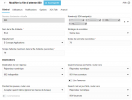
I put an extension as a receptionist to test it out, and it doesn't change a thing... My queue is well configured, though:

1707757443031.png

I don't understand why it doesn't work.
And as I said, the holidays I've set are not taken into account either, despite the queue settings...
 
This is a wild guess but was the server in forced-open mode before the upgrade?
 
This is a wild guess but was the server in forced-open mode before the upgrade?
No, it was in normal operation during v20 migration.
And normal operation is okay, by the way.
What's not working is forcing On or Off (and holidays).

I have a feeling we're going to spend an awful lot of time chasing after all these bugs to prepare for our customers' migration... :rolleyes:
 
This is the Trap i Fell in to......... Our production system was Hounding us about a new update - And the V20 has gone from Beta to Release candidate ...

it's my own fault really for not feature testing it first - But we live and learn. My point still stands regarding the feature i can't see anything in the roadmap to adding this back in, and this will be a dealbreaker to us if it's left out on full release.

- I already got caught out by the shared parking thing, but figured that out pretty quickly!

I do keep forgetting this is an RC and not full release. I'm pretty tempted just to roll back to my V18 snapshot and hope the licence will revert back also!
Hello

This is 100% required for 99% of our customers, must have a "night switch" option.

Small offices have times when they just need to leave early / come in late, and a manual night switch mode attached to a speed dial is the best way for them.

Impossible to remove this basic function.
 
  • Like
Reactions: david90
+1 this is also a 100% requirement for our customers. This is such an integral feature for a phone system, and we are blown away that it has just been removed.

Medical Centres require a 'night switch' option on their phones as they do not keep set office hours.

In some way we are glad that this has happened now - we were we were just about to start migrating 40+ clients to hosted 3CX!

No manual night switch option means we will have to look at other solutions.
 
I hope it does come back. Besides this issue, 3cx has been rock solid and secure in our environment. I really don't like the prospect of having to return to an asterisk based system. But alas if we can't use the dialcodes - it looks like we'll be switching at renewal time... I might have a play with some call flow stuff and see if I can write a script to do it... But don't really have the time to be messing with it!
Yes agree it's 100 percent a deal breaker if this basic function is not readded.
 
+1 this is also a 100% requirement for our customers. This is such an integral feature for a phone system, and we are blown away that it has just been removed.

Medical Centres require a 'night switch' option on their phones as they do not keep set office hours.

In some way we are glad that this has happened now - we were we were just about to start migrating 40+ clients to hosted 3CX!

No manual night switch option means we will have to look at other solutions.
Same here none of our customers are going to be able to lose the night switch option all of them manually use it at some point during the week either they leave early y or they simply use it for public holidays and weekends as a quick easy way of putting the office in after hours.

Very few of our clients use the app and simply use the desk phone most of them don't even want to use the web browser extension they simply just want a phone that makes calls end of story.
 
You can use the dial code feature if you install the Call Control API. See this documentation
Linux: https://www.3cx.com/docs/call-api-linux/#h.nx3a0hqytc3w
Windows: https://www.3cx.com/docs/call-api-windows/#h.nx3a0hqytc3w

Still wondering why this isn't build in...
Indeed, @JorisR_3CX from French Team talked to us about it yesterday during a webinar.
It's better than nothing, but I have a feeling it's not going to be easy to implement (especially given my level of English... o_O )
 
@david90 If you follow the steps as provided it will be very easy as you just copy/paste the commands.
 
  • Like
Reactions: david90
No both are not an option for Hosted.
 
Status
Not open for further replies.

Forum statistics

Threads
111,953
Messages
589,914
Members
164,849
Latest member
BillyAkansel