V20 U6 Final - All Improved Reporting

The impersonate feature is an amazing step forward for helping users troubleshoot their issues!

However, I don't see where the impersonate feature is logged to? I don't see it in the audit log. Any ideas?
 
HI @ms-ited-solutions
It is in Audit log. You will definitely see it there.
However, you do not see that this was "impersonated"
Which means that a change and a change under impersonation look identical.
We can improve this but for now, moved to the backlog with low prio. Lets get some more experience first.
Thank you for raising this!
 
Hi,

They are shown, with the action been shown as done by the user doing the impersonation, as they are the ones that did it in reality.

Best,
KS.
 
We have a customer that requires the Extension Statistics reports generated multiple times a day (at specific times), a feature they used in a previous version of 3CX. I can only see that I can generate them once a day, can you advise how this can be done within 3CX please?
 
Hello @atlastech
Thank you for your question - unfortunately It's allowed one time per day. Its too expensive to generate this multiple times.
We need to run the SQL, send the report, its just too expensive.
If the customer wants multiple times per day, then the data is extremely sensitive (since it needs to be checked multiple times per day)

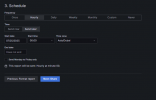
So this is a good case for offloading this data and connecting Grafana - then you can set all the schedule and alerts available.
Set to hourly and you will have what you need.

1753465792022.png
 
Hello 3CX team,


I would like to know if there are any plans on the 3CX roadmap to release new Grafana templates soon — especially templates that can generate the same information previously available in the legacy reports from version 18, such as:


  • Call Distribution
  • Queue Answered / Unanswered Calls
  • User Activity
  • Average Queue Waiting Time
  • Queue Answered Calls

It would also be important for these templates to include the same filtering options that were available in those reports.


Thank you in advance for your attention.
 
Hi @Fabiano_TelMaster
From the items you mentioned, we delivered everything except User Activity.
We are working on ways how to achieve this because this data is located in the Queue tables and not so easy to extract it.
WIP.
If you see 1 or 2 features that you need in Grafana, do not hesitate and explain them in detail. We are watching. Thanks so much
 
Hi @nikolascx , first of all, thanks for your feedback.

Did you mean that these reports I mentioned have already been delivered or will be delivered in the future?
I'm asking because I was unable to extract the information from these reports using the currently available JSON templates.
Attached are the reports I mentioned.

Thank you for your attention!
 

Attachments

Hi @nikolascx , first of all, thanks for your feedback.

Did you mean that these reports I mentioned have already been delivered or will be delivered in the future?
I'm asking because I was unable to extract the information from these reports using the currently available JSON templates.
Attached are the reports I mentioned.

Thank you for your attention!
Hello,

Just to check, for Grafana when did you download the templates? In the u7 Alpha release blog we have links to the latest set, that includes additional reports. https://www.3cx.com/blog/releases/admin-system-management/

And of course one of the aims of the templates is to be guides for anyone that wishes to develop their own more situation specific reporting views.

Best,
KS.
 
Hello,

Just to check, for Grafana when did you download the templates? In the u7 Alpha release blog we have links to the latest set, that includes additional reports. https://www.3cx.com/blog/releases/admin-system-management/

And of course one of the aims of the templates is to be guides for anyone that wishes to develop their own more situation specific reporting views.

Best,
KS.
Hello Nikolas,
From what I've seen, there are three new templates compared to the ten I used, but they seem more performance-related. I'll test them anyway.

Regarding your mention of developing our own versions, is there a guide for this? Or even an informative document about table fields and what they refer to so we can structure this data in reports?

Thank you again for your support and attention.
 
Hi,

Within Grafana you can easily copy any of our templates/visualisations and edit the queries to get the data you need displayed as you would like it. Also since the data is exported to your own database you can more easily view the table structures.

For the main calls table there is documentation at: https://www.3cx.com/docs/call-record-billing-guide/
 

Forum statistics

Threads
111,991
Messages
590,166
Members
164,929
Latest member
Cloudstar