Solved VLAN on PC Port

Status
Not open for further replies.

Alphabetic

3CX MVP
Silver Partner
Advanced Certified
Joined
Jul 1, 2016
Messages
6,533
Reaction score
2,558
Hi all,

Ive got a Yealink T54W running supported template and FW as of todays date.

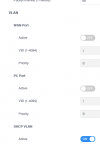
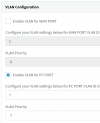
I've enabled VLAN from 3CX but it has not updated on the phone - am i doing something wrong?
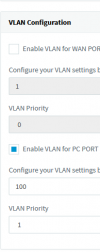
1647598364955.png 1647598378293.png

I have factory reset the phone and rebooted to no avail.
 
Hi @kieferschild

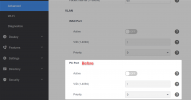
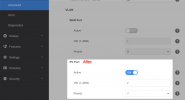
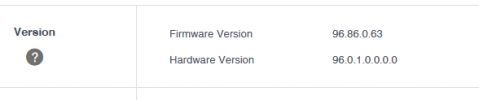
I tried one now on V18 Update 3 + FW 96.86.0.63 and latest available official templates and then hit reprovision:
1647599678128.png
1647600004716.png

1647599483982.png

1647599561097.png


Confirm the setting was saved under the extension?

Are there two T54W phone entries on the extension perhaps?
 
Yes under ext settings.

No, just one phone.

1647600155306.png

I tried 7 and 7 to no avail.

Phone is on an SBC.

18.0 U3 B450
 
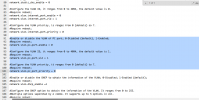
Check what 3CX is sending to ensure it is contained in the config according to what you selected in the extension settings:

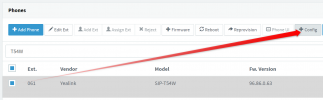
1. Select phone and press +CONFIG
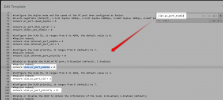
2. Click inside the test window and Ctrl+F for vlan.pc_port_enable
1647600286310.png
1647600306488.png
 
1647600583605.png
 
Ah F sake..

I just realised I've got 2 phones provisioned to my ext, didnt realise I was provisioning the wrong one.
 
Its working now xD
 
  • Like
Reactions: JohnS_3CX
No i did see it, there is only one T54W phone but once upon a time I must have set up a T42S to test and never removed it from my ext.
 
No worries, glad its all sorted!
 
Status
Not open for further replies.

Members Online Now

Forum statistics

Threads
111,832
Messages
589,278
Members
164,662
Latest member
DejanMDS