- Joined
- Jun 24, 2020
- Messages
- 3
- Reaction score
- 0
I'm relatively new to 3CX and have recently set up a 3CX PBX hosted free with 3CX. Please forgive anything stupid I write.
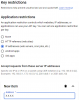
If I apply the application restriction of IP address and specify the IP address (IPv4) from the Information section of the 3CX Dashboard, the API service errors. If I set the application restriction to none, i.e. don't specify the IP address of the 3CX PBX, the API service succeeds and I get the transcription which is shown in the voicemail email.
I've read about disabling IPv6, but cannot find anywhere to do this, either on Google Cloud Platform, or on the 3CX server. Also, I can't find how to discover the IP address (IPv4 or IPv6) that the 3CX server is using to communicate with the Google Cloud Speech-to-Text API service.
Any advice would be welcome, as I feel that my Speech-to-Text service is vulnerable with only the API key to authenticate its use.
I have set some quotas so that no more than 10 requests per minute and no more than 3,600 seconds per day can be made.
Thanks in advance.
John
- 3CX Version, Professional Annual 16.0.5.619
- Server OS, ?
- Is the 3CX Server Hosted and where? Hosted by 3CX
- IP Phone Make/Model/Firmware N/A
- Provisioning Method: Local / VPN / STUN / SBC N/A
- Trunk Provider or Gateway Make/Model N/A
- Has the Firewall Checker passed: YES
- Are custom Phone Templates being used: NO
If I apply the application restriction of IP address and specify the IP address (IPv4) from the Information section of the 3CX Dashboard, the API service errors. If I set the application restriction to none, i.e. don't specify the IP address of the 3CX PBX, the API service succeeds and I get the transcription which is shown in the voicemail email.
I've read about disabling IPv6, but cannot find anywhere to do this, either on Google Cloud Platform, or on the 3CX server. Also, I can't find how to discover the IP address (IPv4 or IPv6) that the 3CX server is using to communicate with the Google Cloud Speech-to-Text API service.
Any advice would be welcome, as I feel that my Speech-to-Text service is vulnerable with only the API key to authenticate its use.
I have set some quotas so that no more than 10 requests per minute and no more than 3,600 seconds per day can be made.
Thanks in advance.
John