Webmeeting Access Issue/Concern

Status
Not open for further replies.

Cory P

Forum User
Joined
Jan 10, 2017
Messages
19
Reaction score
1
Hello,

Using 3cx Version 14, we have in the past been able to use Webmeeting and some users had access some users didn't.

Well, recently, we went to delete a user and their extension from 3cx, but when we would try, the extension was still assigned a webmeeting account.

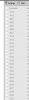
We would then go to the Webmeeting menu section, and typically uncheck the extensions active account. But now the Webmeeting tab is completely grayed out and we are unable to select/deselect any of the extensions, which means we are unable to update or even delete any of the extensions we have.

If anyone has any knowledge why this might be the case, help would be appreciated.

extension.PNG webmeeting.png

Let me know if you need additional information.

Thank you,

Cory
 
3cx licensing current?
 
Yep mine is the same way, I noticed earlier when i could not start a web meeting. Im hoping its just an outage and they did not discontinue support for v14 users.
 
You need to upgrade to v15.5, webmeeting is intentionally disabled in v.14 by 3CX from Sep. 1st, 2017. Probably somebody could say why.

Regarding seeing extensions in webmeeting menu, all extensions which have emails configured are showing into this menu, regardless it is disabled
 
Last edited:
Same problem. We are using v14. Everything worked fine until they disabled Webmeeting. It really screwed up with our plans and added headache and frustrations as we were not ready yet to upgrade.
So the problem is that you have to uncheck each profile from webmeeting before changing e-mail or deleting that profile. Or you have to disable webmeeting at all. If your webmeeting was enabled as of September 1st, 2017, then you cannot anymore make e-mail or deletion changes to your profiles. The reason is that in your system webmeeting is stuck as enabled but now is dysfunctional. You cannot even disable it and you cannot uncheck any profile. What 3cx did is really frustrating to us.
 
Is there a work around to disable webmeeting system wide so we can delete and manage the extensions?
 
Is there a work around to disable webmeeting system wide so we can delete and manage the extensions?
probably only editing the backup file (.xml) and restoring from it, deleting some extensions, requires detailed understanding of the .xml file contents
 
yes you can solve this without restore, guide comes just in a second to you...
 
Hi,

Just to clarify, the recommended fix for this is to upgrade your PBX to Version 15.5. The webmeeting functionality can then be restored, and the unlinking of the extensions, resulting in the ability to edit the extensions, as the webmeeting platform in Version 15/15.5 functions differently to how the Version 14 webmeeting platform functioned.

The modification given herein, should only be done in cases where an upgrade is not possible at the time being.

Also, this fix should only be undertaken at your own risk, and we cannot accept responsibility for an unsupported version not functioning after this fix is applied. As always, before performing and configuration changes, take a full backup of your PBX.

Open your 3CX Management Console (Version 14)
Go to "Troubleshooting"
Go to "Parameters"
Delete the parameter "WEB_MEETING_PORTAL"
You will then need to enter the DN_Properties of each extension and delete the following parameters for each extension:

WEB_MEETING_MD5PASSWORD
WEB_MEETING_PASSWORD
 
  • Like
Reactions: Cory P
Status
Not open for further replies.

Forum statistics

Threads
111,879
Messages
589,530
Members
164,731
Latest member
hrhrohit