Which SIP is this call coming from?

Status
Not open for further replies.

Lusk

Forum User
Joined
Apr 8, 2018
Messages
68
Reaction score
1
Can someone please point me in the right direction here?


Say you have multiple SIPS pointing to one phone, you need to know which SIP is passing a call to you. Somewhere you can get pass this information to the phone so when the phone is ringing it will say "line A or Line B" etc.
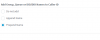
 
I assume you mean DIDs? If you give the inbound rule a name you can configure that name to appear in the caller-id under Contact Options:

1593364839879.png
 
I assume you mean DIDs? If you give the inbound rule a name you can configure that name to appear in the caller-id under Contact Options:

View attachment 16714
So under the SIP Trunks page you have a list of trucks and as an example:

SIP1 - Company 1
SIP2 - Company 2
etc.

If a call comes in via SIP1, how do you make the phone display Company 1?
 
Well you wouldn't typically need multiple trunks. You can have multiple numbers come in on one trunk. But the method I listed in my first post is how you would do it.
 
Well you wouldn't typically need multiple trunks. You can have multiple numbers come in on one trunk. But the method I listed in my first post is how you would do it.
Thanks.

Would this change in the event of there being multiple trunks?
 
I have gone to the contacts page and then when I add a contact there, when that same contact calls a DID, the name of that contact appears on the phone. However, what I am after is for the SIP trunk name to appear on the phone.
 
SIP trunk name is not an option to be displayed
 
While you can't add a name , for call from a particular trunk group, what you can do is modify the incoming caller ID, for each trunk. So... on trunk one, you could add a prefix of "9", on all incoming number, on trunk 2 you could add a prefix of "8".

If you use outbound rules, that make use of a prefix, to select the trunk, you could use those prefix digits.
 
You just need to put a name on the inbound rule, regardless if it's one trunk or 10 trunks. As long as you have a unique name per DID you should get what you are looking for.
 
As @cobaltit said, create a rule in Inbound Rules and name it.

Then in the contacts page, click options, and select prepend or append name.

This will give you exactly what you asked for.
 
Status
Not open for further replies.

Latest Posts

Forum statistics

Threads
111,953
Messages
589,915
Members
164,851
Latest member
DrunkeMeister