Windows App Gets Switchboard

ThomB_3CX

Staff member
Joined
Apr 28, 2022
Messages
831
Reaction score
1,266

Drag & drop for call transfers makes call management easy as pie.​

New Panel & Switchboard views are available in the 3CX Windows Softphone - previously only available for BETA testers. Apart from enabling managers to monitor performance, the switchboard also allows receptionists to drag and drop calls to make a call transfer.
[...
Continue reading the Original Blog Post.
 
Last edited by a moderator:
I've found a little bug in the switchboard.
When you run a v18 or a v20 server. When you select at the left top "ALL" and then "Queue Calls" in the list below the users are append to the list so now this list shows duplicates.
 
Hi @Wesley | Ruijs IT thanks for your feedback.
Which version of the client do you have installed? Thanks
 
  • Like
Reactions: Wesley | Ruijs IT
What about installation for all users on terminal servers?
 
  • Like
Reactions: CallingFromMars
Tested already the beta. Except from the small issue that Wesley noticed, it works pretty nice.
Is there an ETA for Yealink Headset integration?
 
  • Like
Reactions: Vali_3CX
What about installation for all users on terminal servers?
how can you even install it on Terminal Server right now, (for single user)? did not test this, yet.
 
Last edited:
Thank you all for the continuous work on the new app!

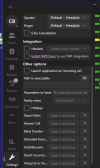
In checking out the new Panel button, I noticed that the buttons above it are now constrained by space to the point that a scrollbar is created – but the app can't be resized so that they're all displayed. I'm guessing that you all want the window to remain the same size so as not to distort the dialpad view, which is understandable. If the window needs to stay the same size, it would be great if the buttons to the left would be resized so that none of them are hidden. Or, put two more of them under the "More" overflow menu – and maybe allow the user to choose which ones are displayed permanently. Perhaps all this is already on a to-do list.
 
Yes the not being able to change the window size of the app is preventing many users fomr upgrading as it just is not workable for them.


Even if you can do a text size or something scale, so we can at least shrink it down a little so it looks like it is supposed to fit all the information contained in the small square: Its just so cramped its not very user friendly, especially for older people who cannot see as well as they used to be able to.

Wil there be an update so we can re-size the window/text in the window, so our users can actually use it?
1714470758359.png
 
Hi,
Thank you for this great development!
Would it be possible to add a setting for drag & drop? We would like to use it but with a supervised transfer
 
Can you only use it as a softphone? Can we not use it in CTI mode as in previous versions?
 

Forum statistics

Threads
111,930
Messages
589,795
Members
164,802
Latest member
SpacetelSupport