Yealink Provisioning Template TCP Configuration

samehJABRI

Silver Partner
Basic Certified
Joined
Nov 14, 2023
Messages
77
Reaction score
2
Hello,

I added the following changes to the Yealink provisioning template and forced the phone to connect using TCP. However, 3CX does not seem to apply or read this configuration during provisioning, and I don't understand why.

The PBX version is 3CX Version 20 Update 9, and the phone model is Yealink T41S.

Could you please advise why this setting is not being applied?

Best regards,
 
@samehJABRI - please add the missing details to your original post; there is no detail to work with...
 
  • Like
Reactions: samehJABRI
hello ,
We are encountering an issue while trying to configure all Yealink phones to use TCP as the default transport protocol instead of UDP.

To achieve this, we modified the phone template to enable automatic provisioning over TCP and uploaded the updated template to 3CX. However, the default 3CX provisioning process does not appear to apply this modification.

After provisioning, the phones are still configured to use UDP, and their SIP registration continues to be performed over UDP instead of TCP.

Could you please advise why the modified template is not being applied during provisioning and whether there is any additional configuration required in 3CX to provision the phones with TCP by default?

Our environment is:

3CX Version 20 Update 9 (Build 995)
System: Linux
Phone Model: Yealink T41S

Thank you for your assistance.

Kind regards,
 
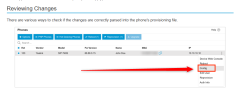
@samehJABRI You may see the the config file with the changes ( or not ) live from the PBX side.
Also take a look on the guide for the " y0000000000xx.cfg " files as Yealink phones need an extra step.


1783943785352.png
 
Hello,

I would like to confirm whether it is possible to register a phone for the first time using TCP instead of UDP with automatic provisioning.

I modified the provisioning template to use TCP by default, but this change does not appear to be applied in our current 3CX version.

Could you please confirm whether this functionality is supported in this version, or if the only available option is to configure the phone manually? I would like to provide the correct information to my client.

Thank you for your assistance.

Kind regards,
 
I would like to confirm whether it is possible to register a phone for the first time using TCP instead of UDP with automatic provisioning.

Why do you need TCP mode?
 
  • Like
Reactions: bitn2
Hello,
The worker is experiencing a firewall issue. UDP traffic is blocked, so they are unable to work over UDP. The connection works only when using TCP.
 
The phones should not really be passing traffic over the firewall, even with TCP because it's less secure and still not reliable.
Our recommended solution for this case is to install an SBC locally, on the same LAN as the phones.
The phones only talk to the SBC, and then the SBC itself can talk to 3CX encrypted over TCP to relay the traffic securely, and bypassing firewall restrictions that usually cause the problems we see like in your case.

This is one of the main reasons that we created the 3CX SBC, it solves this exact problem you are facing in this case.

https://www.3cx.com/docs/3cx-tunnel-session-border-controller/
 
You could just change it to TCP on the phone then remove the provisioning link from the GUI to stop it overwriting if this is whats happening.
 
  • Like
Reactions: samehJABRI
Hi everyone,

I would like to modify the default Yealink phone template in 3CX to change some provisioning parameters, specifically related to the SIP transport configuration.

Before making these changes, I would like to know if modifying the default template can have any negative impact on:

Yealink phone provisioning
Future firmware upgrades
Automatic configuration updates from 3CX
Re-provisioning or rebooting the phones
Compatibility with future 3CX updates

For example, if I modify the default template and later 3CX pushes a new firmware or updates the provisioning template, will my custom parameters be overwritten?

Thanks in advance for your advice.
 
Hi everyone,

I would like to modify the default Yealink phone template in 3CX to change some provisioning parameters, specifically related to the SIP transport configuration.

Before making these changes, I would like to know if modifying the default template can have any negative impact on:

Yealink phone provisioning
Future firmware upgrades
Automatic configuration updates from 3CX
Re-provisioning or rebooting the phones
Compatibility with future 3CX updates

For example, if I modify the default template and later 3CX pushes a new firmware or updates the provisioning template, will my custom parameters be overwritten?

Thanks in advance for your advice.
You need to use a custom template; the default one gets overwritten during an update.
 
  • Like
Reactions: Colorado VoIP
using custom template will not have impact on phones upadate? when updating 3cx should I reproduce the custom template?
 
No, no impacts. The template is retained after a 3CX update.
 

Latest Posts

Forum statistics

Threads
111,811
Messages
589,121
Members
164,620
Latest member
c.poggiarelli