- Joined
- Nov 20, 2024
- Messages
- 3
- Reaction score
- 1
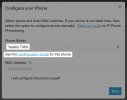
Hello I am new to 3CX and as a reseller we started with our own 3CX install using the 3CX free hosted. Everything is working well with the softphone applications so we thought we would try a Yealink T46U router phone and updted the firmware to the latest version and factory reset then tried adding it to a admin user account. As soon as we chose the phone in the list and added direct it asked for the phone to restart to provision. On restarting it came up with 3CX logo and all looked well except is siad registration failed. I tried to check in our V20 admin console but then it said IP blocked. I rebooted our rooter to apply another public IP address and tried again but each time it blocks the public IP address. Error 12291 Reason: Block WAN requests is ON.
Can anyone help please or if I have posted in the wrong forum then please move it.
Can anyone help please or if I have posted in the wrong forum then please move it.