Nick Galea

About Nick Galea - Page 80

CEO, 3CX

Nick is the CEO and Founder of 3CX. His love for innovation, visionary leadership, and 35 years in the software development industry have helped drive 3CX towards becoming one of the top communications systems across the globe. Presently, he continues this mission by placing most of his energy towards company operations, product strategy and vision.

Analyzing a SIP Call

This document describes how a SIP call is established in 3CX Phone System, and what events will be written to the "Server Activity Log" page in the 3CX Management console. Using this call flow description, and by analyzing the events, you will be able to better understand what’s going on and troubleshoot potential problems. Note that the call flow below is identical for both in [...]

By |August 4th, 2009|Comments Off on Analyzing a SIP Call

How do I disable Internet Explorer Enhanced Security Configuration for Windows Server 2008

If you want to manage and configure 3CX Phone System on Windows 2008 server operating systems, you will have to disable IE ESC on the server. Go to Start and click on “Server Manager”. Click on “Configure IE ESC” located on the right-hand section of the window. The Internet Enhanced Security Settings page will be displayed. Disable necessary options. IE ESC is now disabled. [...]

By |August 4th, 2009|Comments Off on How do I disable Internet Explorer Enhanced Security Configuration for Windows Server 2008

Is Microsoft ISA Server 2004 / 2006 Supported as a Firewall for VoIP?

The issues with Microsoft ISA server 2004 and 2006 Unlike most professional firewalls, Microsoft ISA server is not able to do static port mapping. Without static port mapping it is not possible to reliably connect to a VOIP provider or remote extensions. This is not a 3CX issue but an ISA server issue. The best solution is to buy a firewall such as from Linksys, Cisco, Netgear [...]

By |August 3rd, 2009|Comments Off on Is Microsoft ISA Server 2004 / 2006 Supported as a Firewall for VoIP?

3CX Voice Application Designer (VAD) is here!

I am proud to announce the first beta of our new 3CX Voice Application Designer product. Proud because this is an industry first – 3CX Phone System is the first PBX to have such a powerful graphical voice application building tool. With 3CX Voice Application Designer you can create voice applications that automate time intensive business processes with a few mouse clicks. For e [...]

By |August 3rd, 2009|Comments Off on 3CX Voice Application Designer (VAD) is here!

3CX Phone System v8 Beta Available!

We are happy to announce the first beta of version 8! Here are the features we have been working on: All versions New Phones management page lists all connected IP phones and allows you to re provision or reboot all or several phones remotely. Phones management page allows you to easily launch a phone’s admin interface Ability to edit provisioning files for phones Ability to pr [...]

By |July 31st, 2009|Comments Off on 3CX Phone System v8 Beta Available!

Setting IP Phones to Use FQDN's Instead of IP Addresses

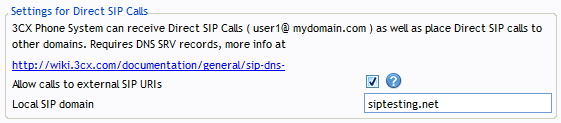
During set-up you are prompted to enter the FQDN of the phone system server OR the SIP domain. This SIP domain is used if you wish to use Direct SIP calls (more info here), but it also affects your installation in case you wish to use FQDNs in the phone configuration. If you intend to address the PBX using IP Addresses only, and do not intend to use "Direct SIP", then all you w [...]

By |July 16th, 2009|Comments Off on Setting IP Phones to Use FQDN's Instead of IP Addresses

How can I adjust the configuration for unsupported VOIP providers or gateways?

How can I adjust the configuration for unsupported VOIP providers or gateways? 3CX performs extended tests with a number of VoIP Providers and Gateways. This allows us to create optimized templates for use with these tested Providers and Gateways, based on the information collected during the course of these tests. It is STRONGLY RECOMMENDED that if at all possible, you use a V [...]

By |July 5th, 2009|Comments Off on How can I adjust the configuration for unsupported VOIP providers or gateways?

3CX Gateway for Skype 2.0 – Beta released!

Note: No longer available Recently we released a ‘prototype’ of a Skype Gateway - 3CX Gateway for Skype 1.0 which was based on an open source component. This allowed you to make and receive calls to Skype users. Using Skype you can allow customers to call you at no charge, and you can also leverage Skype clients on popular mobile platforms (Windows Mobile and Iphone). However, [...]

By |June 25th, 2009|Comments Off on 3CX Gateway for Skype 2.0 – Beta released!

3CX Call Assistant with CRM integration Version 7.1.3438

An updated build has been released with some improvements and fixes. Change log: Fixed: Polling of outlook contacts from multiple outlook files Fixed: Exchange Outlook integration Fixed: Permissions issue in Exchange Fixed: Missed calls issue on German Operating systems. Fixed: Error notification on shutdown Improved: Contact lookup mechanism [...]

By |June 8th, 2009|Comments Off on 3CX Call Assistant with CRM integration Version 7.1.3438

How to test your own VOIP provider

Whilst 3CX includes a good number of supported VoIP providers, it is impossible for us to template all the VoIP providers out there and to test them.  If you have a VoIP provider you would like to use with 3CX that is not included, you can perform your own tests to see if the VoIP provider can be used with 3CX. This article explains the tests that you need to perform to be sure [...]

By |June 5th, 2009|Comments Off on How to test your own VOIP provider