





3CX WebMeeting, bundled with all versions of the 3CX PBX, is the ideal e-Learning tool to deliver content to students. Working with most modern browsers on major platforms and without any need to install or configure complex options, WebMeeting can provide you with a virtual classroom in an instant. Its flexible tools and collaboration features make it ideal for creating your education central. Combine that with the recently announced offer from 3CX for a free 1 year Pro edition, and you'll be hard-pressed to find a more cost-effective, attractive and functional solution!
Scheduled or On-demand Class Sessions
Your student classes may be planned or ad-hoc. WebMeeting enables you to perform both with scheduled and on-demand on-line meetings. To create a quick class on the spot, click on "WebMeeting" in Web Client and add the participants’ email addresses to invite.
If you are scheduling a new video-conference class, simply go to "Schedule Conference" in Web Client and:
- Set the type to "Video", set time and fill in the class details, i.e. "Subject" and "Notes".
- Choose "Webinar" to set the "WebMeeting Profile".
- Add or import your participants’ contacts or emails and click on "Create Meeting".
💡 Tip: You can add participants by importing a CSV file formatted as:
Name Surname, [email protected]
That's it! With your meeting arranged, you can now focus on the course content that you will be presenting using WebMeeting's tools.
Present, Converse & Chat
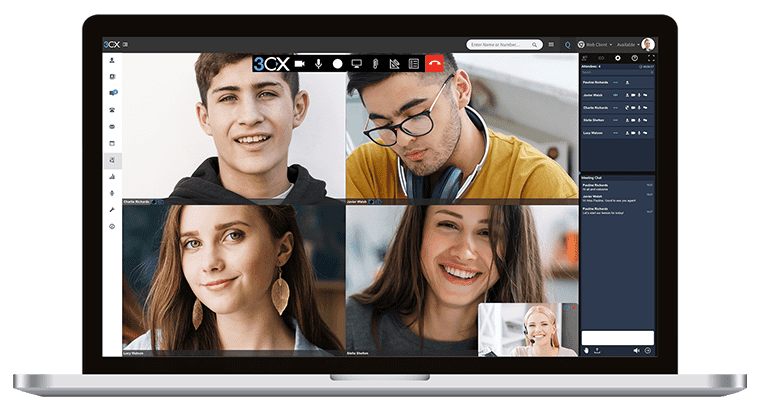
Delivering content to students in your WebMeeting virtual classroom enables you to:
- Control Delivery to Your Audience - During your lecture/webinar/presentation you can disable audio and/or video input from each and every one of your participants. These controls enable you to focus on your content first, while still getting participant feedback and questions via the built-in chat function.
- Host Interactive Discussions - Leave video and microphone on for everyone for more interactive Q&A sessions.
Share & Interact with Documents
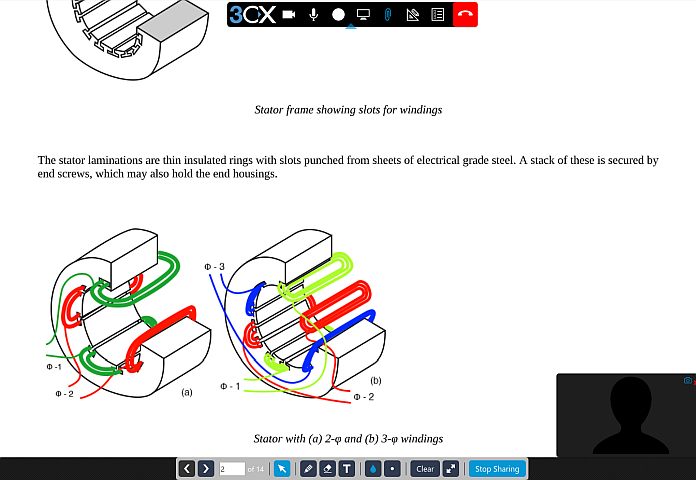
The WebMeeting toolbox includes flexible document sharing and presentation tools, ideal for on-line educators and trainers alike. These include:
- Screen Sharing - No better way to explain to your students what you mean, than by sharing your screen and keeping everyone on the same page. You can share your entire screen, a specific window or browser tab. Seeing is believing!
- Share Your Documents - Simply click on "Share PDF" and upload your course content PDF files to the repository for easy reference during your class. While sharing a document you can use the built-in pointer, drawing and text entry tools to showcase your material in style!
- Create Questionnaires - Click on "Start a new Poll" and create multiple choice questionnaires to use as tests or feedback forms for your students. This tool conveniently enables you to set a fixed duration for the questionnaire to be completed and better manage your class time.
Record & Post Your Sessions
All your WebMeeting sessions can be recorded up to HD (High Definition) video and downloaded for further processing and archiving. Recording your on-line classes gives you the capability to provide recorded e-Learning modules to students that could not join the scheduled class or as reference material for further study. Using WebMeeting to record your classes and training sessions can also enable you to:
- Hone your instructor skills by reviewing your course delivery method and performance.
- Build a library of the delivered course material and share via other channels, e.g. your website or YouTube.
- Edit the recorded sessions with video and audio editing software to make any changes or mix and match the content.
- Keep a session archive, e.g. for logging and checking alignment with organizational rules and regulations.









 Copyright © 2026