




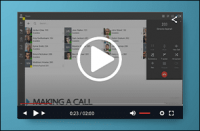
Experience the benefits of the 3CX Windows Desktop App with this short video presentation shared by 3CX Titanium Partner and Solution Provider, YellowGrid. The native desktop app was built from the ground up using the same Electron framework as Teams and WhatsApp. Simply put, this replacement to the browser extension, is not only better looking, but offers a smoother and more r [...]

The final version of 3CX V18 is here offering best in class audio quality, performance and reliability. With customer communication at the forefront, V18 provides an all-in-one integrated solution to communicate internally and connect with prospects - via voice, live chat or video. New 3CX Client and Desktop App With V18 we’ve improved the Web Client and made it available also [...]

Fine tuning v18 for its final release! This RC2 includes important fixes and improvements to the Web Client and Windows Desktop App, among others. Client improvements We improved the usability of the 3CX client in some key areas. The dial pad icon now at the top, has a handset icon - indicates that the user should click here to make a call. Enter name or number field at the top [...]

In preparation for version 18, we have been working on the synchronization between Microsoft 365 accounts and 3CX. With more and more businesses looking to simplify their working environment, synchronising companies’ 365 accounts and 3CX is an important step. It brings a whole host of benefits including user sync, calendar status sync and the very much anticipated and highly re [...]

In his latest video, Tech YouTuber, Chris Titus, goes over everything you need to know about installing a 3CX in the cloud. Check out his quick walkthrough of SIP Trunk installation, PBX configuration, and phone setup in this short step-by-step installation video below: How can I get started with 3CX in the cloud? To set up your free PBX system in the cloud, all you need is: [...]

The 3CX development team is no longer coding, which means 3CX v18 has reached Release Candidate (RC) status and the official launch date is close at hand! We will be sharing a video presentation of all that’s included in v18 and subsequent updates when the final is ready so make sure to watch this space. Squished a couple of bugs The RC includes two bug fixes on the Web Client/ [...]

To help small businesses recover from the effects of the pandemic, we are giving away 4SC subscriptions (suitable for up to 12 users) for free on all versions: Standard, PRO and Enterprise. The offer is available for free for a minimum of one year, depending on its success. What better way to test which 3CX version and features you really need, before you commit to purchase. 4S [...]

V18 Beta 2 has just been released! Following your feedback, this Beta should be good to go as a Release Candidate in the coming days. Update to Beta 2 today for more bug fixes, including the recent Hotfix. Beta 2 Fixes Fixed issue with transfers causing no audio. Fixed recording and renegotiations. Fixed deadlock in Management Console causing error “Server is Busy”. How to get [...]

The new SBC for v18 has been released. Get it now for increased reliability with the new reconnect feature, as well as the ability to bulk update SBCs via the Instance Manager. Reconnect: Instant recovery from internet failure When the internet connection goes down, the call is no longer dropped. The 3CX Tunnel keeps media ports intact, allowing continued media transmission in [...]

A hotfix is available for V18 Beta 1 which includes several bug fixes, including the known audio issues addressed in the V18 Beta release. In this Hotfix Fixed audio problems in cases where an extension has “Recording” enabled for external calls. Fixed audio recording problems in the case of an IVR or Queue. Fixed audio issues in case invite sent does not contain SDP. Fixed iss [...]

 Copyright © 2026