- Joined
- Jun 3, 2026
- Messages
- 6
- Reaction score
- 0
We are attempting to restore a backup from an existing self-hosted 3CX v20 Update 8 instance that uses a custom FQDN to a new 3CX-hosted deployment.
However, when we upload the backup file through the 3CX portal, the upload fails with an "Invalid FQDN" error.
Steps performed:
 b.xml file within the backup needs to be modified to include a new FQDN and license key before the restore?
If so, what should be specified for the FQDN, considering that the system will be hosted by 3CX and we understand that a new FQDN will be assigned during the hosting process?
Any guidance on the correct migration procedure would be appreciated.
However, when we upload the backup file through the 3CX portal, the upload fails with an "Invalid FQDN" error.
Steps performed:
- Created a full backup of the existing 3CX PBX.
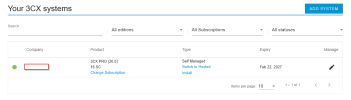
- Unlinked the existing FQDN from the 3CX portal.
- Started the process of converting the system to a hosted deployment.
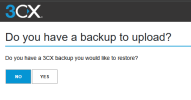
- Attempted to upload the BACKUP.ZIP file during the restore process.
- Received an "Invalid FQDN" error when uploading the backup.
b.xml file within the backup needs to be modified to include a new FQDN and license key before the restore?If so, what should be specified for the FQDN, considering that the system will be hosted by 3CX and we understand that a new FQDN will be assigned during the hosting process?
Any guidance on the correct migration procedure would be appreciated.