- Joined
- Nov 17, 2017
- Messages
- 912
- Reaction score
- 586
I have developed a system for internal uses that might be usefull for 3CX Resellers to centrally monitor, and have quick access to their customers 3cx systems.
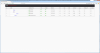
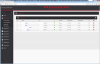
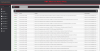
It can monitor the ping times/latency to their 3CX Servers, as well as check for responses from the services, such as the web console on 5001, the SIP service on 5060, and the 3CX tunnel on 5090 from a central dashboard, and highlights yellow on a system if there is high latency, and red if there is a service down, or latency is over 150ms.
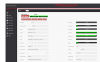
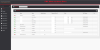
It has a builtin credential manager, so the admin username and password can be stored in it for each system if so desired, but is not a requirement. It also tracks who was the last person to access the admin console from the central panel, and when.
If there is interest in this system by others, i was planning to also add support for it to monitor CPU Load, RAM Usage, and Disk Usage as well.
One click launches a new window directly to the web console of the system in question.
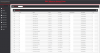
There is also a connection tester, which can test all of the TCP ports, and also verify the MTU size for the internet connection the 3CX server is on is correct, which is usefull for DSL, and some Fiber/FIOS connections that run non-standard MTU sizes which if not known and configured for, can cause audio issues, and call drops randomly.
Try out this Static Demo(NOTE: This is not fully updated to the Production Version)
https://www.pbxmonitor.net/demo/index.php?task=home
See Screenshots
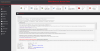
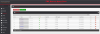

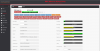

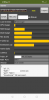
It can monitor the ping times/latency to their 3CX Servers, as well as check for responses from the services, such as the web console on 5001, the SIP service on 5060, and the 3CX tunnel on 5090 from a central dashboard, and highlights yellow on a system if there is high latency, and red if there is a service down, or latency is over 150ms.
It has a builtin credential manager, so the admin username and password can be stored in it for each system if so desired, but is not a requirement. It also tracks who was the last person to access the admin console from the central panel, and when.
If there is interest in this system by others, i was planning to also add support for it to monitor CPU Load, RAM Usage, and Disk Usage as well.
One click launches a new window directly to the web console of the system in question.
There is also a connection tester, which can test all of the TCP ports, and also verify the MTU size for the internet connection the 3CX server is on is correct, which is usefull for DSL, and some Fiber/FIOS connections that run non-standard MTU sizes which if not known and configured for, can cause audio issues, and call drops randomly.
Try out this Static Demo(NOTE: This is not fully updated to the Production Version)
https://www.pbxmonitor.net/demo/index.php?task=home
See Screenshots
Last edited:

Upvote
60