3CX INTEGRATION - BITRIX24 - 3CX CRM Server-Side

Status
Not open for further replies.

Vicentinos

Customer
Joined
Jan 16, 2024
Messages
11
Reaction score
1
Hi guys, I'm from Brazil, I apologize for my bad English.

I have a question, my 3cx does not give me rights to access the option

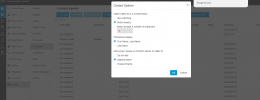
In 3CX Management Console, open “Advanced” > “Contacts” > “Options”, set the matching strategy to “Match exactly” and click “OK” to save


I am an administrator user, and the RIGHTS tab does not appear to give me more permissions,

How do I solve it?
 
What version of 3CX are you running?
 
Versão 20.0 Update 0 (Build 1494)
 
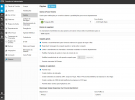
Then this setting in under System > Phonebook > Options.
 
Let me check for a moment
 
Agenda telefonica
 
  • Like
Reactions: edossantos
2.png


is this friends?
 
  • Like
Reactions: edossantos
1705430163934.png
 
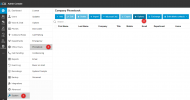
I'm trying to integrate my bitrix24 with 3cx, I've already done everything step by step, and even so, when I click to make a call within the crm, it doesn't pull up the 3CX app
 
Please remove this screenshot, it has your web hook URL, which can be used to access your data.
 
In order to make calls from your CRM, you will need the browser extension, please check this:
https://www.3cx.com/blog/releases/1-click-dial/

Also, you will need to contact Bitrix support, so they disable the Bitrix dialer in your account.
 
certo, só funcionará depois que o bitrix24 desativar seu número de telefone padrão?

Pela sua recomendação, já baixei o arquivo .reg e registrei, mas ainda não traz 3cx.
 
55.png


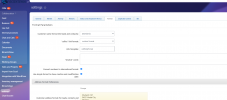
Do I need to change something inside?
 
Do I need to change something inside?
You need to disable the Bitrix dialer. 3CX doesn't integrate with it. In order to make calls, you need to use the click to call browser extension. Install the extension in your browser (Chrome / Edge). Then phone numbers in any web page will be converted to clickable links. When you click on them, the 3CX phone dialer will receive the number to call.
 
You need to disable the Bitrix dialer. 3CX doesn't integrate with it. In order to make calls, you need to use the click to call browser extension. Install the extension in your browser (Chrome / Edge). Then phone numbers in any web page will be converted to clickable links. When you click on them, the 3CX phone dialer will receive the number to call.
Hi friend, this was the information I obtained from bitrix24 support regarding disabling their standard telephony.
1705597427770.png


Can you help me ?
 
I don't know what you installed, but we don't provide anything to install on the Telephony section in Bitrix. The click to call functionality works with a browser extension. Actually, if you just want to make outbound calls from your CRM (or any other page), you don't even need to configure the integration. Our integration only provides contact lookup for calls and chats, call & chat journaling, contact search and contact creation.
 
Status
Not open for further replies.

Forum statistics

Threads
111,977
Messages
590,096
Members
164,906
Latest member
Nari