- Joined
- Feb 19, 2019
- Messages
- 25
- Reaction score
- 4
Hi guys,
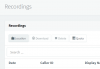
We are running in version 15.5 and recently rolled out the system in our company. We just found out one odd thing, there was a problem saving the recording to our C:\Recordings path. It did saved yesterday until 12NN but after after I checked the recordings, the audio files from yesterday's calls until 4PM didn't saved on the C:\Recordings.
My questions is, is there any way I can retrieve those audio calls from the system. The management need it badly for quality purposes.
Thanks in advance.
We are running in version 15.5 and recently rolled out the system in our company. We just found out one odd thing, there was a problem saving the recording to our C:\Recordings path. It did saved yesterday until 12NN but after after I checked the recordings, the audio files from yesterday's calls until 4PM didn't saved on the C:\Recordings.
My questions is, is there any way I can retrieve those audio calls from the system. The management need it badly for quality purposes.
Thanks in advance.