3CX SBC disconnecting and reconnecting at least two times an hour... Where do I start?

Status
Not open for further replies.

wars

Customer
Joined
Feb 14, 2022
Messages
34
Reaction score
13
Hey all, happy new year!

I'm after a bit of advice. I've noticed our SBC is having issues over the past few days (but today it's a problem because previously it was over the weekend with no traffic, now it's a weekday and we are actively using the system). It's been emailing each time it goes down and then comes back up again.

I've SSH'd in to the SBC and checked the log at /var/log/3cxsbc/3cxsbc.log but theres such a vast amount of information, I'm not exactly sure what I'm looking for. It's running on a new Intel NUC (chose against a Pi4, thought the NUC would be a bit beefier for stability and so far, until now, it's been fine).

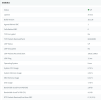
I've updated the SBC via SSH and rebooted - (apt-get upgrade then apt-get update) and attached a screenshot of the statistics page from the PBX. It's running version 18.1.36 and the PBX is on 18.0.5.418.

When it disconnects, it unregisters our desk phones and terminates any current calls (as expected).

I've downloaded the 3CXTunnel log file from the system but I know that only shows the system's side. I've attached an extract from the most recent disconnect (redacted some info).

We aren't experiencing any disconnects with our internet service, it's pretty reliable. We are using a 1000/1000 leased line with a VDSL fail over and dual MX250 firewalls in HA.

Thanks in advance!
 

Attachments

  • 3CXTunnel Extract.txt
    3CXTunnel Extract.txt
    21.4 KB · Views: 12
  • Screenshot 2023-01-09 at 12.23.15.png
    Screenshot 2023-01-09 at 12.23.15.png
    67.4 KB · Views: 10
Last edited:
It's just gone again, 13:59 down and then back up within the minute. Attached the tunnel log for this event again, nothing appears to be glaringly obvious.... I've changed the connection to TLS to see if that makes any difference at all.
 

Attachments

Last edited:
I've now taken to downloading the 3cxsbc.log file over SFTP, I upped the logging level at around 12:50pm so I've got that one off first, 104mb, the other one with increased logging is 370mb. Wish me luck....
 
I've uploaded some of the log (redacted info) from the 1 minute outage window - 13:59:24 - 13:59:30 today, it only appears to go down for around 5-8 seconds each time.

Looking at the HUGE log file, I have timestamped entries constantly until it gets to 13:57:23.289 which is -

DEBUG | 20230109-135723.289 | 3CX | RESIP:TRANSPORT | 140421191444224 | Transport.cxx:397 | incoming from: [ V4 10.70.10.38:5060 UDP flowKey=12 transportKey=1 ]
DEBUG | 20230109-135723.289 | 3CX | RESIP | 140421191444224 | Helper.cxx:374 | Helper::makeResponse(SipReq: SUBSCRIBE [email protected] tid=fe6f4a61AF4A5B7E cseq=1 SUBSCRIBE contact=[email protected] / 1 from(wire) code=100 reason=


Then there is absolutely nothing till nearly 2 minutes later at 13:59:30.621 which is -

DEBUG | 20230109-13CRIT | 20230109-135930.621 | 3CX | SBC | 140261072107456 | Log.cpp:158 | ====================== 3CX SmartSBC 18.1.36 @ 3CX-NUC-SBC.CORP.LOCAL ======================
CRIT | 20230109-135930.621 | 3CX | SBC | 140261072107456 | Log.cpp:159 | Log started: type = file, level = VERBOSE, size = 524288000, resip = VERBOSE, remote = -1
NOTICE | 20230109-135930.621 | 3CX | SBC | 140261072107456 | BridgeConfig.cpp:115 | Using tunnel address for interface selection
WARNING | 20230109-135930.621 | 3CX | SBC | 140261072107456 | Tools.cpp:48 | Checking connection to MYPBX.3cx.uk:5090
NOTICE | 20230109-135930.621 | 3CX | SBC | 140261072107456 | Tools.cpp:56 | Resolving address...
NOTICE | 20230109-135930.633 | 3CX | SBC | 140261072107456 | Tools.cpp:79 | Connecting to 178.62.11.45:5090
NOTICE | 20230109-135930.646 | 3CX | SBC | 140261072107456 | BridgeConfig.cpp:118 | Selected main network interface: 10.70.10.173 (based on tunnel address)
NOTICE | 20230109-135930.646 | 3CX | SBC | 140261072107456 | BridgeConfig.cpp:302 | Bridge config: [Bridge/123456]
#Mandatory:
ID = 123456
TunnelFqdn = MYPBX.3cx.uk

#Optional
Name = REDACTED
SecurityMode = 0
ClientsCertificateFile = ''
ClientsPrivateKeyFile = ''
PBX SIP addr = MYPBX.3cx.uk:5060
LocalSipAddr = 0.0.0.0
LocalSipPort = 5060
RtpAddr =
NumRtpPorts = 64
FirstRtpPort = 20000
RtpTxSize = 512
#===========


Am I getting warm?! Please tell me I'm getting warmer.... Changing it to TLS made no difference as I've had another down/up event at 16:34:43.
 

Attachments

Last edited:
More of the log I pasted above -

CRIT | 20230109-135930.646 | 3CX | SBC | 140261072107456 | Bridge.cpp:28 | System Clock: resolution 0 microseconds, not monotonic
DEBUG | 20230109-135930.646 | 3CX | RESIP | 140261072107456 | ssl/Security.cxx:1160 | BaseSecurity::BaseSecurity
WARNING | 20230109-135930.648 | 3CX | RESIP | 140261072107456 | ssl/Security.cxx:3119 | unable to load DH parameters (required for PFS): TlsDHParamsFilename not specified
WARNING | 20230109-135930.649 | 3CX | RESIP | 140261072107456 | ssl/Security.cxx:3119 | unable to load DH parameters (required for PFS): TlsDHParamsFilename not specified
STACK | 20230109-135930.649 | 3CX | RESIP | 140261072107456 | ssl/Security.cxx:264 | calling stat() for /var/lib/3cxsbc/.sipCerts
ERR | 20230109-135930.649 | 3CX | RESIP | 140261072107456 | ssl/Security.cxx:268 | Error calling stat() for /var/lib/3cxsbc/.sipCerts: No such file or directory
INFO | 20230109-135930.649 | 3CX | RESIP | 140261072107456 | ssl/Security.cxx:339 | Files loaded by prefix: 0
WARNING | 20230109-135930.649 | 3CX | RESIP | 140261072107456 | ssl/Security.cxx:346 | No root certificates found using legacy prefixes, treating mPath as a normal directory of root certs
INFO | 20230109-135930.650 | 3CX | RESIP:DNS | 140261072107456 | dns/AresDns.cxx:397 | DNS initialization: found 2 name servers
INFO | 20230109-135930.650 | 3CX | RESIP:DNS | 140261072107456 | dns/AresDns.cxx:408 | name server: 208.67.222.222
INFO | 20230109-135930.650 | 3CX | RESIP:DNS | 140261072107456 | dns/AresDns.cxx:408 | name server: 208.67.220.220
DEBUG | 20230109-135930.650 | 3CX | RESIP | 140261072107456 | Compression.cxx:44 | COMPRESSION SUPPORT NOT COMPILED IN
DEBUG | 20230109-135930.650 | 3CX | RESIP | 140261072107456 | Compression.cxx:47 | Compression configuration object created; algorithm = 0
DEBUG | 20230109-135930.650 | 3CX | RESIP:TRANSPORT | 140261072107456 | TransportSelector.cxx:99 | No compression library available
DEBUG | 20230109-135930.651 | 3CX | RESIP:TRANSPORT | 140261072107456 | InternalTransport.cxx:121 | Creating fd=12 V4/UDP
DEBUG | 20230109-135930.651 | 3CX | RESIP:TRANSPORT | 140261072107456 | InternalTransport.cxx:133 | Binding to 0.0.0.0
INFO | 20230109-135930.651 | 3CX | RESIP:TRANSPORT | 140261072107456 | UdpTransport.cxx:54 | Creating UDP transport host=0.0.0.0 port=5060 ipv4=1
DEBUG | 20230109-135930.651 | 3CX | RESIP:TRANSPORT | 140261072107456 | UdpTransport.cxx:68 | No compression library available: Transport: [ V4 0.0.0.0:5060 UDP flowKey=12 ] on 0.0.0.0
NOTICE | 20230109-135930.651 | 3CX | SBC | 140261072107456 | Bridge.cpp:19 | Main local UDP transport is bound to 10.70.10.173:5060
DEBUG | 20230109-135930.651 | 3CX | RESIP:DNS | 140261072107456 | DnsUtil.cxx:540 | Considering: lo -> 127.0.0.1 flags=0x49
DEBUG | 20230109-135930.651 | 3CX | RESIP:DNS | 140261072107456 | DnsUtil.cxx:550 | ignore because: interface is loopback
DEBUG | 20230109-135930.651 | 3CX | RESIP:DNS | 140261072107456 | DnsUtil.cxx:540 | Considering: eno1 -> 10.70.10.173 flags=0x1043
DEBUG | 20230109-135930.651 | 3CX | RESIP:DNS | 140261072107456 | DnsUtil.cxx:573 | using this
NOTICE | 20230109-135930.651 | 3CX | SBC | 140261072107456 | UdpMulticast.h:60 | Interface 10.70.10.173 is joined to SIP multicast group 224.0.1.75
DEBUG | 20230109-135930.651 | 3CX | RESIP | 140261072107456 | SipStack.cxx:694 | Adding domain alias: 0.0.0.0:5060
DEBUG | 20230109-135930.651 | 3CX | RESIP:TRANSPORT | 140261072107456 | TransportSelector.cxx:221 | Adding transport: [ V4 0.0.0.0:5060 UDP transportKey=1 ]
INFO | 20230109-135930.651 | 3CX | RESIP:TRANSPORT | 140261072107456 | TransportSelector.cxx:293 | TransportSelector::addTransport: added transport for tuple=[ V4 0.0.0.0:5060 UDP transportKey=1 ], key=1
DEBUG | 20230109-135930.651 | 3CX | RESIP:TRANSPORT | 140261072107456 | InternalTransport.cxx:121 | Creating fd=13 V4/UDP
NOTICE | 20230109-135930.651 | 3CX | SBC | 140261072107456 | Rtp.cpp:130 | RTP socket 13 is bound to 0.0.0.0:20000


Redacted this section due to repeated RTP socket bindings

NOTICE | 20230109-135930.660 | 3CX | SBC | 140261072107456 | security.cpp:1146 | TCP Invalid -> Invalid
DEBUG | 20230109-135930.660 | 3CX | RESIP:TRANSPORT | 140261072107456 | InternalTransport.cxx:121 | Creating fd=143 V4/TCP
DEBUG | 20230109-135930.660 | 3CX | RESIP:TRANSPORT | 140261072107456 | InternalTransport.cxx:133 | Binding to 10.70.10.173
NOTICE | 20230109-135930.660 | 3CX | SBC | 140261072107456 | TunnelTcp.cpp:133 | TCP socket (143) is created and bound to [ V4 10.70.10.173:35707 UNKNOWN_TRANSPORT ]; MAC = EC:A8:6B:F6:8D:89 (c3c85ae0)
NOTICE | 20230109-135930.660 | 3CX | SBC | 140261072107456 | security.cpp:1146 | TCP Invalid -> Invalid
DEBUG | 20230109-135930.660 | 3CX | RESIP:TRANSPORT | 140261072107456 | InternalTransport.cxx:121 | Creating fd=144 V4/UDP
NOTICE | 20230109-135930.660 | 3CX | SBC | 140261072107456 | TunnelUdp.cpp:19 | Open: Closed -> Passive
NOTICE | 20230109-135930.660 | 3CX | SBC | 140261072107456 | Bridge.cpp:99 | Tunnel host unique ID=sbc.c3c85ae0
NOTICE | 20230109-135930.660 | 3CX | SBC | 140261072107456 | TunnelTcp.cpp:161 | Trying to resolve tunnel connection to destination's FQDN network2.3cx.uk
INFO | 20230109-135930.660 | 3CX | RESIP:DNS | 140261072107456 | dns/AresDns.cxx:397 | DNS initialization: found 2 name servers
INFO | 20230109-135930.660 | 3CX | RESIP:DNS | 140261072107456 | dns/AresDns.cxx:408 | name server: 208.67.222.222
INFO | 20230109-135930.660 | 3CX | RESIP:DNS | 140261072107456 | dns/AresDns.cxx:408 | name server: 208.67.220.220
INFO | 20230109-135930.661 | 3CX | SBC | 140261072107456 | Dns.cpp:7 | [DNS] Resolving SRV records for _3cxtunnel._tcp.MYPBX.3cx.uk
STACK | 20230109-135930.661 | 3CX | RESIP:DNS | 140261072107456 | dns/DnsStub.cxx:466 | DNS query of:_3cxtunnel._tcp.MYPBX.3cx.uk SRV
STACK | 20230109-135930.661 | 3CX | RESIP:DNS | 140261072107456 | dns/DnsStub.cxx:528 | _3cxtunnel._tcp.MYPBX.3cx.uk not cached. Doing external dns lookup
DEBUG | 20230109-135930.685 | 3CX | RESIP:DNS | 140261072107456 | dns/DnsStub.cxx:67 | SRV Result: _3cxtunnel._tcp.MYPBX.3cx.uk (SRV) --> p=10 w=0 MYPBX.3cx.uk:5090
DEBUG | 20230109-135930.685 | 3CX | SBC | 140261072107456 | Dns.cpp:138 | [DNS] Got DNS SRV result for _3cxtunnel._tcp.MYPBX.3cx.uk: status = 0
INFO | 20230109-135930.685 | 3CX | SBC | 140261072107456 | Dns.cpp:58 | [DNS] Got SRV record: target MYPBX.3cx.uk:5090; priority=10, weight=0
INFO | 20230109-135930.685 | 3CX | SBC | 140261072107456 | Dns.cpp:89 | [DNS] Resolving IP address(es) for MYPBX.3cx.uk
STACK | 20230109-135930.685 | 3CX | RESIP:DNS | 140261072107456 | dns/DnsStub.cxx:466 | DNS query of:MYPBX.3cx.uk A
STACK | 20230109-135930.685 | 3CX | RESIP:DNS | 140261072107456 | dns/DnsStub.cxx:528 | MYPBX.3cx.uk not cached. Doing external dns lookup
DEBUG | 20230109-135930.697 | 3CX | RESIP:DNS | 140261072107456 | dns/DnsStub.cxx:49 | Host(A) Result: MYPBX.3cx.uk(A)--> 178.62.11.45
DEBUG | 20230109-135930.697 | 3CX | SBC | 140261072107456 | Dns.cpp:149 | [DNS] Got DNS A result for MYPBX.3cx.uk: status = 0
INFO | 20230109-135930.697 | 3CX | SBC | 140261072107456 | Dns.cpp:123 | [DNS] Resolved host name MYPBX.3cx.uk to [178.62.11.45]
NOTICE | 20230109-135930.697 | 3CX | SBC | 140261072107456 | TunnelTcp.cpp:283 | Making TCP connection to [ V4 178.62.11.45:5090 TCP ]
NOTICE | 20230109-135930.697 | 3CX | SBC | 140261072107456 | security.cpp:1146 | TCP Invalid -> Connecting
CRIT | 20230109-135930.698 | 3CX | SBC | 140261072107456 | RPiTunnel.cpp:373 | Running in console mode
WARNING | 20230109-135930.698 | 3CX | SBC | 140261071582976 | BridgeRtp.cpp:28 | RTP thread started
WARNING | 20230109-135930.698 | 3CX | SBC | 140261063190272 | BridgeRtp.cpp:60 | RTCP thread started
WARNING | 20230109-135930.698 | 3CX | SBC | 140261054797568 | BridgeSip.cpp:19 | SIP thread started
DEBUG | 20230109-135930.698 | 3CX | RESIP:TRANSPORT | 140261054797568 | Transport.cxx:397 | incoming from: [ V4 10.70.10.187:5060 UDP flowKey=12 transportKey=1 ]
STACK | 20230109-135930.698 | 3CX | RESIP:TRANSPORT | 140261054797568 | Transport.cxx:398 |
 
SBC is supposed to be pinging the Tunnel every few seconds to make sure that connection is still alive, yet your first logs says that nothing came in from the SBC side for a minute, that's why it closes the connection:

11:47:59.139|7fda37b76700| Warn|TCPSide.cpp(187): 1387<-::ffff:REDACTED:45963:17: closing connection because of read/write timeout - lastIN=00:01:00, lastOUT=00:00:40
11:47:59.139|7fda37b76700| Info|Tunnel.cpp(466): !! Tunnel 'ClientTunnel'(123456): terminating connection with ::ffff:REDACTED:45963

Why this is like this, you have to figure out yourself. But something is wrong at the network level.
 
SBC is supposed to be pinging the Tunnel every few seconds to make sure that connection is still alive, yet your first logs says that nothing came in from the SBC side for a minute, that's why it closes the connection:

11:47:59.139|7fda37b76700| Warn|TCPSide.cpp(187): 1387<-::ffff:REDACTED:45963:17: closing connection because of read/write timeout - lastIN=00:01:00, lastOUT=00:00:40
11:47:59.139|7fda37b76700| Info|Tunnel.cpp(466): !! Tunnel 'ClientTunnel'(123456): terminating connection with ::ffff:REDACTED:45963

Why this is like this, you have to figure out yourself. But something is wrong at the network level.
Hey,

Thanks for taking a look for me. I’ll start at the switch port and move on from there. I have noticed that I can’t ping the fqdn of the hosted pbx, is this expected behaviour? I was going to leave a constant ping to it and monitor for any drops when the tunnel fails but wasn’t able to.
 
For 3CX hosted that is expected (no ICMP response). Definitely looks to be a connection issue, either on the circuit itself, or in the path between that location and your instance. I'd run some sort of ping test between the site and something on the same network as the 3CX instance and also do something else like 8.8.8.8 . For the 3CX host side you could try the hop before it dies or figure out which provider it's with (DO or VULTR) and then you can use one of their test IPs at the same data center.

(edited since it's 3CX hosted)
 
So...

Whilst running constant pings to the SBC and the furthest responding far end, I decided to look into other avenues. I checked the logs on our switches (we use log management software called Netwrix Auditor if anyones interested on how to do this, other tools are available!) for the times the SBC went down. Noticed that the port for the SBC goes down and then comes back up again, a couple of times. Now I'm suspecting either switch port or SBC so, to save some time I thought I'd build another one on different hardware and connect a couple of handsets up to it, with it plugged in to a different switch. Now both SBC's have been up and are staying connected, this has been consistent for 20 hours. Yet, yesterday at 3am & 5am, the single SBC went down twice, and then again a few hours later. Since I've put the new SBC in alongside it, it's stayed up.... This thing is really messing with me.

I figured that having two would show me that if a single one went down, it would probably be a local LAN/HW issue, or if they went down at the same time then its going to probably be WAN related.

Next step is to move more phones to the new SBC (as I'd prefer to keep this one for a few different reasons) and see if it all stays up and happy.
 
Is there a chance some cron job is running every few hours?
I would study system logs around the time of the disconnection for any suspicious activity.
 
We are using a 1000/1000 leased line with a VDSL fail over and dual MX250 firewalls in HA.

That may be your culprit. Check for failover events or if you load balance / use any type of internal VPN between the firewalls it may be causing the route the SBC had to become "stale" and it will be forced to reconnect.

We aren't experiencing any disconnects with our internet service
You wouldn't really notice disconnects if the hardware is doing what it should be doing. But it can still potentially affect your SBC if the above turns out to be the culprit. Worth looking into.
 
I'm having a similar issue with my SBS going down for a few moments and then coming back up.. This started after the last major update. So I uninstalled the SBS and reinstalled, no change. I have an IT person that monitors my network, but not familure with the 3cx. In checking with the logs in our router, and also checking with the logs on the CPU thats running the SBS, The CPU is not loosing interest connection. We even tried another CPU as process of elimination, and still SBS goes up and down. I even took both CPU to a totally different locations to test. again as process of elimination, and even then at a totally different location, SBS still went down for a moment and came back up.. So if this is happening at 2 different locations,, cant see the issues being both routers, and if 2 different CPU, can't be the CPU. Any other suggestions...
 
If the drop/packet loss was at the 3CX server end, or anywhere in between, it would cause disconnects wherever the SBC is located. Is your server hosted by 3CX also?

Try pinging the server 3000 times and see if there is any loss.
 
If the drop/packet loss was at the 3CX server end, or anywhere in between, it would cause disconnects wherever the SBC is located. Is your server hosted by 3CX also?

Try pinging the server 3000 times and see if there is any loss.
I’m hosted at OVH. I did ping and no loss
 
Hello Guys,
did you find a solution for your problem?
I have the same trouble here: two sbc disconnecting simultaneously at random times. pbx is also hosted, like in your case.
It seems, that that interruptions get more frequent with increasing traffic. In the Night they don't occur.
 
The solution is to keep the connection up...since you mention high traffic, have you prioritized traffic from the SBC to the 3CX server, at both ends?

An "up" alert triggers at every reconnect, for example a short drop or a failover to a second WAN (or, fail back to WAN1). A "down" alert triggers after about 5 minutes.
 
Hi Steve,
thank you for your quick reply.
No, I didn't prioritize it in the fire wall for it is not much traffic in terms of bandwidth.
Its just an observation that makes me guess, that there is no failing hardware.
 
Just a quick reply as to what rectified our issue -

We were using Cisco 3850 switches. We scheduled an upgrade to Cisco 9300's and in the process a lot of the network was rebuilt. The issue has since gone away. I still have two SBC's running at this site, one has no handsets connected but it's sitting there connected purely for diagnostic purposes. Thankfully it's all working as it should do.

My suggestion would be to prioritise traffic from the SBC out to your 3CX using firewall rules.

Do both the SBC's go down/up at the same time?
Do they both have handsets connected?
What is your wan connection speed?
Is the increased traffic you mention bringing the line near capacity?
Do you have a failover?

It'll be useful to run a packet capture, mirroring the port connecting to your sbc to see if there is anything interesting going on. Also check the firewall logs when it cuts off. You can try running a tool like PeakHour to see what your connection to the sbc and 3CX is like over a day and see if it bottoms out during a cloud backup session or lunchtime when everybody is streaming youtube or something along those lines.
 
  • Do both the SBC's go down/up at the same time? - Yes
  • Do they both have handsets connected? - Yes. About 20 on one sbc and 4 on the other.
  • 100/40 Mbit/s
  • Is the increased traffic you mention bringing the line near capacity? No
  • No failover
I viewed the logs and ran wireshark. seems clear that the problem is on my side and not at the hosted 3cx, but the files didn't give me a clue, whre to find the cause for the interrupts. So I think I will have to exchange Switch and Router to see wether it is a hardware issue ...
Thank you
 
If the router can prioritize UDP (or even all) traffic to and your 3CX server then I'd start there. Even small blips can cause issues. Downloading a PDF or an image may not take long but it's not like the browser or web server know to only use 50% of a connection.
 
Status
Not open for further replies.

Forum statistics

Threads
111,974
Messages
590,081
Members
164,899
Latest member
mazet