3CX v16 Reaches Beta 1

Status
Not open for further replies.
Can you say anything about the release date? Prices and license changes were already communicated.
 
HI,
I have to do a 3CX installation next week. Would you do that with the V16 Beta? I know, not for productive environments. but what do you recommend in the case?
Is a release date known?

In this case, and with the current status and stability of this beta, I's say yes , you can do it. There are no critical or known issues that cannot be fixed with an update.

Asking the customer whether to install a stable or a beta is like asking a child if they want sugar candy or veggies.. Of course they are going to say stick to the stable. The name beta scares people because beta means Not yet ready. That should be your answer also.

But in this case, I happen to know one thing or two about the internal state of the product and I can safely say that starting an installation now with this beta is ok, because any issues that will arise can be solved with an upcoming update.

Now of course there is always the risk that I might go wrong but if you had to ask me, I would prefer to install the newest and greatest version than a stable version of a year ago.

Go for the beta, RC coming at the end of the month. Start deploying and stay on the lookout for updates.
 
Is the v16 Beta 1 suppose to show up in updates. Im running the latest version of version 15 on a windows box and I haven't seen version 16 beta 1 show up in my updates.
 
Pricing question.
I have been testing v15 standard annual and close to making a decision about purchasing a v15 perpetual license and pay yearly maintenance maybe as soon as this week.
Will the upgrade from v15 to v16 be free for recently purchased license?
Should I hold off until v16 is officially released and then purchase license?
Will there be a price increase for v16?
Thank you,
 
This functionality
"I am wanting to get the android client that has the ability to park/unpark (SP0, SP1...) via a single key press and also shows shared park status (green/red)."
...does not exist in the android or ios client. The mobile clients have no space to show BLF keys This operation can be done from Configured and supported IP Phones and from the windows client.

nb,
I setup an on-premise 3CX server (linux ISO) and 3CX Client (windows 7).
9745
9744
Please confirm, Is 3CX Client 16.0.1.77 the same thing as 'windows client'?
If yes then,
I have provisioned ext 2000 (V16 Receptionist) BLF keys with SP1-SP4.
9746
9743
I have an IP phone assigned to 2003 with MPK keys programmed with SP1-4. The physical key(s) on the IP phone toggle red/green upon pressing the SP1 key of the windows client but the windows client SP1-4 keys remain gray.
Park/unpark via a single key press in the v16 client seems to be working, but that was working in v15. Per your above quote I expected that v16 client SP keys would show presence.
What am I doing wrong which may be causing windows client SP keys to not show presence?
Thank you,
 
Pricing question.
I have been testing v15 standard annual and close to making a decision about purchasing a v15 perpetual license and pay yearly maintenance maybe as soon as this week.
Will the upgrade from v15 to v16 be free for recently purchased license?
Should I hold off until v16 is officially released and then purchase license?
Will there be a price increase for v16?
Thank you,
As long as you have valid maintenance (included for the 1st year), you will be able to get any updates so going from v15 to v16 won't be an issue.

What’s included in the yearly maintenance:
  • PBX Upgrades and Updates – Get the latest versions and service packs of 3CX upon release. Includes new features, fixes and interops.
 
nb,
I setup an on-premise 3CX server (linux ISO) and 3CX Client (windows 7).
View attachment 9745
View attachment 9744
Please confirm, Is 3CX Client 16.0.1.77 the same thing as 'windows client'?
If yes then,
I have provisioned ext 2000 (V16 Receptionist) BLF keys with SP1-SP4.
View attachment 9746
View attachment 9743
I have an IP phone assigned to 2003 with MPK keys programmed with SP1-4. The physical key(s) on the IP phone toggle red/green upon pressing the SP1 key of the windows client but the windows client SP1-4 keys remain gray.
Park/unpark via a single key press in the v16 client seems to be working, but that was working in v15. Per your above quote I expected that v16 client SP keys would show presence.
What am I doing wrong which may be causing windows client SP keys to not show presence?
Thank you,
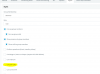
You need to enable 'Can park calls' in the extension or Group Rights Page
9748
 
You need to enable 'Can park calls' in the extension or Group Rights Page

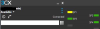
I knew about the Group Rights Page, but was not aware there are Manager Rights and User Rights sections. The extension's Role is user. I enabled Group Rights - User Rights - Can Park Calls. Now the windows client SP keys toggle yellow/green. I found that this setting works with
3CX v16 with v16 client
3CX v15 with v16 client
3CX v15 with v15 client
9756
Thank you,
 
Status
Not open for further replies.

Forum statistics

Threads
111,990
Messages
590,165
Members
164,929
Latest member
Cloudstar