- Joined
- Nov 30, 2020
- Messages
- 11
- Reaction score
- 0
Hello, we are testing bandwidth.com with 3cx and outbound calls work just fine adding a generic SIP trunk.
Inbound calls are not getting routed properly. All necessary ports have been allowed inbound, and it seems to me that its more of a setting that i am missing.
I found this previous thread with a similar issue:
https://www.3cx.com/community/threads/bandwidth-com-trunks.21184/
And then found this:
https://www.3cx.com/blog/docs/did-v...the “SIP Field containing,the DID will be put).
But in the current 3cx version, the latest one i got off the web
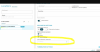
where is the option to set Source identification by DID?
I think i need to do this to make the inbound calling work:
Changed the Port ID to some random number
-Setup the DIDs within the voip provider in the following format: *1234567890 (so I didn't have to put the +1 in front of the DID).
-In the "Source ID" tab, check the "Source identification by did" box.
-for "SIP Field containing DID numbers" select "Request Line URI: User part"
-Click "Add DID" and select all of your DIDs and click okay.
Inbound calls are not getting routed properly. All necessary ports have been allowed inbound, and it seems to me that its more of a setting that i am missing.
I found this previous thread with a similar issue:
https://www.3cx.com/community/threads/bandwidth-com-trunks.21184/
And then found this:
https://www.3cx.com/blog/docs/did-v...the “SIP Field containing,the DID will be put).
But in the current 3cx version, the latest one i got off the web
where is the option to set Source identification by DID?
I think i need to do this to make the inbound calling work:
Changed the Port ID to some random number
-Setup the DIDs within the voip provider in the following format: *1234567890 (so I didn't have to put the +1 in front of the DID).
-In the "Source ID" tab, check the "Source identification by did" box.
-for "SIP Field containing DID numbers" select "Request Line URI: User part"
-Click "Add DID" and select all of your DIDs and click okay.