Solved 3CX with Bandwidth.com issues receiving inbound call

Status
Not open for further replies.

netvoip

Free User
Joined
Nov 30, 2020
Messages
11
Reaction score
0
Hello, we are testing bandwidth.com with 3cx and outbound calls work just fine adding a generic SIP trunk.

Inbound calls are not getting routed properly. All necessary ports have been allowed inbound, and it seems to me that its more of a setting that i am missing.

I found this previous thread with a similar issue:

https://www.3cx.com/community/threads/bandwidth-com-trunks.21184/

And then found this:

https://www.3cx.com/blog/docs/did-v...the “SIP Field containing,the DID will be put).

But in the current 3cx version, the latest one i got off the web

where is the option to set Source identification by DID?

I think i need to do this to make the inbound calling work:

Changed the Port ID to some random number
-Setup the DIDs within the voip provider in the following format: *1234567890 (so I didn't have to put the +1 in front of the DID).
-In the "Source ID" tab, check the "Source identification by did" box.
-for "SIP Field containing DID numbers" select "Request Line URI: User part"
-Click "Add DID" and select all of your DIDs and click okay.
 
Have you used the 3CX Activity Log, to look at an incoming call , to see exactly what DID number is being sent? It may be that your DID rule(s), are not an exact match.
 
Have you used the 3CX Activity Log, to look at an incoming call , to see exactly what DID number is being sent? It may be that your DID rule(s), are not an exact match.

when i make any inbound calls, there is nothing showing on the activity log with that DID / external number.

The Call log shows outbound calls being made and there are no issues with that...

Thanks.
 
hen i make any inbound calls, there is nothing showing on the activity log with that DID / external number.
Have you confirmed, with the provider, that they are, in fact, sending a DID?

Did you set the logging level to Verbose?
 
Have you confirmed, with the provider, that they are, in fact, sending a DID?

Did you set the logging level to Verbose?

Sorry this is new to me, I just enabled the verbose mode and still do not see the inbound calling.One thing i did miss was bandwidth (the voip provider) said in their dashboard I had to enter the IP we have on the WAN side which I now did but issue persists.

Secondly not sure if this matters but the Pi3 (3cx PABX) is behind double NAT AT&T Internet gateway and then a Mesh Router.We have made sure both of them are port forwarding the range / required ports as outbound calling is working.

To troubleshoot further, I can remove the Pi3 and directly place it after the ISP AT&T router and on DMZ.This will expose the 3cx server directly to the internet. Is there significant risk in doing so ? as long as we make sure we do have a firewall and this is only to test if something on the firewall end is causing this.

But I am still thinking its something on the SIP Trunk Inbound calling parameter that I am missing, is this provided by Bandwidth and or 3cx? because bandwidth does not provide any template nor any instructions on how to integrate with your own PABX.

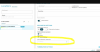
When you say confirm with provider they are sending DID what does that mean? We have more than 10 numbers on the account in bandwidth.I am able to assign any DID number on an internal extension for outbound call and its able to dial out using the 3CX android app.
 

Attachments

  • Screen Shot 2020-11-30 at 2.58.55 PM.png
    Screen Shot 2020-11-30 at 2.58.55 PM.png
    895.6 KB · Views: 9
I just enabled the verbose mode and still do not see the inbound calling.
I had assumed that you were not seeing a DID number in the Invite. Are you not seeing any log of an incoming call? If that is the case. then you might want to find out where they are sending your calls, and how they are determining that...registration, Static IP?
 
I had assumed that you were not seeing a DID number in the Invite. Are you not seeing any log of an incoming call? If that is the case. then you might want to find out where they are sending your calls, and how they are determining that...registration, Static IP?

Its working! thanks all I had to add the DID number within bandwidth to the right location center, and then it started working.
 
Status
Not open for further replies.

Latest Posts

Members Online Now

Forum statistics

Threads
111,831
Messages
589,276
Members
164,660
Latest member
RJenkinsROCK