Hi all.
I need help on add phone on 3cx system V15.1
.
Hi Saqqara.You should upgrade to 15.5 SP6, as 3CX have made some background changes and you could have licensing issues
Hi Saqqara.Under the options tab for extension you need to untick 'Disallow use of extension outside the LAN (Remote extensions using Direct SIP or STUN will be blocked)' else stun connectors will not work.
This settings is for 15.5 SP6, but your current version will have a similar option,
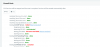
Have you run the firewall checker, and is everthing green.
Make sure that port 5001 has been nat on the firewall to your 3CX server - this is used by the provisioning url.
Also check the blacklist, and delete any entries as your IP address may have been blacklisted.
Hello @YiannisH_3CXHello @huytl
Please note that you can register phones to the PBX in all licence versions. Make sure that your are using firmware version 37.81.0.15 and that you follow the guide for provisioning the phone
https://www.3cx.com/sip-phones/yealink-cp-series/
Thanks for your information
Please guide me how to update
You need to forward the ports on your firewall to get the firewall checker to pass. All needed ports can be found here: https://www.3cx.com/docs/ports/This's the result firewall test.
How to fix it?
On a previous post you stated that your are using firmware 37.81.0.0, this is why i suggested you upgrade your firmware to the supported version.I'm sure my firmware using version 37.81.0.15 and I've done the steps as instructed but unsuccessful.
How to fix bro?
thanks Bro.Please note that you cannot change the PBX sip port after installation. Port 5061 is used for TLS provisioning. If you use the 3CX ISO to install the phone system then these ports will be configured for you.
Founded in 2005, when VoIP was an emerging technology, 3CX has gone on to establish itself as a global leader in business communications.