Audio archiving to AWS S3 using SFTP

Status
Not open for further replies.

Matthew Plouff

New User
Joined
Jan 12, 2021
Messages
6
Reaction score
2
Can anyone shed light as to why my audio archiving is failing? I am using AWS Transfer Family service, and have a SFTP server setup there with a user created that is setup with permissions to a specific bucket where I want those recordings to end up. I tested the connection to the bucket using WinSCP and was able to connect no problem and uploaded a file. However, when I use the exact same settings inside of 3CX, I don't get the same results. I checked the logs on the SFTP server and it shows a quick (I'm talking 1-2 seconds) connection and then it disconnects with no actions in between. Has anyone set this up to have their audio recordings archive to s3 before, or know what I, or the SFTP client in 3CX is doing wrong?


My settings in 3cx are:
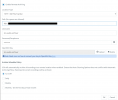
1610476924773.png

The path is the AWS SFTP server endpoint address.

Below is the log that I am seeing inside of AWS:

1610477109143.png
 
Hi Matthew,

Is the path complete? For example sftp://xxxxxxx/HomeFolder/RecordingsBackups/

Or is it just sftp://xxxxxxx
 
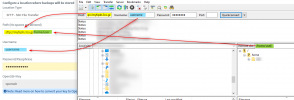
What John said. When you connect via SSH using WinSCP. Filezilla, etc, these applications automatically take you to the root directory of the user. The 3CX options do not, so you must enter the the path after the URL in the Management Console. A working example is this:
1610541368033.png
 
It was just the server endpoint (which is what I used with WinSCP) which looks something like this:

"server-id".server.transfer.us-west-2.amazonaws.com

Also tried, with your suggestions adding the file path to the s3 bucket:

"server-id".server.transfer.us-west-2.amazonaws.com/path_to_my_bucket

And got the same result, I am going to reach out to AWS support to see how I should list that path, because they are separate services I don't think I can just list the path like that.
 
In the example by 3CX they have a trailing slash. In your example you don't. See if that changes anything
 
  • Like
Reactions: JohnS_3CX
Yeah I have tried with the trailing slash, and I am still getting that same result. I did find this in the 3CX management console log:


2021/01/14 09:23:42.116|13522|0021|Exc|Renci.SshNet.Common.SshException: Cannot open file in mode: CREATE|EXCLUSIVE|READ|WRITE
at Renci.SshNet.Sftp.SftpSession.RequestOpen(String path, Flags flags, Boolean nullOnError)
at Renci.SshNet.Sftp.SftpFileStream..ctor(ISftpSession session, String path, FileMode mode, FileAccess access, Int32 bufferSize)
at Renci.SshNet.SftpClient.Create(String path)
at _3cxFilesystemImplementations.SFTP.SftpFolder.CreateFile(String name)
at TcxRecordings.RecordingData.Archive()
at ManagementConsoleJS.Controllers.RecordingListController.<>c__DisplayClass19_0.<<Archive>b__0>d.MoveNext()

I'm just beginning to wonder if maybe the SFTP client 3cx uses wont work with the server I have setup in AWS.
 
SFTP works using the SSH protocol and instructions, so unlikely.
I can't say for sure, but so far every time I have looked deeper into such a case, it has always come down to permissions.

Basically what 3CX tries to do is once connected, check if it has permissions, as implied by the Exception you found.

Have you tried it against another Linux machine to test this theory?
 
Status
Not open for further replies.