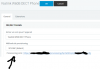
Auto Provisioning Yealink w52p

Status
Not open for further replies.

smokie

Forum User
Joined
Jun 22, 2019
Messages
54
Reaction score
2
Hello

I please need help with this continuous struggle with the above handset,
Running v16
I was running Win Pro but after a while i received the blue screen of death, have switched to linux,
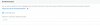
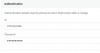
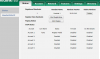
I am trying to auto provision the handset but it fails, and were do i get the password, thanks if you need more info let me know11328
1132711329
 
Hi,
is it same W56P DECT base you used in previous 3CX running under W10 ?

Have you restored 3CX config during reinstall on Debian? or did you do it from scratch ?

Has your DECT base been factory resetted since PBX OS change?

If you search about GUI password for W56P is located under ADVANCED --> FXS /DECT --> Select DECT base --> in FXS/DECT Details section --> Field --> Device web page password (clic on the eye to reveal)

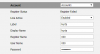
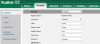
User password for extension is in your 000 extension, in your screen copy you have register name value to 000, have you set this in console for this extension ? if not, normally register name should be an alphanumeric chain and not the same as extension number.
 
Last edited:
Hi

Yes ---is it same W56P DECT base you used in previous 3CX running under W10 ?
Yes --- did it from scratched
Yes ---Has your DECT base been factory resetted since PBX OS change?
 
like this
11332
 
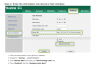
Ok, cool i have the password so how do i go about registering the phone
 
how do i set up on the itself via the web gui please?

11334
 
11336
 
Hi

I have got it to register, dont know what I did lol, now the web password is not working, do i use the same password
 
it has changed since you've done provisionning, so now the good one is the one from 3CX settings, like i said previously
If you search about GUI password for W56P is located under ADVANCED --> FXS /DECT --> Select DECT base --> in FXS/DECT Details section --> Field --> Device web page password (clic on the eye to reveal)
 
Is your pseudo related to your smokie brain ? :) (this is only humour)
 
Cool, will the user still be admin and then the password is what you said in your previous response?
 
no worries french, it is just frustrating not knowing about something lol
 
Thanks french we shall talk ahgain
 
  • Like
Reactions: AWS2P
  • Like
Reactions: JohnS_3CX
Thanks i appreciate the response, thanks
 
@smokie

If you are new to 3CX can always start with our guides as @kieferschild suggested, we produce them for our supported devices and can help you set them up step by step with all relevant links included for firmware.

I would also highly recommend using the 3CX Academy (with 3 certification levels) that walks you through everything you need as base knowledge and familiarizes you with the system enough so you can focus more on tackling more advanced issues in case you come across them https://www.3cx.com/3cxacademy/
 
Cool thanks but at this exact moment in time i need to know where i can fix this please
 
Status
Not open for further replies.

Latest Posts

Forum statistics

Threads
112,359
Messages
592,096
Members
165,533
Latest member
[email protected].