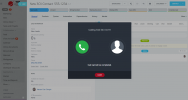
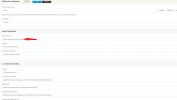
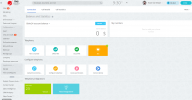
Because you're trying to call via Bitrix and their own calling system. The integration doesn't have any CTI control from the CRM side.I have done the 3cx integration and all settings correctly. But I can't call.
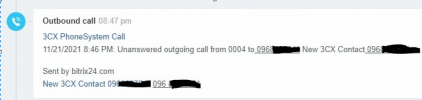
I added screenshots.
Yes, but using 3CX, not using Bitrix Calling.You mean, we cant use 3cx to call in Bitrix?
Yes, you can see in screenshots my first post.Yes, but using 3CX, not using Bitrix Calling.
Have you followed the 3CX Bitrix integration guide?
In this case, clicking a number in Bitrix should trigger the DesktopApp, not the Bitrix popup.Yes, you can see in screenshots my first post.
Indeed you need the 3CX desktop app, but before that Bitrix needs to turn off their dialer for your account. As long as their dialer is enabled, when you click on a phone number, Bitrix will try to make the call for you. So one step at a time, ask them to disable the Bitrix dialer, and then install the 3CX Desktop app to get click to call. You can get it from the 3CX customer portal.Bitrix said:
"It appears you need to install and operate a 3CX desktop app in order to use Click to Call"
So, how can i use click to call?
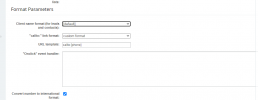
Once you have disabled the Bitrix dialer, the link for click to call should beBitrix said:
it appears you need to modify the Call-to link parameter in CRM Settings/Other Settings in line with 3CX parameters >>>
Please obtain relevant settings from your 3CX account or get same from 3CX support
tel:[phone]. That will allow the desktop app to handle these calls.Founded in 2005, when VoIP was an emerging technology, 3CX has gone on to establish itself as a global leader in business communications.