Solved Creating a Failover

Status
Not open for further replies.

amannick

Gold Partner
Joined
Feb 26, 2021
Messages
102
Reaction score
13
Hello Team

I have a client who wants me to create a failover they do have Enterprise License.

I am following this https://www.3cx.com/docs/failover/

but it isn't helpful how do I create 2 instance with SAME FQDN is it even possible. Plus is there any video tutorial for creating a failover?


Thanks
Aman
 
Use the IP to setup the second one. Yes, they will have the same FQDN. If you use a 3CX FQDN, DNS gets updated automatically. Otherwise, for custom FQDN, you have the option to run scripts to change the DNS record.

Simply enable failover as active on the first one and backup. Then, restore the backup on the second one and set it as passive.

I recommend using Google Buckets or SFTP to store recordings as it makes restoring the latest backup very slow on the schedule.
 
I use AWS as a host and I always use PBX express customer.3cx.com to install my instances.

As per you suggestion will it be smart to create a trial key and restore the back up to make the second server live.
 
As you have a enterprise license , you use the same license / fqdn for both servers

As 3cx failover is active ‘ passive only one server is active at one time
 
Ok So I have created another instance using self-host on aws light sail but it got created with different FQDN with a standard free key. Now I am replacing the key with my Enterprise key and I am getting following error.

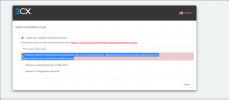
This license key is already in use and bound to another FQDN. You need to login to your customer portal and
release this license key from it’s current FQDN binding. Only after the key is unbound will you be allowed to transfer your existing FQDN onto this new key. Read this guide for more information.


Please help thanks.
 
Ok So I have created another instance using self-host on aws light sail but it got created with different FQDN with a standard free key. Now I am replacing the key with my Enterprise key and I am getting following error.

This license key is already in use and bound to another FQDN. You need to login to your customer portal and
release this license key from it’s current FQDN binding. Only after the key is unbound will you be allowed to transfer your existing FQDN onto this new key. Read this guide for more information.


Please help thanks.
Yes, you can't replace the key if the key you are replacing with already has a FQDN.
The new vm you created, delete it, then from your Customer Portal, find the License Key/Subscription with which you installed the Primary system (the Ent key) and deploy with that again.
This should create a new VM usign the same key.

Tip: Keep a note of the Public IP of your initial VM as you may need to access the Management Console using that until you fully configure the Failover (the FQDN will switch to the "secondary" until you set it up).
 
  • Like
Reactions: Evolute IT
Hello Nick

So this what I did and still facing the issue.

I installed Server 1 using Self Host Option in customer.3cx.com. I used AWS LightSale and it created the primary server. I scheduled back up attached my google cloud and enabled Faillover.

I tried installing secondary system using Restore an existing backup configuration. I am using the back of However I am getting below mentioned error.

The backup version 18.0.1.237 is newer than the PBX version 16.0.8.9. You can restore this backup only with PBX version 18.0.1.237 or newer.
 
This is another message I get.

1637049138213.png
 
Last edited by a moderator:
I am following below mentioned documentation.

https://www.3cx.com/docs/failover/

Step1 is easy to understand however

Step 2: Configuring the Passive Server (#2) feels like an incomplete information. Please provide process of creating passive server with IP or FQDN.​


Thanks
 
Hi!

I tried installing secondary system using Restore an existing backup configuration. I am using the back of However I am getting below mentioned error.

The backup version 18.0.1.237 is newer than the PBX version 16.0.8.9. You can restore this backup only with PBX version 18.0.1.237 or newer.
This is your problem. I think the error is self-explanatory. The new installation is a V16 Update 8 installations, but the "Primary" installation is a V18 Update 1. It makes sense that a backup from a newer version can't be restored onto an older version as the error explains.

What you need to do is make the new deployment via the Customer Portal, which will deploy V18 Update 1, and will allow you to restore your backup, Then you can proceed like that.


Step 2: Configuring the Passive Server (#2) feels like an incomplete information. Please provide process of creating passive server with IP or FQDN.
I don't understand what you don't understand in this section.
If you manage to install the "secondary" instance as explained above, I am sure if you follow the instructions in Step #2 they will make sense to you. If not, please be specific on the past you don't understand.
 
Hello Nick

Thank you for your response.

I installed the primary server using the customer.3cx.com and followed the instruction by clicking on self host added my AWS lightSail. and server was ready and my active server is ready to roll.


For second server

Can I follow the same process will it perform the install or will it over ride my previous configuration?

on a safer side

I created Debian instance in my AWS and tried installing 3CX V18 manually using below mention article.

If you could share the link to download v18 using wget it would be helpful

https://www.3cx.com/blog/docs/linux-version-9-stretch/

I used following command from the article to download 3CX on Debian.

wget -O- http://downloads-global.3cx.com/downloads/3cxpbx/public.key | apt-key add -
echo "deb http://downloads-global.3cx.com/downloads/debian stretch main" | tee /etc/apt/sources.list.d/3cxpbx.list
apt-get update
apt-get install 3cxpbx

Thanks
 
Can any body help me upgrading 3CX v18 from command line

Reading package lists... Done
Building dependency tree
Reading state information... Done
3cxpbx is already the newest version (16.0.8.9).
0 upgraded, 0 newly installed, 0 to remove and 1 not upgraded.

How can I get v18 please help

Thanks
 
on a safer side

I created Debian instance in my AWS and tried installing 3CX V18 manually using below mention article.

If you could share the link to download v18 using wget it would be helpful

https://www.3cx.com/blog/docs/linux-version-9-stretch/

I used following command from the article to download 3CX on Debian.

wget -O- http://downloads-global.3cx.com/downloads/3cxpbx/public.key | apt-key add -
echo "deb http://downloads-global.3cx.com/downloads/debian stretch main" | tee /etc/apt/sources.list.d/3cxpbx.list
apt-get update
apt-get install 3cxpbx
This would explain how you ended up with a V16 installation as your "secondary" server. Installing manually via command line is not supported.


For second server

Can I follow the same process will it perform the install or will it over ride my previous configuration?
Yes, this is how you should do it and no, it will not override your current installation. If you select the same license key, you will end up with 2 installations that both use the same License Key, which is what you want for a Failover scenario.
Heed the warning though in the guide right at the beginning of Step #2:
https://www.3cx.com/docs/failover/#h.x7ootglq7juf
(You may need to access the first installation using the IP instead of the FQDN temporarily).


Once you have done this, follow the Failover guide.
 
Hello Nick

Thank you for all your support and being patient with me. I was able to create Failover Servers perfectly.

I guess I was missing that warning ..

Important: For scenarios where the Active/Primary and Passive/Failover servers are behind different public IP addresses, when you first complete the installation of the Passive server and you run through the installation options, your public FQDN will be rewritten to the public IP of the Failover server. To re-write your external FQDN to resolve back to the public IP of the Active server, you need to edit the license for your primary server in “Settings” > “License” and click on “OK”, to switch back the FQDN to the 3CX primary server and restart its services.

I need to access my First server using Public IP assigned to it and it's username and password.

Yay !! It works thank you again for your help.


Thanks
 
  • Like
Reactions: NickD_3CX
You are most welcome! :)
 
  • Like
Reactions: amannick
Status
Not open for further replies.

Forum statistics

Threads
111,974
Messages
590,081
Members
164,899
Latest member
mazet