DID routing

Status
Not open for further replies.

mickymac

Customer
Advanced Certified
Joined
Jul 7, 2018
Messages
24
Reaction score
3
Hi 3CX community, I'm hoping that someone knows the answer to this request, but is it possible when our users dial the external DID numbers of our extensions, have 3CX route them locally instead of going to our SIP carrier and back.

Presently what happens is if the users call the internal extension number, the call is kept within our network.

If the staff member dials the DID number of the other extension (i.e. dials 4711 1234, instead of just 1234), then the call goes outbound to our SIP carrier and back to the recipients extension.

Is there any way to get 3CX to keep these calls locally?
 
Personally I'd correct users behavior but to each their own. This is just off the top of my head but here are a couple methods you could use.

- You can try setting the SIP ID of the extension to the DID. I haven't done this and I don't know if there is a length limitation but it should work.
- You can get creative with your outbound rules and fake trunks but you will eat up call paths the same as it going out and coming back
- Make a customized phone template and pushing down a dial plan on the phones to trim the DID down to the extension.
 
  • Like
Reactions: YiannisH_3CX
Thanks for the info, whilst I'm in the process of correcting the users behaviour we're after a temporary fix until they learn, what we might have to do is make a customised phone template and push this out to trim the DID down to the extension :)
 
Hello @mickymac

The easiest solution is to use the SIP ID of each extension. Although it was not designed to be used this way it should work and the calls will remain local.
 
Thanks Yiannish, unfortunately we're already using that to enable our users to dial "3 digit" extensions, so I'm out of luck on that one :(
 
Hi Mickymac,

I set this up at a client once. It was difficult given they had a multitude of SIP lines coming in but I was able to do it with Outbound Rules. Basically set the primary rule in the outbound rule list to take any call beginning with the first x-number of digits and strip out those digits. This will then make the dialled number match an extension and the call will remain internal only.
 
Thanks for the suggestion James, I'll give it a go and see how I get on :)
 
No worries mate. Just make sure you test with a dummy extension so the number stripping isn't on your live system. For example, set an extension up (1001) and then create a rule for a user who dial 9876 1001 to strip the 9876 or 4 digits and test. It should dial extension 1001.

And make sure this is prioritised higher than your normal outbound rules or it will match one of those first and fail to dial the number.
 
Sadly, I gave it a go, and it looks like it just seems to be routing out the SIP trunk as 4 digits and not to the extension :(
 
Can you add some screenshots of your extension configuration and the DID format for each user? I will create a rule on my PBX and you can see if yours matches if that makes sense. Can PM maybe if that is easier/more secure. But it certainly can be done, I am just not 100% sure of the exact configuration - has been a while since I did that job sorry.
 
Thanks James, I'm suspecting it's just a limitation of the newer version of 3CX from what I can gather, here's what I've tried in the outbound routes:
 

Attachments

  • 3cx extension details.JPG
    3cx extension details.JPG
    29.6 KB · Views: 14
  • 3cx extension details_2.JPG
    3cx extension details_2.JPG
    29.4 KB · Views: 13
  • 3CX Outbound Rules.JPG
    3CX Outbound Rules.JPG
    94.7 KB · Views: 13
Ah you're in Australia too! And Queensland at that!

That configuration looks right. Few more questions:

  1. Do your users always dial 07 first? Or,
  2. Does Optus automatically add the area code on outbound SIP calls?
  3. If it does, try dropping the 07 and then just strip the first 4 digits. And also ensure the outbound rule is first in the list.
  4. If you place a test call to the extension, what does the Activity Log show for that call?
  5. And finally, why do you need to use a SIP ID?
Let me know if you have Skype 4 Business and want to troubleshoot through there if it is faster.
 
Hi James,

1. It depends on the users, I've observed both some dialing 07 and without 07
2. for QLD calls we can dial the number without the area code and they just go through (so I'm assuming they add the area code for us), calls to other states (i.e. NSW, VIC, etc) then we have to add the area code.
4. If I place a test call using that, no matter what I enter in there, it does seem to match, but it just seems to want to go out the Optus trunk. I know the numbers are matching, because the system is trying to send 4 numbers out the Optus trunk instead of keeping them local.
5. We came from Telstra's TIPT platform and I'm guessing users are used to dialing full national numbers as that's how Telstra's system was configured. Unfortunately though, our main head office had 3 number extensions, while we had 4 number extensions for all other locations, hence in order to make 3CX fit our requirements we had to add the 3 digit extensions in on some of the extensions to make the system fit.
 
Okay I would start by deleting the SIP ID from the extensions as it should not be needed. And with the area codes, you will just need to double up the rules to accommodate each state. I have 3 trunks through the same provider for some failover but two fo the trunks are with one upstream who doesn't add area codes and one upstream provider that does (see attached).

So does the DID always match the extension number? You may need to adjust if they don't but if they do, then the Outbound Rules method should work regardless of version (it's just a call flow logic). To make it work though, you need to ensure it is the first rule that the call flow hits and that it can logically remove what it needs to so that it will only dial the extension number.
 

Attachments

  • 2018-10-05 13_25_18-3CX Phone System Management Console.png
    2018-10-05 13_25_18-3CX Phone System Management Console.png
    15.5 KB · Views: 10
Ah mate...I may have been misleading you!

I "think" I have just remembered something crucial here. This required an internal loopback interface to be configured. I will need to see if I can remember how it was done but basically, there was a SIP trunk that would look like a normal trunk but just loop calls back internally. Keep you posted!

***EDIT***
This was exactly how it was done: https://www.3cx.com/community/threads/internal-extensions-dialing-did-loop-out-and-back-in.40588/

I am not sure if this is still possible on your version of 3CX. If not, then it needs to go to the ideas forum as this should be a standard part of 3CX primarily to prevent unnecessary call costs.
 
We've been able to get around the issue by just adding in dial plans to our Yealink phones, hopefully once their tech support comes back then we can look at auto provisioning the templates out to them, but it's a little disappointing that 3CX doesn't have the ability to natively do this for us.
 
Hey mate, I got it working!

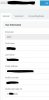
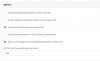
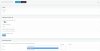
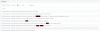
Loopback interface configurations still work. I have different DID:Extensions so I had to add the SIP ID to an internal extension. Here are the steps required with screens and logs below.
  1. Create Generic SIP Trunk with a caller ID that matches your mainline
  2. Set address as 127.0.0.1 (do not add :5060 like the old configurations - this should be automatic now)
  3. Create an outbound rule that matches the DID length up to your extension number length minus 1. For me this is (inc. area code) the first 8 numbers and I strip 7 so it dials 3 numbers from the extension (as my DID range is 07 3xxx x700-799 I set the rule to strip 7 and added a SIP ID to extension 101 for 701 - that make sense?).
  4. Move rule to the top of the Outbound Rules table
  5. Test :)
That should get you up and running and from there you will need to duplicate and reconfigure for all states and DID blocks. It will be a pain in the backside but once configured, they should work fine.
 
Thanks James, I'll have a play with it over the weekend when the traffic is a little lighter and see how we go :)

Thanks for your help!
 
Forgot the screens!

2018-10-05 14_00_19-3CX Phone System Management Console.png 2018-10-05 14_04_34-3CX Phone System Management Console.png 2018-10-05 14_10_16-3CX Phone System Management Console.png 2018-10-05 14_10_44-3CX Phone System Management Console.png
 
Status
Not open for further replies.

Forum statistics

Threads
112,351
Messages
592,044
Members
165,516
Latest member
Zexus