HOTEL SERVICES - PHONEBOOK NOT UPDATING

LabPadre

Premier Customer
Joined
Sep 24, 2023
Messages
7
Reaction score
0
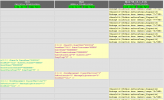
Howdy. PMS integration is active on our 3CX server. Our interface system is showing connection and Keep-Alive is active. I can manually make a change on an extension in the 3CX console, and the XML file does update but 3CX does not seem to be accepting updates to the phonebook.xml for new guests.. Attached is the 3CX-Hotel Module Log and a screenshot of the IFC connection. It shows the guest's name being stripped with XXXXXXXX. Is this normal? Fire wall is not blocking. Opera shows Interface as connected. Interface system shows connection to the 3CX server. I hope someone has some insight soon. This problem is going on 1 year now...
Thanks!
 

Attachments

Hi what phones are these?

In the pbx go to the phones menu ----- options ---- and there you can set Global Company Phonebook Update based on the IP phone brand.

1751475469758.png


This function allows hotel administrators to control how often IP phones and DECT devices automatically check for updates to the phonebook.
 
Hi what phones are these?

In the pbx go to the phones menu ----- options ---- and there you can set Global Company Phonebook Update based on the IP phone brand.

View attachment 48470


This function allows hotel administrators to control how often IP phones and DECT devices automatically check for updates to the phonebook.
Thanks for the reply. They are all Grandstream phones, but I wouldn't think it matters what type of phone it is, but I will look into that. I am just looking for the phonebook.xml file to update in the 3CX server via the Opera PMS Interface. The xml file in the server has not updated new guest names in almost a year.
 
Hi what phones are these?

In the pbx go to the phones menu ----- options ---- and there you can set Global Company Phonebook Update based on the IP phone brand.

View attachment 48470


This function allows hotel administrators to control how often IP phones and DECT devices automatically check for updates to the phonebook.
I'm not having a problem with the phones updating, only the server phonebook in the server it self not updating.
 
If you enter the phonebook URL in your browser do you see the updated phonebook lets say https://PBX_fqdn:httpsport/provisioning/XXXXX/phonebook.xml

I also suggest you to check that they user phonesystem has the rights to perform actions in that path because it looks like a permission issue where the system cant update the file....

Also if you set the pbx logging to verbose, you can check the managementconsole.log and systemservice.log to check if there are any exceptions

If you are using Windows, validate that any installed Antivirus Software do NOT scan these folders:

C:\Program Files\3CX Phone System\*
C:\ProgramData\3CX\*
 
The browser from the interface pc can access the phonebook.xml file via https://ip address/provisioning/xxxxx/phonebook.xml but is an old file that is not updating. The interface pc does not communicate via fqdn. We are on a domain and the file paths are also accessible and writeable from the interface pc to the 3CX server from the interface pc.
 
yes but this could be an issue where the system can't update or read the file, if you set the pbx logs to verbose mode within the activity log, restart the 3cx database server and then update an existing user, then from dashboard you may get the support info so if you open that file, within the logs folder you may check the managementconsole.log and systemservice.log

do you see any exception regarding the phonebook?

Check the permissions on the file phonebook.xml and allow access from everyone, then reboot the server, update an user and then check the file phonebook.xml (from directory C:\Program Data\3CX\Instance1\Data\Http\Interface\provisioning\randomdirectoryname
 
  • Like
Reactions: Evolute IT

Latest Posts

Forum statistics

Threads
111,962
Messages
589,959
Members
164,863
Latest member
dipesh09