Solved How to Install 3CX Live Chat on a WordPress Website?

Status
Not open for further replies.

duytoi

Free User
Joined
Jun 23, 2024
Messages
17
Reaction score
0
Hello everyone,

I'm looking to enhance my website's communication capabilities by adding a live chat feature. I've heard great things about 3CX Live Chat and would like to integrate it into my WordPress site. Could someone provide a step-by-step guide on how to install and configure 3CX Live Chat on a WordPress website?
3cx1.png
Specifically, I'm interested in:

  1. Installing the 3CX Live Chat plugin.
  2. Configuring the plugin settings.
  3. Integrating it with my 3CX Phone System (if applicable).
Any tips or best practices for optimizing the live chat experience for visitors would also be appreciated. Thanks in advance for your help!
 
Hi there.
I've included the guide here.
 
Thank you for your help. I have added the code to my website, but the live chat only appears in the browser where I am logged into 3CX. In incognito mode, it does not show up.
 
Hi there.
I've included the guide here.
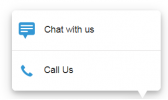
Great, it works perfectly! Thanks to the software developers. I still have a minor issue: how can I translate the phrases "Chat with us" and "Call Us" into the local language? Please help me.
3cx3.png
 
Perfect! Those options are not customizable.
 
Perfect! Those options are not customizable.
With this option, can you find and translate in the WordPress plugin source code?
 
This is not something we can advise
 
This is not something we can advise
How can I add an employee to the conversation when customers send messages and make calls? I have added the employee in the user section, but when checking the chat, the employee does not receive the messages and calls. I have tried transferring the messages to the employee, but it didn't work. Can you help me with that?
nhanvien.png

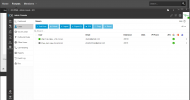
Here is the employee login admin panel.
bqtnv.png
 
Please also check the guideline here for more information of how to handle the Live Chat messages.
 
Please also check the guideline here for more information of how to handle the Live Chat messages.
I am new, and it’s really not easy for me. What does an employee need to do to see the conversation? In my admin panel, I have added the employee and can see everything. But my employee cannot see anything. Is there any configuration or setting required for the employee account? If there is support for TeamViewer, that would be great.
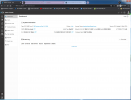
This is my account:
admin.png


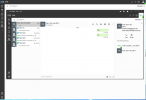
This is the employee account:
11111.png
 
Can you please clarify first where the chat is routed?
Do you sent it to a Queue?
 
Can you please clarify first where the chat is routed?
Do you sent it to a Queue?
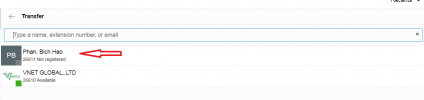
I transferred the conversation to the employee, but it did not appear. The employee is currently logged in at the address 1853.3cx.cloud, and my account is adding the employee who is logged in at the address 1841.3cx.cloud. Is this correct?

On my admin control panel, when I transfer the conversation, it looks like this.
hao.png
 
It shows as unregistered, does the user has the web client open and notifications are allowed?
 
It shows as unregistered, does the user has the web client open and notifications are allowed?
With the employee's private line, calls and messages are still being made normally. How should I handle this issue?
 
@TheodorosG_3CX The issue has been resolved. Thank you all for your time. It wasn't related to Chrome notifications.

Can I ask one more question here? With the free V20 version, is it possible to create departments for employees? Currently, all messages are sent directly to the administrator, who has to forward messages and calls to the working staff. If this feature is not available, is there any way for messages and calls to be directed to the sales staff directly? Do you have any suggestions for this issue?
 
Glad to know you resolved the issue.
You can create a Department(Sales in your case) and assign the DID to this Department.
 
Glad to know you resolved the issue.
You can create a Department(Sales in your case) and assign the DID to this Department.
Department (Sales in your case) not visible in the admin panel. Do you have any advice in this situation?

admin_console.png
 
Is this a Free key?
 
Exactly, this is a free KEY.
 
For any SMB edition adding a new department is not an option.
 
  • Like
Reactions: duytoi
Status
Not open for further replies.

Latest Posts

Forum statistics

Threads
111,973
Messages
590,075
Members
164,895
Latest member
jasonkkrause