Increase Productivity & System Efficiency with 3CX V20, Update 3 Final

MichaelB_3CX

3CX Team
Staff member
3CX Support
Joined
Aug 25, 2009
Messages
568
Reaction score
699

New features include multi-user editing, revamped backup/archiving, and improved Teams status sync.​

The final release of Update 3 has arrived! It’s packed with new features all designed to enhance both system performance and team productivity in addition to major timesaving functions for both PBX admins and end-users. Read on...
Continue reading the Original Blog Post.
 
Last edited by a moderator:
Nice !
 
Just installed. All went well, no issues. Thanks.
 
"Ability to enable/disable 3CX Talk."
How is it done ? Extension level or it can be done globally for the whole system ?
 
I see a bunch of prompt updates showed up. I am clicking download to install, but they remain. Not a huge issues since we do not use those languages, but I just like to see our Updates screen clean with no pending updates. : ) Thanks. No rush.
 
prompt updates
Unless it's changed in u3, 3CX will automatically download all languages at some point. Well, at least after an upgrade from v18 they are all installed and will reinstall if removed.
 
Hi All,

I think there is an issue with downloading and updating the prompt set please check, try to download a few times no luck.

Thanks
Parham
 

Attachments

  • Screenshot 2024-10-09 at 16.22.14.png
    Screenshot 2024-10-09 at 16.22.14.png
    256.3 KB · Views: 28
Aside from the issue with the prompt sets, I seem to still not be able to import custom providers into 3CX Hosted.
 
The release notes: "Licensing Changes: Summary & Sentiment features for OpenAI & Google now require an Enterprise License. This is now enforced."

Does this mean that Google and OpenAi Voicemail Transcription requires an Enterprise License?
 
"Ability to enable/disable 3CX Talk."
How is it done ? Extension level or it can be done globally for the whole system ?
Extension level and via import/export.
 
Looks like the issue with Downloading Propmts has been fixed.
 
I see a bunch of prompt updates showed up. I am clicking download to install, but they remain. Not a huge issues since we do not use those languages, but I just like to see our Updates screen clean with no pending updates. : ) Thanks. No rush.
Unless it's changed in u3, 3CX will automatically download all languages at some point. Well, at least after an upgrade from v18 they are all installed and will reinstall if removed.
Hi All,

I think there is an issue with downloading and updating the prompt set please check, try to download a few times no luck.

Thanks
Parham
Its should be fixed - let the system redownload again automatically or force the update
 
Hi,
updated.
Posted about this before, i still cannot see call scripts.
One of my free users can see it ( albeit not use it) but my hosted enterprise licence the TAB isn't even there?
1728489264092.png
i've cleared cookies etc...
Any ideas !!

Thank you :)
 
  • Like
Reactions: N_G
The release notes: "Licensing Changes: Summary & Sentiment features for OpenAI & Google now require an Enterprise License. This is now enforced."

Does this mean that Google and OpenAi Voicemail Transcription requires an Enterprise License?
Transcription allowed both PRO & ENT.
Advanced AI features (i,e) Summary and Sentiment ENT.
 
Hi,
updated.
Posted about this before, i still cannot see call scripts.
One of my free users can see it ( albeit not use it) but my hosted enterprise licence the TAB isn't even there?
View attachment 44393
i've cleared cookies etc...
Any ideas !!

Thank you :)
Call Scripts will be allowed for Hosted by 3CX - Update 4.
 
Will 3CX add the feature to allow the department admin to configure the SIP Trunk for their own department when 3CX MCM mode is enabled?
 
Where can I find additional info/documentation on this line of the release notes:
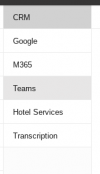
Call transcriptions have been added to CRM Integrations adding the call transcription along with its summary to the customer record.
I have call transcription working on recorded messages but want to understand how to send this data (Sentiment, transcription, summary) to my custom CRM integration.
 
  • Like
Reactions: JoelMartínez
I don't understand how removing the option to have backups go to one location while recordings go to another is an improvement.

It still supports only the same backup destination types, only now I can't have my much smaller backups go to a different place than my large recordings and everything else. This is a downgrade for me.

Am I missing something? I don't understand why that option was removed and then called an upgrade when nothing was actually changed.

I do like the rest of the update, glad Talk can finally be disabled (after we were told that's impossible) and we can finally do bulk edits again (with BLFs!)

Still missing the smart phone apps showing up under the Phones tab like we had in 18.
 
Where can I find additional info/documentation on this line of the release notes:
Call transcriptions have been added to CRM Integrations adding the call transcription along with its summary to the customer record.
I have call transcription working on recorded messages but want to understand how to send this data (Sentiment, transcription, summary) to my custom CRM integration.
[LineBreak]
[Summary]
[Transcription]
[RecordingUrl]
[RecordingHyperLink]
 

Latest Posts

Forum statistics

Threads
111,973
Messages
590,074
Members
164,895
Latest member
jasonkkrause