Installation Issues -No configuration Tool

Status
Not open for further replies.

Breakena

Forum User
Joined
Oct 9, 2019
Messages
7
Reaction score
0
I am doing installation from ISO on a USB stick .I have completed the first part of the installation and when the configuration tool is to appear i am only seeing a blank screen .Is this a know issues with 3CX .In the past i have completed an installation and its is running for over a year now .However this new installation is driving me up the wall
 
Debian or windows version ?
 
blank screen in browser? which one?
 
Hello @Breakena

So you're instaling Debian/Windows and the you've blank screen ?
 
Are you able to get at it from http://<IPOFPBX>:5015
 
I am doing installation from ISO on a USB stick .I have completed the first part of the installation and when the configuration tool is to appear i am only seeing a blank screen .Is this a know issues with 3CX .In the past i have completed an installation and its is running for over a year now .However this new installation is driving me up the wall

Hello,

You will have to give us more details on this one. Look at this guide and tell us which step-number failed for you but also tell us what hardware or VM you are using
https://www.3cx.com/docs/manual/installing-debian-linux-pbx/
 
My apologies I am installing Debian 3cxISO on a Thinkcenter M625q MINIPC.
To answer the other question .I ca not browse to the default setp page because the setup wasnt completed.As stated the configuration setuppage is not being displayed .
 
Hi,

Thanks for letting us know. When you say "the configuration setuppage is not being displayed" which step of this guide here are you referring to?
 
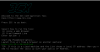
After the disk has been partitioned and system reboots (yes i removed the usb drive).The below page
doesnt get displayed.Its just a blank screen
12607
 
We had this happen on a particular piece of hardware as well, for whatever reason the wizard didnt automatically launch, you just have to run the command to launch it manually when it drops you to shell.

sudo /usr/sbin/3CXWizard --cleanup
 
We had this happen on a particular piece of hardware as well, for whatever reason the wizard didnt automatically launch, you just have to run the command to launch it manually when it drops you to shell.

sudo /usr/sbin/3CXWizard --cleanup
Thanks for the response .But at what point of the installation process would i get a chance input that command not seeing the shell prompt at any point.
 
when you get the blank screen if there is no prompt or anything at the bottom, try CTRL-C, if its actually frozen, then there may not be much you can do though, it may not be supported hardware.
 
when you get the blank screen if there is no prompt or anything at the bottom, try CTRL-C, if its actually frozen, then there may not be much you can do though, it may not be supported hardware.
Yeah it worked on similar devices .I thought there was a way to interrupt the boot sequence and run the command .I will attempt that
 
If the machine does not boot at all then the Wizards is not really the problem in this case.

Not sure if the PC firmware needs updating or whether you need to run in CSM mode versus UEFI mode. Just something to look for if the boot fails after the OS installs and reboots.
 
This might be a different issue, but using Virtualbox (following the guide on support) I end up stuck after entering the hostname like so:
12652

Also tried Virtualization Station (KVM) on a NAS and had the same issue. Using latest Debian ISO


EDIT.

For anyone experiencing this issue, check to make sure you can fully resolve through your network downloads.3cx.com etc.
 
Last edited:
  • Like
Reactions: JohnS_3CX
This might be a different issue, but using Virtualbox (following the guide on support) I end up stuck after entering the hostname like so:
View attachment 12652

Also tried Virtualization Station (KVM) on a NAS and had the same issue. Using latest Debian ISO


EDIT.

For anyone experiencing this issue, check to make sure you can fully resolve through your network downloads.3cx.com etc.
Yes, the installer assumes you have proper internet access because packages will need to be downloaded
 
  • Like
Reactions: LukeR
Status
Not open for further replies.

Forum statistics

Threads
111,934
Messages
589,818
Members
164,811
Latest member
aurorasigntrtechitnet