Solved Messaging is broken on our machine

Status
Not open for further replies.

StevenMDR

Customer
Joined
Nov 5, 2020
Messages
11
Reaction score
1
We are running 3CX V16 U8 on a KVM with QEMU using Sea bios. We've been running stable for months, but now Everything except the Messaging section in the management console is working. When I click on the Messaging section of 3CX-MC the web-socket connection to "/notifications" stalls for about 1.5 mins before populating the list with our configured SMS/Facebook gateways. I can not actually open the settings for any of these gateways and I can not delete these gateways. When I try to open one it makes a call to "/SetProviderInstance" and hangs for about 1 min and gives me a prompt.. "Server Error - 3CX Management console is not responding. This may be be a browser issue - Clear your browser cache, refresh and try again." and the same for trying to delete one. I've tried doing this so many times and nothing changes.

From the prospective of the web-client, it still loads up current conversations and still receives SMS, not Facebook. We can not send anything outbound at all but we still receive SMS.
Has anyone experienced this and does anyone have any idea's on what to try?

So far I've tried:
Clearing the chat logs and the call logs.
Clearing/resetting my browsers caches(chrome/firefox/edge, they all respond the same.)
Full restarts of both the server and clients.
I tried looking at the logs but I'm not sure exactly which log I'm needing to find anything relevant.
I've tried reaching out to a local partner and they are reluctant to help. I'm not sure weather it is due to them being booked, or if they don't realize they are listed as a 3CX partner.

If anyone has a suggestion I'm open to trying about anything at this point. But if I can't solve this soon I'll have to just rebuild our system again.
 
Either rebuild or check if you have a parameter set as MESSAGING_URL (or _SERVER).

If so, remove it.

Otherwise, do as @cobaltit said and backup/rebuild from scratch. It takes less than 20min.
 
Rebuilding sounds like a good route to go if rebuilding means a fresh VM with a restored backup :)

If you are going to rebuild on the same box make sure your environment meets the requirements:

https://www.3cx.com/docs/recommended-hardware-specifications-for-3cx/

- Make sure your KVM version is 2.8+
- Make sure you deploy from the 3CX ISO
Yeah, I'll setup the exact same way as I did before but on a fresh VM and 3CX Deb install.
Either rebuild or check if you have a parameter set as MESSAGING_URL (or _SERVER).

If so, remove it.

Otherwise, do as @cobaltit said and backup/rebuild from scratch. It takes less than 20min.
I couldn't find those params except for the TIME_NTP_SERVER Setting, which definitely shouldn't be the cause. since it's just to handle time sync.

Thanks for the help, I'm going to go for the rebuild for the time being, but if anyone else has had this issue, I'd love to hear if you figured out what caused this sort of situation to happen, so we can learn more and prevent this in the future.
 
So I've rebuilt the server with the backup and I'm getting the exact same results. Still have to wait about a min and a half for all the messaging channels that are configured. I still can't get into any particular channels settings and still can not delete/remove them. We can still receive sms but we cannot send. I also figured out our facebook channel won't work in either direction.

I think I'll have to rebuild from scratch. But that does tell me that it may have something to do with the settings I am using. Not sure which config param could cause this. It may be a network issue, but we have full nat and http-s/sip/tls still works perfectly, It's just the messaging category that isn't functioning correctly. :/

Any recommendations are welcome
 
Hi @StevenMDR,

Please go to Settings >> Parameters and search for "MESSAGING_SERVER_URL", and if you find it try and delete that value.
 
Hi @StevenMDR,

Please go to Settings >> Parameters and search for "MESSAGING_SERVER_URL", and if you find it try and delete that value.
Thank you for the recommendation, but as stated before in response to Frederic that setting doesn't exist in our 3cx server. :)
 

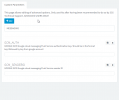
Attachments

  • chrome_2021-07-21_10-42-50.png
    chrome_2021-07-21_10-42-50.png
    18.6 KB · Views: 9
I tried adding that setting and then removing it, to see if I could maybe reset it. But that didn't work either :confused:

I fear I'll have to rebuilt from scratch at this point haha. :eek:
 
Hey @StevenMDR

I'll PM you shortly for more information regarding this issue.
 
I'm not entirely sure what fixed my weird case scenario. But for those who read this in the future looking for hope, I setup 4 different VM instances using newer backups and we are up and running again! I'm still trying to do some digging on what changed, so I'll post here if I figure anything out. Otherwise if this thread gets old with no update it'll lock itself. Sorry if this is the last post on here. :eek:o_O :D
 
Never mind, it's not fixed, but I'm still working with ChrisC_3CX.
 
@StevenMDR

As discussed via our PM conversation, we've found that testing the SMS configuration with the Test button never returns a success message meaning a connection issue exists that may very well be the cause of the issues you're reporting. Do you receive an error, if yes, what is it?

You mention being able to reach the Management Console remotely signifying that the HTTPS port is correctly forwarded. You also mentioned not having any outbound restrictions so I would recommend maybe checking for any other firewall configuration that may be contributing to the issue such as geolocation restrictions, packet filtering, DPI, or any other security services that may be running on the firewall.

It might be worth looking into the firewall's logging itself while reproducing the issue to see if the info there helps shed some light on the matter.
 
Christ figured it out!!, Our 3cx system had both IPV4 & IPV6 working at the same time, which confused my local DNS server on certain communications. We disabled IPV6 and rebooted and everything is working as expected!! Beautiful work @ChrisC_3CX!! Thank you again so much. :D :D
 
Last edited by a moderator:
  • Like
Reactions: ChrisC_3CX
You're very welcome!

I'm just glad we managed to get to the bottom of this!;)
 
  • Like
Reactions: StevenMDR
Status
Not open for further replies.

Forum statistics

Threads
111,974
Messages
590,081
Members
164,899
Latest member
mazet