


- Joined
- Jun 29, 2022
- Messages
- 4
- Reaction score
- 2
Hello All,
Hopefully I'm posting in the correct category. Apologies if that's not the case.
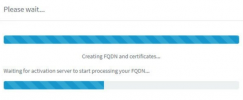
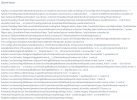
Wanted to ask if anyone has come across an issue we're having with one of our deployments. We have a Hyper-V instance of 3cx running on prem. All is well there and the system works fine. We are wanting to migrate from on prem to Azure. We configured the Azure VM and created a backup in the on prem environment. Both appear to be running version 18.0.3.461. Every time we go through the setup from the publicip:5015 website we run into the same issue towards the end. The backup appears to upload successfully, we go through most setup options fines. However, once we get towards the end of the installation (after creating FQDN and certificates - see pic 1, and just before the CONGRATULATIONS screen) we get to a screen that says restoring backup..... and it just sits there. The installation does not proceed. We once waited for 2 hours with no luck. There was a time we received an error message, see pic 2.
We've tried multiple backups as well. Not sure what the issue is at this point. Thank you for your help in advanced.
pic 1
pic2
Hopefully I'm posting in the correct category. Apologies if that's not the case.
Wanted to ask if anyone has come across an issue we're having with one of our deployments. We have a Hyper-V instance of 3cx running on prem. All is well there and the system works fine. We are wanting to migrate from on prem to Azure. We configured the Azure VM and created a backup in the on prem environment. Both appear to be running version 18.0.3.461. Every time we go through the setup from the publicip:5015 website we run into the same issue towards the end. The backup appears to upload successfully, we go through most setup options fines. However, once we get towards the end of the installation (after creating FQDN and certificates - see pic 1, and just before the CONGRATULATIONS screen) we get to a screen that says restoring backup..... and it just sits there. The installation does not proceed. We once waited for 2 hours with no luck. There was a time we received an error message, see pic 2.
We've tried multiple backups as well. Not sure what the issue is at this point. Thank you for your help in advanced.
pic 1
pic2


