


- Joined
- Oct 28, 2025
- Messages
- 2
- Reaction score
- 3
Version: Enterprise 8SC v20.0
We are in the process of integrating our application with the 3CX API and have run into several critical issues.
We have successfully set up an API user (Service Principal) in the Admin Console and are able to get a Bearer token successfully.
Using the token, some endpoints work correctly:
However, we are facing the following blocking issues:
We get
Also we enabled Call Data Records (CDR)
WebSocket attached_data is Always null
We are connected to the Call Control WebSocket (
CRM Integration Not Working
We attempted to use the server-side CRM integration by creating an XML template and uploading it. We have tried authenticating with a Personal Access Token, Username/Password, and Bearer Token, but Nothing works as expected.
We are in the process of integrating our application with the 3CX API and have run into several critical issues.
We have successfully set up an API user (Service Principal) in the Admin Console and are able to get a Bearer token successfully.
Using the token, some endpoints work correctly:
GET /xapi/v1/Recordings successfully returns recent recordings.GET /callcontrol/ successfully returns active call information when a call is connected.However, we are facing the following blocking issues:
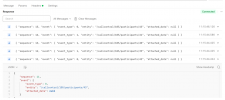
CallHistoryView API Returns Only Old DataGET /xapi/v1/CallHistoryView?$orderby=SegmentId desc&$top=10 endpoint is not returning recent call logs.We get
200 OK response, but the most recent data returned is from June 27, 2025. Not return any latest record. Why is the CallHistoryView API stuck on old data from June 2025, while the UI and Recordings API are up-to-date?Also we enabled Call Data Records (CDR)
WebSocket attached_data is Always null
We are connected to the Call Control WebSocket (
wss://3CXFQDN/callcontrol/ws). We receive events (like event types 0 and 1) , but the attached_data field in the response is always null. We are unsure about the meaning of event types 0 and 1.CRM Integration Not Working
We attempted to use the server-side CRM integration by creating an XML template and uploading it. We have tried authenticating with a Personal Access Token, Username/Password, and Bearer Token, but Nothing works as expected.


