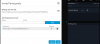
In the screenshot and settings page, it says Example "US: +1 (217) 123-1234, DE: +49 (30) 20179101".
Did anyone get this working? How should the inbound DID rule be configured?
What format does this field take? (I am referring to your screenshot) Is it important? I can't seem to get audio in/out for those dialled in via this method.
is there a specific reason for chosing a separate DID from the default which seems to be the 70 or 700 for conferencing?I got it working!
I figured out the inbound DID rule, go to inbound rules > Add DID rule > Give it a name, select a spare DID from the drop down, set the during/outside business hour option to extension and select the conference extension. You can find the conference ext in Settings > Conferencing > Audio tab. It should already be set to something and then add the DID number to Conference External Numbers in the above format.
It says you can enter multiple numbers in Conference External Numbers, anyone know if there is a benefit to add more like load balancing for simultaneous conferences?
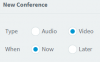
I notice the the dial in number does not appear for the quick meet now. It only works for scheduled meetings. Can someone confirm this is correct?
If I have Number of Simultaneous Calls: 64 and Number of Simultaneous Meeting Participants: 250, would a single 3CX webmeeting be limited to 250 participants? And can all 250 participants dial in or only 64?
is there a specific reason for chosing a separate DID from the default which seems to be the 70 or 700 for conferencing?
You#re right, I mixed things up. What I meant to say is that my conference extension already has a DID assigned for audio conferences to work and there is an existing inbound/outbound rule for the conference DID to make outgoing calls so I simply used that very same conference number here for the dial-in webvonference settings and I am still having problems but I am currently double checking my firewall settings (the most likely culprit)70 or 700 can be the conference extension and a DID is an actual phone number for people to call. I believe this dial in feature needs an actual phone number? The steps I listed is to route the spare DID to the conference extension when people call in. The conference ext is convenient to use because it already has a simple voice menu for meetings when someone calls it.
What format does this field take? (I am referring to your screenshot) Is it important? I can't seem to get audio in/out for those dialled in via this method.
Hi All, I would like to know if this feature is available in South Africa, I have been trying it out but the dial in feature does not populate on my web-meeting
For the dial-in to work, you must first go to your Settings > Conferencing > Audio and fill in the external conference number.Hi All, I would like to know if this feature is available in South Africa, I have been trying it out but the dial in feature does not populate on my web-meeting
Founded in 2005, when VoIP was an emerging technology, 3CX has gone on to establish itself as a global leader in business communications.