Phone Ring and Caller ID NOT following to some in ring group after Digital Receptionist menu press implemented

Status
Not open for further replies.

skycom10

Bronze Partner
Joined
Mar 15, 2021
Messages
10
Reaction score
0
Hi been going round and round with this. Now time to ask the pros...

So, Hosted PBX (Pro 18 8SC) SIP Provider (Flowroute)DID set to ring extension in SIP Trunks. The extension is 800all (a ring group with 6 phones and 3 softphones). In this scenario all works as expected, the phones ring, caller ID is displayed, under 3CX desktop app team BLFs blink red. ALL IS GOOD!

Implemented a Digital Receptionist with 2 menu items ( Flowroute DID to Digital Receptionist) Press 1 (rings out to another DID). Press 2 (Connect to Ring Group) Dest: 800all ring group as above.
CALL RESULT WITH PRESS 2: 3CX desk app BLFs blink red on phones but 3 softphones remain green, phones ring and display CID, 3 softphones do not ring or display CID.

Switch back to SIP TRUNKS "route to: Extension 800all" and expected result is achieved (all phones ring, display caller id and 3CX Desk App BLD blinks red as call rings.

Thanks all!

Tom Kelly
Dental IT
 

Attachments

  • 3CX 2.PNG
    3CX 2.PNG
    55.1 KB · Views: 10
  • 3CX 1.PNG
    3CX 1.PNG
    59.5 KB · Views: 10
Hi @skycom10

Do you have any other Digital receptionists or Ring groups that only the IP phones are a part off?
Also if you call the Digital receptionist from an internal extension and press 2 do you get the same results?

It really should not matter how the call is being routed to the Ring Group. If the call arrives at the Ring Group then all available phones should ring.
 
Hi @YiannisH_3CX
Do you have any other Digital receptionists or Ring groups that only the IP phones are a part off?
None

Also if you call the Digital receptionist from an internal extension and press 2 do you get the same results?
Yes, same results. But if I dial the softphone ext 175 directly from internal 3cx desktop app it goes through and shows Caller ID!

The only thing I can see different in the scenarios is for scenario1 above, under the SIP trunk menu I select Flowroute and under Route To: Extension is selected and the 800:all is available and selected.
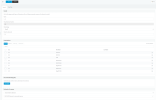
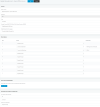
Under Scenario2 (see the 3cx 2.png image) the press 2 option is set to 'Connect to ring group' because if 'Connect to extension' is selected, 800:all is NOT available. So I select 'Connect to ring group' 800:all and we have the issue described in 1st post.

-Tom Kelly
 
Go to the users tab and select extension 175. Select it and press the Status button. It should be set to Available.
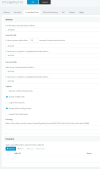
Then go to extensions 175 Settings and navigate to the "Forwarding rules" tab. Under the Available status check if the option "Accept calls from Ring Groups" is enabled.
 
Thanks @YiannisH_3CX for your attention to this matter. The customer is a dental practice and this caller ID pop up is something they rely on.

As in the attached screen shot 'Accept calls from Ring Groups' is enabled.

If you would like desktop access for a troubleshooting session with me let me know!

Regards,

Tom Kelly
Dental IT
 

Attachments

  • 3CX 3.PNG
    3CX 3.PNG
    43.4 KB · Views: 7
Is it possible to get more that one response a day on this please?!

Thanks
 
ANYONE!!!

It has to be a BUG in the implementation of Digital Receptionist on key press, NOT allowing in 'Connect to Extension' to select a 'call groups' extension! In my case 800:all
When 'Connect to Extension is selected in 'Digital Receptionist' the 800:all is NOT AVAILABLE!!! I need to select 'Connect to Ring Group' THEN 800:all is available BUT THE CALL FAILS TO the SOFTPHONES!!!

Please I need HELP ON THIS!!!

Respectfully,

Tom Kelly
Dental IT
 
Just about everywhere else in the configuration menus within 3CX, you CAN SELECT 'Connect to Extension' AND the CALL GROUPS are AVAILABLE to select!!!
BUT as in my above post.... WITHIN the 'DIGITAL RECEPTIONIST' under 'Connect to Extension' the call groups are NOT LISTED!!! only single extensions, dummy extensions, etc.
 
It has to be a BUG in the implementation of Digital Receptionist on key press, NOT allowing in 'Connect to Extension' to select a 'call groups' extension! In my case 800:all
The options in the Digital receptionist are not a bug. They allow you to connect to a Ring Group directly so I don't think that's the issue.
We tested on our side and we cannot replicate this behavior. With that in mind since it's not something we can troubleshoot in the forum I would recommend contacting our support department for further troubleshooting.
 
Status
Not open for further replies.

Forum statistics

Threads
111,974
Messages
590,081
Members
164,899
Latest member
mazet