- Joined
- Oct 20, 2017
- Messages
- 35
- Reaction score
- 5
Hello.
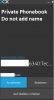
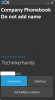
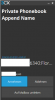
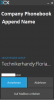
As already mentioned in this thread, when a contact is added to the private phonebook, the displayed information when being called doesn't make sense.
Its Caller Clip:Inbound Route:Contact Name
What you actually expect to see is the Contact Name first.
This only occurs in the private phonebook, not in the company phonebook.
How to change this?
When using the Windows-Client you only see the number at first, because the window size is too small to show all that informatoin.
Thank you.
Best regards
As already mentioned in this thread, when a contact is added to the private phonebook, the displayed information when being called doesn't make sense.
Its Caller Clip:Inbound Route:Contact Name
What you actually expect to see is the Contact Name first.
This only occurs in the private phonebook, not in the company phonebook.
How to change this?
When using the Windows-Client you only see the number at first, because the window size is too small to show all that informatoin.
Thank you.
Best regards