Solved Recording Option Not visible in WebClient

Status
Not open for further replies.

amannick

Gold Partner
Joined
Feb 26, 2021
Messages
102
Reaction score
13
Hi @amannick,

To be sure, when selecting Manager as the Role are you then checking the 'Can see group recordings (Available in Professional and Enterprise)' box? It is not selected by default.

If it is checked, where are you checking the recordings? Have you ensured that this extension is in the correct group?
 
Helo @VasilisV_3CX


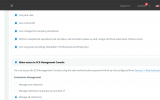
I have checked the option can see group recordings.

1623404463148.png


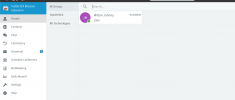
But its still not showing recording under Manager's webclient

1623404508357.png


and Manager rights were given and all the option are checked.


Thanks
Aman Nick | The Telephony Co.
www.thetelephony.co

Hi @amannick,

To be sure, when selecting Manager as the Role are you then checking the 'Can see group recordings (Available in Professional and Enterprise)' box? It is not selected by default.

If it is checked, where are you checking the recordings? Have you ensured that this extension is in the correct group?
 
Hi @amannick,

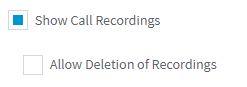
Just to confirm, you have enabled Show Call Recordings under the Extension >> Phone Provisioning >> 3CX App?

1623409306558.png

So the issue is that you can see the recordings tab in the Web Client but you're unable to see any of the group recordings therein?
 
  • Like
Reactions: JanBa
Hi! Glad to hear that it's been resolved! Feel free to open a new thread if you need any further assistance!
 
  • Like
Reactions: amannick
Status
Not open for further replies.

Forum statistics

Threads
112,025
Messages
590,368
Members
164,978
Latest member
FringeIT-Eric