Remote provisioning Yealink T42s

Status
Not open for further replies.

phoanglong

Free User
Joined
Sep 14, 2017
Messages
21
Reaction score
0
Dear all,

I'm trying to provision my Yealink T42S but I could not get it to work at all. I have tried the following:

(1) Disable trusted certificates on the device;
(2) Disable SSL/SecureSIP Transport and Ciphers (Settings > Security, scroll down to the bottom of the page and untick)
(3) Server is reachable, tested by accessing https://xxxxxxxx.3cx.xx:5101/provisioning/orh60zmo9y7zrc/xxxxxxxxxxxxx.cfg
(4) 3CX Mobile Application is working remotely
(5) Disallow use of extension outside the LAN (Remote extensions using Direct SIP or STUN will be blocked) - Unticked
(6) Phone Auto-Provisioning seems to be working (tested by provisioning through DIRECT SIP STUN MODE)
(7) IP of remote site is not "Blacklisted"
(8) Firmware of T42S is running the required firmware ("66.85.0.5")
(9) All required ports by 3CX are opened.

But I could not get the phone to "register" with my 3CX Server.

Could someone please help,

Best regards,

Long
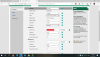
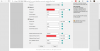
1601801262696.png

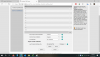
1601801316169.png

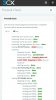
1601801344270.png
 
Last edited:
Hi Long,

Show the firewall checker all green?
PBX running in the cloud or on premise?
PBX running v15.x or v16.x?

Reset the phone to factory default, re-provisioning it and try again.
 
Hi Long,

Show the firewall checker all green?
PBX running in the cloud or on premise?
PBX running v15.x or v16.x?

Reset the phone to factory default, re-provisioning it and try again.
Thank you for your reply.
I'm seeing the port mapping is wrong (testing port 5060... Mapping does not match 5060. Mapping is 1024.) but i have setup port forwarding correctly. Do you think this would cause problem? I can connect to 3CX by 3CX Android app through 4G.

Also, my PBX version is 16x and running on private premise. I have factory reset the IP Phone but it did not work.
 

Attachments

  • Screenshot_20201005-164922_Chrome.jpg
    Screenshot_20201005-164922_Chrome.jpg
    294.3 KB · Views: 13
You need to disable SIP-ALG on the router for the mapping issue.

When you have done this, rerun the firewall checker.
 
You need to disable SIP-ALG on the router for the mapping issue.

When you have done this, rerun the firewall checker.

Many thanks, I'm using Unifi USG as the gateway and SIP ALG is disabled from very begining so i don't think that would be the problem.
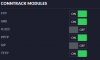
1601909547559.png
 
Sometimes the internet provider reserve SIP port 5060 for his own use.
Maybe is this the case?
 
Do you have a ISP modem in front of the USG, if so have you put it in modem bypass or are you using port forwarding rules.

SIP Alg could be enabled on this modem
 
Sometimes the internet provider reserve SIP port 5060 for his own use.
Maybe is this the case?

Is there any way to test this out, i have just made a phone call to the service provider and they said they are blocking no ports and reserve no ports. And I'm still being able to connect to the server through 3CX Mobile Application, so I don't think it would be the case.

Do you have a ISP modem in front of the USG, if so have you put it in modem bypass or are you using port forwarding rules.

SIP Alg could be enabled on this modem


My USG is on DMZ from the ISP modem, so I guess all traffics are going directly to my USG.

This is so frustrated, I could not find out the reason why it is not working.

Thank you for all your helps
 
Have you rebooted both modem and router ?
 
My USG is on DMZ from the ISP modem

I think this causes the issue... double NAT... ISP modem and the USG router.
Try to set up your modem to be transparent, thus no NAT.
 
If the firewall checker doesn't pass, then that's the problem to fix. It's not a 3CX issue but a networking issue
 
Please clarify whether the issue is that the phones will not provision, or the phones cannot register once they have provisioned.

Problem 1) You can log on the phone UI and see Account 1, if this is populated then the phone has provisioned and now you can look at why the phone cannot register.

Problem 2) If the phones DO provision but cannot register, then the firewall checker failing is the next thing to fix. You need NAT forwarding with port preservation (not just open port 5060 but also preserve it externally and internally).

Problem 3) Are these remote STUN phones? not only will you have to sort the firewall at the PBX site, but you will also have to do the same for the firewall at the phones site. SIP-ALG must be disabled on both ends, and the each STUN phone will need its own unique and non-overlapping ports defined in provisioning, and forwarded at the remote site firewall too. You may have better luck using an SBC which removes this requirement and helps traverse the NAT and firewall at the remote site
 
Status
Not open for further replies.

Latest Posts

Forum statistics

Threads
111,964
Messages
590,001
Members
164,869
Latest member
hpgitsupport