Scan QR Code Error: PBX Could Not Be Reached

Status
Not open for further replies.
Thanks again for your answers

on your lan you said ping on FQDN was working fine so local DNS should be the same

I've no DNS server on my Lan and FQDN resolve, what are your network settings related to DNS, do you use 8.8.8.8 ?

I made a mistake I just realised it... When I pinged the FQDN from the LAN I did it from the same PC that PBX is installed (sorry...). When I ping the FQDN from another PC in the LAN the requests time out and I have 100% loss. On the PC that 3CX is installed I am using as a DNS the local ip of my router.

Maybe I'm saying something stupid, but let's try it anyway:
since you said in the past it worked (I'm assuming you're referring the same xxx.3cx.gr:5101) and now not, it's not possible to be just a problem of a DNS cache? Resolving to a no-longer-valid local IP instead the actual one?

My mistake again because I wasn't specific...The machine that I had for the PBX was starting to cause some hardware problems so I replaced it with a new one. I installed Windows 10 on it, some other programs(browsers, etc) and of course 3CX. The FQDN has changed (xxx.3cx.gr) and the port too. But I have tried installing the PBX with default settings (for ports) and no luck

From LAN if you type in a cmd windows : nslookup your fqdn
do you have your public ip returned, and first answer returned is DNS IP resolving query, in my case 80.80.80.80
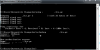
View attachment 10614

Yes I do have my public ip returned
10626
 
Since from your Android the PBX is reachable by IP, it might be the DNS server (the one resolving PBX's FQDN) not being reachable. Again, I'm speaking from iOS "point of view":

- on your Android device, try to see if the WiFi settings provides you which DNS server(s) it's currently using and see if the one you expected to resolve the PBX is listed there. If not, try to add it manually, see if there's a difference.
 
It is currently using my routers local ip by default (the same that the PBX is using). I tried changing the DNS to 8.8.8.8 but no difference. Back to the default one and it still can not provision locally.
 
ok so your problem is network settings if ping has no answer it's normal your phones doesn't reach PBX.

If you changed everything including , local IP for 3CX, FQDN and ports you need to check every where like it was a completely new install (Firewall ports, NAT rules)
you can use a netstat command in CMD to see if your ports are really open and listening
 
I corrected "3CX Phone System Server TCP/UDP IN" in the computers firewall. It was 5060,5061,5090 instead of 5160,5161,5190. This made the PBX Firewall checker Pass everything but local provisioning is not working yet...
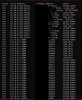
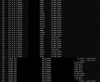
I used netstat and the results seem okay to me.
 

Attachments

  • 1.JPG
    1.JPG
    171.4 KB · Views: 4
  • 2.JPG
    2.JPG
    174.9 KB · Views: 4
Good to know you found source of problem

Are your phones being all factory reset since you change every thing on 3CX side, IP ports FQDN ?
Try on one phone and let us know
 
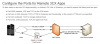
Provisionning need 443 or 5001 port to be opened (what did you choose at install time) , is it done ?

10632
 
Good to know you found source of problem

Are your phones being all factory reset since you change every thing on 3CX side, IP ports FQDN ?
Try on one phone and let us know

Unfortunately I do not have any hardphones to test right now. Only softphones

Provisionning need 443 or 5001 port to be opened (what did you choose at install time) , is it done ?

View attachment 10632

I choose 5101 and I have opened it.


I just tested again with my mobile and it provisions normally on LAN but not when outside now...
 
your FQDN is forwarded to 5060 or you change it for the new port you use now?
 
During installation I choose instead of 5060, 5160.
Also now I can not provision any phones at all neither locally nor externally:eek:
I really do not know what's going on...
 
they are not blacklisted ? check it in console

what is your network topology? what router and switch do you use ?

do you have problems with computer use out of 3CX ? internet access is working stable?
 
Nothing is in the blacklist
10633

I don't have any other problems with computer use. Internet access is working stable yes.

Right now I got the 3CX plugged in the router directly with no other devices and I'm trying to provision softphones via Wifi. The router is one provided by my ISP and its the Telekom Speedport W724V Type Ci
 
Last edited:
how did you try to provision softphone? with welcome email ?
do you have something like that ou yours with your local 3cx ip for office field and fqdn for out of office
10634
 
another idea coming, from computer did you set local host file on windows, if so edit file to see if there's not a line for 3CX host with old IP and ports
 
You use QR code on Android phones?
you talked about wifi , is wifi coming from same router as pbx is on or separate AP ?
can you try to use webclient with ethernet or wifi and see if it's ok?
 
another idea coming, from computer did you set local host file on windows, if so edit file to see if there's not a line for 3CX host with old IP and ports

hosts file only has one line
127.0.0.1 xxx.3cx.gr (xxx--->my FQDN)

You use QR code on Android phones?

On Android phones I have tried both ways. QR and welcome email
 
Also I sent a welcome email and opened it from another computer on the same network and it is working fine
 
Update... I didn't change anything, I didn't even log in the management console but local provisioning is working now(I don't know if it will stay like that...). External is not
 
do you have same network settings on both ? which media do you use ethernet NIC or WIFI?
 
The PC that 3CX is installed is connected via cable.
 
Status
Not open for further replies.

Latest Posts

Forum statistics

Threads
111,924
Messages
589,756
Members
164,796
Latest member
Dame24