Server Error on 3CX Management Console

Status
Not open for further replies.

Rev E Miller

Joined
Oct 22, 2017
Messages
25
Reaction score
9
Getting "Server Error" on 3CX Management Console when attempting to login since last night around 1:30AM Eastern Time.
 
  • Like
Reactions: Rob Lifton
Hello @Rev E Miller

Please try to access the Management Console from another public IP as the IP may be blacklisted.
Also please check that the services of the PBX are running
 
Hello @Rev E Miller

Is this a 3CX hosted installation or did you install on your own instance?
 
Cloud Hosted via Google

I get the error via another ip address as well, there is no "BlackList error", I was utilizing the management console when it locked me out with the server error.

unable to access Webclient or Android client
 
Last edited by a moderator:
Cloud Hosted via Google

Is this hosted on your own instance on Google Cloud or is it hosted on a 3CX instance?
Do you have ssh access to the instance?
 
it is my Google Cloud account, but access to the console is via 3CX address. I am a complete newb when it comes to all this stuff. the login web address involves XXXX.north.3cx.us if that helps you understand. Thank you for your help YiannisH
 
  • Like
Reactions: Rob Lifton
Everything seems to be working on the Google cloud and am able to call out(no incoming) from 1 out of 2 Deskphones, but no access via Android or Webclient or Windows Client. [Deskphone had issues to begin with before lockout "Server Error": was trying to resolve]
 
  • Like
Reactions: Rob Lifton
Hello @Rev E Miller

Can you now login on your Management console?
 
Negative, still "Server Error"
 
Hi, can you please tell us, is this a Linux machine or a Windows one?

If it is Linux which command did you use for checking?

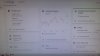
Can you also attach a screenshot showing the status of the services?
 
I'm using Windows7, I have nothing stable enough to run Linux on at this time, If I did- I would self host and probably reduce many of the issues I have been having.
20180125_103458.jpg 20180125_103608.jpg
 
  • Like
Reactions: Rob Lifton
Also, I would like to point out, that other than moving 'push' services to this account there is nothing else. I'm not a super developer/IT person, I'm just a minister with a small home based ministry trying to keep ministry calling separate from personal as cheaply as possible, since all costs are self-imposed.
 
I think there is some confusion regarding what needs checking. The PBX is installed on a google cloud instance that is running windows or linux?
Please note that since this is your google instance we are unable to access it and check if the services of the PBX are running. As the administrator of the system you need to access the instance and check the if the PBX services are running.
If the instance the PBX is installed on is Linux you will need to access it using SSH.Once you gained access you can type "service 3CX* status" to check if all services are running. If the instance is running windows you will need to access it using remote desktop and check services using the task manager.
 
I am not GOOGLE, I know next to nothing about SSH and everything I see shows that GOOGLE is up, but my access to 3CX is down!!
There is no on-site system other than 2 Cheap-unsupported Legacy Deskphones and TFTP for provisioning on my Windows7 machine. If I can call out from 1 deskphone to a landline, should be enough info to show that the Google Cloud end of it is working plus the screenshot showing Cloud CPU usage operating, which means that 3CX the intermediary is the issue. PLEASE read post above where I am not the greatest with IT and IP/SIP phones (I try my best). This is all very frustrating and I apologize, if I come off a bit rough- I have lost alot of sleep the past week trying to implement Deskphones (Cisco 7941G's) and still not getting it right.
 
If I could find it or know where to look, that would be great. Or even load my weekly backup.
 
Kindly note that as mentioned in my colleague's previous reply, since this is your own instance you must access it using SSH(if it's Linux) or using Remote Desktop(if it's on Windows). The cloud is up but the servics of the PBX could be stopped and if this is the case then that is why you cannot access your Management Console.

From our side we can not do much about this as this must be done by the Administrator of the instance as well as we could not have access on your instance.
I would suggest you to ask for some IT help if you think that you cannot manage to do this procedure.
What must be done since you tried to access your management console from a different public IP with no luck is to :

Access the Instance
If Linux run: service 3CX* status
If windows check services from the task manager's Services tab
If the services are stopped then proceed re-starting them
Try to login in into your management console for once again


See this guide on how to connect to your Google instances:
https://cloud.google.com/compute/docs/instances/connecting-to-instance
 
I have found more of what was being talked about and have done the start stop restart on the VM Instance, but now have lost the Management Console login screen (it's almost as if I've made it worse). BTW, thank you all for your time in trying to help resolve this.
 
  • Like
Reactions: Rob Lifton
okay, it's official, I've ROYALLY messed this up!
 
Okay, I've restarted the VM Instance on Google and have now lost all access from Desktop phone and EVERYTHING, including no longer show the Management Console Login screen
 
Status
Not open for further replies.

Forum statistics

Threads
112,298
Messages
591,768
Members
165,438
Latest member
cur_cb