


- Joined
- Dec 7, 2016
- Messages
- 5
- Reaction score
- 1
Hello,
Yesterday I upgraded from 3CX 15.5 to 16.0.5.619.
My SIP provider told me that starting in version 16, we need to tick the Auto Discovery checkbox in SIP Trunks > Edit > General:
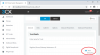
Although the SIP provider uses the standard port 5060, and that's what was entered, apparently using Auto Discovery is some "black magic" that prevents trunk registration failures.
1. Does the Auto Discovery checkbox do anything other than what is documented in the manual, i.e., simply detect which port to use?
2. Bug Report: When I tried to tick the Auto Discovery checkbox, it would appear ticked and the Port field would be hidden, as expected. But then when I pressed OK, the change did not persist, i.e., when I went back into edit the trunk, the checkbox was back to the unticked state. I tried repeatedly without any luck. The next day, I tried again and it inexplicably started working as expected. (I am using Chrome.) I talked to my SIP provider's technical support and they told me that this UI bug is common.
Thank you.
Yesterday I upgraded from 3CX 15.5 to 16.0.5.619.
My SIP provider told me that starting in version 16, we need to tick the Auto Discovery checkbox in SIP Trunks > Edit > General:
Although the SIP provider uses the standard port 5060, and that's what was entered, apparently using Auto Discovery is some "black magic" that prevents trunk registration failures.
1. Does the Auto Discovery checkbox do anything other than what is documented in the manual, i.e., simply detect which port to use?
Enter a name for this VoIP provider account. Crosscheck the pre-filled “Registrar/Server/Gateway Hostname or IP” and optional “Outbound Proxy” with your VoIP provider info. You can use the “Auto Discovery” option to automatically detect the appropriate ports to use.
2. Bug Report: When I tried to tick the Auto Discovery checkbox, it would appear ticked and the Port field would be hidden, as expected. But then when I pressed OK, the change did not persist, i.e., when I went back into edit the trunk, the checkbox was back to the unticked state. I tried repeatedly without any luck. The next day, I tried again and it inexplicably started working as expected. (I am using Chrome.) I talked to my SIP provider's technical support and they told me that this UI bug is common.
Thank you.


