


- Joined
- Sep 15, 2020
- Messages
- 2
- Reaction score
- 0
Description:
Our organization uses 3CX for customer service calls from an inbound queue. The majority of these users are on Polycom IP phones behind a 3CX SBC hosted in our office. The users frequently gather sensative information from consumers, and as such we have policies in place to stop recording for the private portion of the call. Using their desktop phones does not provide them with a recording on/off key, but as they also have the 3CX Webclient up, they are able to click their own user and choose "Stop Recording" from the dropdown menu. After the private portion of the call is completed, they use the same drop down to choose "Start Recording" again.
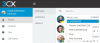
This has been working as expected for months, until late last week after updating to 16.0.6.655. Now when they choose "Stop Recording" in the dropdown the call stops recording, but the interface is not updated to allow them to click "Start Recording" again. Subsequently clicking "Stop recording" has no effect. I've checked and all other interfaces (Windows client, iPhone client, 3CX App) still all work as expected. Any help is appreciated.
Screenshot:
Information about platform
3CX Version: Professional Annual 16.0.6.655
Server OS: Debian 9
AWS Hosted
Provisioning Method: SBC
Trunk Provider: Flowroute/Twilio
Firewall Checker passed: YES
Custom Phone Templates being used: NO
Our organization uses 3CX for customer service calls from an inbound queue. The majority of these users are on Polycom IP phones behind a 3CX SBC hosted in our office. The users frequently gather sensative information from consumers, and as such we have policies in place to stop recording for the private portion of the call. Using their desktop phones does not provide them with a recording on/off key, but as they also have the 3CX Webclient up, they are able to click their own user and choose "Stop Recording" from the dropdown menu. After the private portion of the call is completed, they use the same drop down to choose "Start Recording" again.
This has been working as expected for months, until late last week after updating to 16.0.6.655. Now when they choose "Stop Recording" in the dropdown the call stops recording, but the interface is not updated to allow them to click "Start Recording" again. Subsequently clicking "Stop recording" has no effect. I've checked and all other interfaces (Windows client, iPhone client, 3CX App) still all work as expected. Any help is appreciated.
Screenshot:
Information about platform
3CX Version: Professional Annual 16.0.6.655
Server OS: Debian 9
AWS Hosted
Provisioning Method: SBC
Trunk Provider: Flowroute/Twilio
Firewall Checker passed: YES
Custom Phone Templates being used: NO


