Testing 3CX Desktop App using incoming DID from mobile phone with 3CX App installed goes straight to voicemail

Status
Not open for further replies.

NickKulkarni

Customer
Joined
Jan 9, 2021
Messages
64
Reaction score
26
This is a weird one and I would like to know if anyone else has had this.

Some Background:
The most recent release of the Desktop App had a lot of problems with Jabra Headset integration in my case with the Jabra 65 Evolve and also with the 930 Pro dropping held calls on resume.
I wasn't aware of any of that and thought we had had an isolated problem with either our headsets or the latest version of Jabra Direct.

Therefore I was testing the desktop app and Jabra with various settings using my own extension.
Getting other members of staff to stop what they were doing and call me repeatedly isn't an option.
I therefore needed a way of testing my own extension and I figured I may have one. My extension has a incoming number (DID).

Used my company mobile to call the external DID directly (not the 3CX Android app on my phone as I would be trying to dial my own 3CX extension from my own 3CX Extension).
Instead of ringing and letting me pick up as expected it behaved as if I was busy or had status set as not available and went straight to voicemail.

I wasted the better part of the day thinking I had something wrong with my extension on top of the failed Headset integration.
Raised a ticket with our provider and they had no information on it.
Started looking through the forums and found others reporting Jabra problems and the solution, a beta for the Desktop App that added back the Jabra SDK integration and solved the headset problem and dropped calls too.

Doesn't solve this problem with mobile calls to a DID though.
Here is what I have found.

Mobile calls from:
Company Mobile with 3CX App installed to the external DID go straight to voicemail.
Personal mobile to the external DID are handled normally. i.e. I can pick up on the Desktop App.

Removing the mobile number from the field in my extension in 3CX makes no difference.
Removing the 3CX App from the company mobile cures the problem.

Question is why is 3CX Desktop App treating my 3CX extension as if it was busy?

The point being that according to both me and the 3CX staff I have spoken too the 3CX Android App is not involved in the outbound call from the mobile in anyway.
It shouldn't even be aware of the call so how is the 3CX server getting involved and why?
 
You are not the first person with this question and I could be remembering wrong, but something about the 3CX app also wants to receive the call but you are on a GSM call, so the 3CX app responds with busy (which makes the extension respond that it's busy).
 
  • Like
Reactions: Evolute IT
You are not the first person with this question and I could be remembering wrong, but something about the 3CX app also wants to receive the call but you are on a GSM call, so the 3CX app responds with busy (which makes the extension respond that it's busy).
Hi SweetAction

That makes complete sense and it was my first reaction too.
However, thinking about it in depth shoots it down.

I realised that you can be chatting on a 3cx call on your 3cx Android App and your mobile rings with an incoming GSM call.
Many users complain bitterly of that as a problem and some simply wont use the App on their mobiles for that reason.
I have two in the company where I work who have told me this there may be more. One wont use the app to call colleagues at all and the other, who works from home keeps the app on a separate mobile phone in his house that has no SIM and only connects to his home WiFi Router.

As you pointed out the fundamental difference is how the call is being made.
The mobile calls are using GSM they are not using SIP over GPRS which is what 3CX is using.

I think what you are suggesting is that the 3CX Mobile App is written to sense the GSM call status and then send a Busy signal to the 3CX server if the GSM is active. We should be able to test that theory. If I am on a GSM call on the mobile where the App is installed my 3CX extension status should show a change to busy. It doesn't. I just tried it.

Would be interesting to have 3CX Dev team comment on this because it is possible that the 3CX Mobile App has a function to test for GSM status and set 3CX extension status to busy if a GSM call is active but it hasn't been linked to the display in the Desktop App. So it could be working but not showing on the Teams or Panel display.

If it is there it would be good to be able to toggle that function on or off for testing purposes like my scenario.

Would also be interesting because if the function exists it would be great to know if it can work the other way round and set the GSM status to busy when on a 3CX App call. I know at least two users who would be very happy it it could.
 
I don't exactly know about Android, but on iOS, if I am on a Teams/GSM/Zoom call and a 3CX call comes in, I have the option to decline or hold current and accept. It doesn't drop any calls. It just acts like call waiting (second line on GSM.)
 
I don't exactly know about Android, but on iOS, if I am on a Teams/GSM/Zoom call and a 3CX call comes in, I have the option to decline or hold current and accept. It doesn't drop any calls. It just acts like call waiting (second line on GSM.)
Good Point about IOS. Android is not so friendly but it does indicate that 3CX App, at least on iOS, has GSM status integration. Suspect that we may have the function in Android version too but it isn't fully integrated (hence upset users) and this is what is interfering with the incoming DID call on the server but not showing on the servers extension call status.
 
  • Like
Reactions: Evolute IT
Hi SweetAction

That makes complete sense and it was my first reaction too.
However, thinking about it in depth shoots it down.

I realised that you can be chatting on a 3cx call on your 3cx Android App and your mobile rings with an incoming GSM call.
Many users complain bitterly of that as a problem and some simply wont use the App on their mobiles for that reason.
I have two in the company where I work who have told me this there may be more. One wont use the app to call colleagues at all and the other, who works from home keeps the app on a separate mobile phone in his house that has no SIM and only connects to his home WiFi Router.

As you pointed out the fundamental difference is how the call is being made.
The mobile calls are using GSM they are not using SIP over GPRS which is what 3CX is using.

I think what you are suggesting is that the 3CX Mobile App is written to sense the GSM call status and then send a Busy signal to the 3CX server if the GSM is active. We should be able to test that theory. If I am on a GSM call on the mobile where the App is installed my 3CX extension status should show a change to busy. It doesn't. I just tried it.

Would be interesting to have 3CX Dev team comment on this because it is possible that the 3CX Mobile App has a function to test for GSM status and set 3CX extension status to busy if a GSM call is active but it hasn't been linked to the display in the Desktop App. So it could be working but not showing on the Teams or Panel display.

If it is there it would be good to be able to toggle that function on or off for testing purposes like my scenario.

Would also be interesting because if the function exists it would be great to know if it can work the other way round and set the GSM status to busy when on a 3CX App call. I know at least two users who would be very happy it it could.
I don't think the mobile app is doing a constant check of the GSM status and updating 3CX - I think that what's happening is that the 3CX Android App, at the time the sip invite is sent and the mobile phone app sees it, checks and then sends back a busy if the GSM call is active. Presence is never updated.

As for GSM bumping into 3CX calls, I don't know how much control 3CX has over that. I guess they could set the device to DND while on a call and that would stop GSM from interfering there, but that's just how I would code it.

For testing I usually just deactivate the profile in the app.

I'll wait for a 3CX staff member to chime in, maybe @ThomB_3CX
 
  • Like
Reactions: Evolute IT
I don't think the mobile app is doing a constant check of the GSM status and updating 3CX - I think that what's happening is that the 3CX Android App, at the time the sip invite is sent and the mobile phone app sees it, checks and then sends back a busy if the GSM call is active. Presence is never updated.

As for GSM bumping into 3CX calls, I don't know how much control 3CX has over that. I guess they could set the device to DND while on a call and that would stop GSM from interfering there, but that's just how I would code it.

For testing I usually just deactivate the profile in the app.

I'll wait for a 3CX staff member to chime in, maybe @ThomB_3CX
"For testing I usually just deactivate the profile in the app."
didn't even know you could do that in the Android App, If I go into Settings > Accounts > I only have one account and no options to do anything with it even if I go to Manage Account. Am I missing something here?
 
If I go into Settings > Accounts > I only have one account and no options to do anything
The checkbox there is a checkbox not a radio button, even though it is round. If you uncheck the account it will disconnect the app. That page is also used to switch between extensions if the app has more than one (can use one at a time).
 
The checkbox there is a checkbox not a radio button, even though it is round. If you uncheck the account it will disconnect the app. That page is also used to switch between extensions if the app has more than one (can use one at a time).
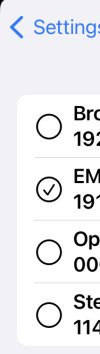
Hi SteveITS, I am using Android App version 18.1.3.135. have only one account and there are no checkboxes or radio buttons, I can see. When I touch the Accounts icon all I see is my account and my picture with a round green circle with a tick in it. Touching it just takes me to the connection settings. Still nothing to do there either. Or am I just being as thick as I feel at the moment.
 

Attachments

  • C7E3A8AD-B1DD-48E4-9733-24742278B3DE.jpeg
    C7E3A8AD-B1DD-48E4-9733-24742278B3DE.jpeg
    45.1 KB · Views: 2
Hm, on iOS I don't see a picture there, but I can uncheck/untick that circle:
I get this picture and I can't untick it. Wonder if I have to add another account first?
 

Attachments

  • tempFileForShare_20230315-160659.jpg
    tempFileForShare_20230315-160659.jpg
    16.7 KB · Views: 1
Tap and hold and choose deactivate.
 
  • Like
Reactions: jed
  • Like
Reactions: jed
Hi SweetAction ,yes confirm that works and inbound DID call is now handled normally with account deactivated.
 
Glad to hear you have a good workaround. Now all we need to do is wait for 3CX to confirm the expected behavior and how it's doing that.
 
  • Like
Reactions: NickKulkarni
Glad to hear you have a good workaround. Now all we need to do is wait for 3CX to confirm the expected behavior and how it's doing that.
That might be a while as you pointed out I am not the first to ask and those I have spoken to so far at 3CX were not aware of the behaviour at all.
 
Hi Nick,

I think I have an idea why this was happening.
We use the Android telecom API on the 3CX mobile app.
It probably happened something like this:

1. Your phone was busy with a cellular call when you dialled out towards your DID.

2. The DID rang once, meanwhile the PBX tried to make your 3CX mobile app ring.

3. The app was denied the incoming 3CX call from the Android OS Telecom API (because you are currently in a cellular call) and the call to your extension got declined.

4. The destination when busy is probably your voicemail, so what you observed was the DID ringing once, and then you hear the voicemail.


You could probably replicate this by engaging your phone in pretty much any cellular call, and then have some other 3rd party call your DID. They will hear it ring once and they will then hear the voicemail greeting.
 
Thanks John, that makes sense now. I will test it later as I have two mobiles, company and personal, got to run another 3cx mobile issue to chase down.
 
Since last nights update to the latest release a couple of 3CX mobile clients have shown connecting... in the status, so far all I have had to do is kill the app and reload it. I love the easy ones ;)
 
  • Like
Reactions: JohnS_3CX
Since last nights update to the latest release a couple of 3CX mobile clients have shown connecting... in the status, so far all I have had to do is kill the app and reload it. I love the easy ones ;)
No worries, let us know if it gives you any more trouble
 
Status
Not open for further replies.

Forum statistics

Threads
111,974
Messages
590,081
Members
164,899
Latest member
mazet