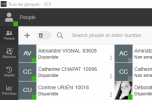
Update 2 Final: Search Across Contacts and Team Members

To follow up with all others here, today was a shock - we didn't see the blog post but we did get the 3CX support holiday hours email.. In the future I think critical issues like this should most 10000% be an email with bold text.

As for solutions I've reached out to my partner support and currently v18 u 2 with beta chrome plugin requires a browser tab open. We are dead in the water. 90% of our clients are mac based

edit: got it √

I'm glad you asked, that is precisely why we created the new plugin for Chrome or Edge, which work very similarly to the 'old' Browser Plugin (the one with the dialer). This can fill in until the Desktop App that is currently only for Windows, is also available for other platforms, like MacOS.
 
  • Like
Reactions: SebastianMüller
We understand that some people are not happy with our decisions but we have to balance the interests of the majority of our users who are now on v18 and need the new extension. That does not mean we don't appreciate that its inconvenient to have to make a choice now and that it involves work now. But its not double work, its work that has to be done anyway.

Let me try to explain in a different way and group some of the concerns and address them:

1. The options available:
a. If you are on v16 - and you want to stay on v16, install the Windows app that ships with it. There will be no need for the browser extension and you can keep using v16 as long as you like independent of browser updates and the June 2022 Google deadline.

b. If you are on v16 and can move to v18, then do so asap and you can re-install the old extension for your Mac or Linux users. Windows users will receive the brand new windows desktop app which is much better than the old extension. Of course they can continue using the old Windows app if they prefer. Mac users will receive a new mac client shortly.

c. If you are on v18 already, install update v2 and install the old extension for your mac and linux users. Install the new Windows desktop app for your windows users if you have not done so already. If you are using the old Windows app there is nothing you have to do.

d. NEW OPTION - we are going to make an update to v16 that will allow you to install the old extension - it will take us a few days and be a beta. We do not really recommend this option as the browser extension will be removed on June 2022 and as from January 2022 Google will no longer allow updates to it so any browser update could render the extension inoperable. That said if you really prefer this way and not the v18 way we are going to make it available ASAP.

2. It is not a system critical / breaking function
For us is not a system breaking function. The phone system v16 is working fine with the Windows, Android, iOS apps and the ip phones, as well as the web client. Its just notifications to Mac or Linux users that do not use the mobile apps or do not have deskphones that are effected. According to our stats this is a very small percentage of our user base.

3. Communication
All product communication is via our blog category product releases. Its a 5-6 posts per month and we try to answer peoples concerns as much as possible. I think we do a reasonable job. No we will not send out 5-6 emails per month. Where it is a system breaking function of course we will send out more emails and give more warnings but we do not see it as such. That said, maybe in this case we could have made a clearer subject line with a clear date, I agree.

4. Apps always for the latest version.
I already mentioned it before but the apps and the extension are always for the latest version of 3CX. In this case we have given a 6 month headstart. No we will not ask people upgrading to new version to re install to a new app or new extension, it makes no sense.

5. The new app resolves this once and for all.
The new Windows app actually removes the depency on the extension and allows you to run a separate app for as long as you like. This means that you are not dependent on updates to the extension or more importantly chrome updates. So actually the path we are suggesting is the solution for the complaints!

6. V18 is not new or sudden - Although I appreciate that its not so easy for everybody to upgrade its hardly a sudden announcement. v18 was in beta for 6 months and was released more then 6 months ago. So there was a whole year to prepare for this upgrade.
 
Last edited:
@Carlos Alvarez - If you are on V18 all you need to do is re install the extension on the MAC desktops
@luckystrikes - If you are on v18 u2 you can install the old extension no problem.
@Samuelmay - The extension is and was always for the latest version of 3CX. We can not ask people upgrading to install it again. Now in v18 you can use the Windows desktop app and stay on it for as long as you like. We do not see such significant differences between the old and the new web client, sorry.
@merk3cx - Yes thats the russian translation of the chrome extension - it takes time to update the text for all languages.
@Andrewjf - Its not a breaking function. The phone system is working fine. And windows users have a better option available now. In terms of communication i think a blog with 5-6 articles per month is hardly "unusual". If its too much, then use our hosted edition and you will always be up to date.
 
Last edited:
  • Like
Reactions: Evolute IT
@Mercuris - Thank you so much for the headsup! Really appreciated :)
@Colorian92 We understand the situation and will take your feedback into account. Yes maybe a separate blog post capation with date of change would have been good. But in our defense we did publish this to our blog post, just not with such a heading. Furthermore we do not see it as a system breaking function and it only really affects Mac and Linux users on v16 - and based on the data we have from chrome store its a very small percentage of the total user base.
@Sprockwell - No 5 or 6 posts a month and again this is not a system critical function.
@Benoit C. - Please consider using the Windows app if you want to stay on v16. That said we are going to make an update to v16 which i believe will be good for you, give us some days.
@charly - Thank you for your feedback
@jeremy - No its not accurate that all your chrome users can not receive calls. They absolutely can using the Windows, iOs, Android apps or deskphones.
@Carlos Alvarez - I am afraid your thinking is a bit wrong here. Yes browser based sounds good but basically the browser has become the OS and can break the extension and thus calls any moment. Chrome releases many updates per week. So with the app, you have MUCH more control.
@Gummies - I am afraid Edge is pending approval from Microsoft
@pmterp - seems your users are on v18 already. Then why are they not using the desktop app? You should have upgraded them to the desktop app which has been available from the start.


Non extension issues
@Cascada SBC final should be out in a few days
@Chris Waldie Thanks for reporting will look into that
@SyN - Yes these are thinks will be working on...
 
Last edited:
  • Like
Reactions: Mercuris
This is broken for me in Chrome (latest) on MacOS (also latest release version). The sound only comes out of the headphone port, not the USB headset. The microphone comes from the headset, but on every call, I get two instances of the mic not found error. But it does work, the other party can hear me. I've tried changing the settings and putting them back, and restarting Chrome.

The lack of a separate phone window is such a step backward, and so much less useful. Having to find the one ringing tab? Seems unusable. Anyone else find a good way to train people what to do?

View attachment 26436


View attachment 26437
This is something that was fixed in V18 Update 2.
https://www.3cx.com/community/threads/webclient-18-0update1-headset-issues-mac-and-linux.85032/

Upgrade to U2 and it will go away.
 
All of our customers are on V18. The Chromebooks are reportedly in limbo right now, not sure why. I'm not the one working on that problem. Windows users have to install the app, they are claiming that the web client does NOT work. I don't have a Windows machine here to try it on, maybe a VM can do. On a Mac, which most of us use, the web client is functional but basically currently unusable as far as we can see, in a real world situation. Too easy to close a tab with the softphone now, and too hard to find which tab is "ringing" for an incoming call.

There's always a learning curve for change, but it shouldn't also come with a loss of capability.

I haven't tested it in Linux yet, but we have very very few customers using that.
Please read my reply here:
https://www.3cx.com/community/threa...s-contacts-and-team-members.86335/post-407168
 
New Communication re Options

After an internal discussion we have decided following:|

A. We are going to fast track a Mac OS desktop app and try to get an alpha version as soon as possible, i.e. within the next week.
B. We are going to release a beta of v16 that has the ability to work with the old extension. It will still require re install of the old extension. We will try to do this in the coming days.

The correct route is still to upgrade to v18 and install the new desktop app but if you want to postpone this for a few months its possible.
 
@Nick Galea I can see both sides of the argument here. In our case it rendered 70 plus users inoperable which included the majoirity of a call centre. The inability to make/receive calls is a system critical/breaking function.
Hopefully we were the exception, However as I said lesson learned.

Suggestion:-
It wouldn't have been a major engineering.programming task for the client (browser extension) that we were running on to have a minor version upgrade with a message stating this client will cease to operate in x days time for users running under v16. If we had been inundated with 70 odd people all ringing up saying my 3cx dialler is stating it will stop working in two weeks, I think someone would have noticed, bit like the 3 months or more of nags we got that flash player was to be withdrawn a few years ago.

Perhaps you should build some system critical announcement delivery feature into the new V18 system now, so it can alert people directly on their clients that something will stop working/change when you release v19 or v20 whichever is next on the roadmap. Just a thought.

Incidentally is a similar fate also happening to people running the 3cx app on their Android phones, as I'm now hearing incidences of people with mobiles not being able to make/receive calls using the app.

Jeremy
 
  • Like
Reactions: Colorian92
@JeremyH Thank you for your understanding. Yes but there are options to make and receive calls using the apps or ip phones?

Re the dialog - We are doing this for the app users. IOS and Android app users on v16 will get a warning dialog in the coming weeks. Its not as straightforward for the extension as for the app and we did not see it breaking as its an auxiliary function to the web client in our view. Also there are millions of users on v18 who would have been confused by this message. I see your point but a solution for all users with different platforms and needs is not always so easy.

Re Android apps - No we have not blocked v16 users from the app. We are making a warning dialog in the coming weeks. Yes people using the apps should be on v18 for sure as the experience is much better.

Keep in mind that the way forward that we are suggesting is a solution for all of this once and for all. We are allowing you to control the client once again and be independent of Browser updates or 3CX client updates for that matter. You can install the Windows and soon Mac app and then you can deploy updates to the clients when you want.
 
Last edited:
I have talked to more customers today before 9AM than all day yesterday, and on that note: I am experiencing nothing but issues with the new 3CX click to call extension. I have configured it at 3 or 4 different customers already, and for myself as well. The click to dial simply does nothing except for underlining numbers on webpages. Clicking them seems to have no effect, regardless of whether it's selected to use the Desktop App or the Web Client. Am I the only one experiencing this?
 
@Colorian92 Please give us more detail in a support ticket or in a pm because it has been tested well and is being used by many customers. I am assuming latest chrome and update 2 v18 - let us know in PM i have sent you a message.

Edit - On edge you have to use the edge extension and the Chrome Extension will only work with chrome. Chrome on edge will not work.
 
Last edited:
Customer's admin (fairly technical, not a phone expert), says that now for every single dial they have to click the number, click the popup for dial with 3CX, then also select the 3CX app in this box. That's a lot of extra steps!

View attachment 26438

You can disable this in a registry key which you can push out to all machines if you have the relevant tools
 
New Communication re Options

After an internal discussion we have decided following:|

A. We are going to fast track a Mac OS desktop app and try to get an alpha version as soon as possible, i.e. within the next week.
B. We are going to release a beta of v16 that has the ability to work with the old extension. It will still require re install of the old extension. We will try to do this in the coming days.

The correct route is still to upgrade to v18 and install the new desktop app but if you want to postpone this for a few months its possible.
Hi Nick,

An end-user here. It is a rare privilege to have the chance to talk directly to a company CTO.
We are not Free users, but not the ones handling the 3CX server directly. The guys handling our 3CX instance had a hard day today with the extension breaking change. We have been using 3CX for a year and a month now, and we were pretty happy.
We have even developed a 3CX-GLPI integration. In case you don't know, it is an open-source ITSM tool.

Having a mixed environment (GNU/Linux / macOS), the Chrome Extension is critical, and we had very few issues. We are happy clients :). Or we were :(.

I've read about the Google API issues and the 6-month countdown.
I was also glad to read you are building a macOS app, so I'm asking you to consider a basic Linux app to receive and make calls or at least an alternative method.

Leaving our dear Ubuntu behind will be primarily a breaking deal for us.

Regards,
 
You can disable this in a registry key which you can push out to all machines if you have the relevant tools
this is great information
I am also looking for a solution.
Can you tell me the registry key?
 
this is great information
I am also looking for a solution.
Can you tell me the registry key?
We deploy the following powershell script:

$RegKey = HKLM:\Software\Policies\Google\Chrome
if (-Not(Test-Path $RegKey)) {
New-Item -Path $RegKey -Force
}
Set-ItemProperty -Path "$RegKey" -Name "ClickToCallEnabled" -Type "DWORD" -Value "0"

Hopefully that assists, you can grab the DWORD info out of it
 
@TICgal - Nice to meet and talk to you too! yes i understand that in this environment the old extension works well. Unfortunately the number of Desktop linux users are minimal. So we have no plans for a linux desktop app.

However, i am on ChromeOS myself and the inbound notifications work perfect since the latest chrome update. As long as the client is in the background somewhere you will be notified. Also we plan on supporting the Android app on ChromeOS. Furthermore, 3CX is open standard so you can use pretty much any SIP phone available on Ubuntu and connect it to 3CX. And use it in conjunction with the web client? I have not run Ubuntu recently but when i did there we're some pretty good ones included....

Now if you are on update 2, you can install the old extension and have another 6 months to figure out the best way forward for Ubuntu users?
 
Hi !

Really good ^^ But it would be better to have correct translations on the windows desktop app as soon as it's available for production....

We have French and English language on the French client...

3CXDesktopApp_FexOkpKIzn.png

Regards,
 
  • Like
Reactions: weimerd and N_G
Hello.

Many complaints from customers due to this change. Many clients do not use WINDOWS (use MAC/LINUX) and we have not updated to v18 (clients with MAC and LINUX) because they need the CHROME extension.

We have explained the reasons to clients, but clients are still angry...

All this, in the end, creates unnecessary incidents and therefore a bad image of the product. I humbly believe that this was unnecessary, at least until having alternatives for users with MAC/LINUX that I understand are many thousands of users.
 
@Chris Waldie
We deploy the following powershell script:

$RegKey = HKLM:\Software\Policies\Google\Chrome
if (-Not(Test-Path $RegKey)) {
New-Item -Path $RegKey -Force
}
Set-ItemProperty -Path "$RegKey" -Name "ClickToCallEnabled" -Type "DWORD" -Value "0"

Hopefully that assists, you can grab the DWORD info out of it

Awesome!
It works

Thank you very much
 
  • Like
Reactions: Chris Waldie

Forum statistics

Threads
111,993
Messages
590,178
Members
164,933
Latest member
bunthoeun.may