- Joined
- May 8, 2023
- Messages
- 3
- Reaction score
- 0
Hi
We have this strange issue that impacts a single user on the PWA + web client. Repo:
1. User connected / logged as normal at https://xxx.yyy.zzz:5001/webclient - they show as Available
2. User puts the 3CX browser tab into background - i.e. starts working in another browser window or tab
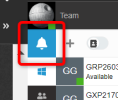
3. After 10-30 mins the user drops to status of 'Not registered' and stay like that
4. The moment the user brings the 3CX back to foreground (clicks on it in bar) they reconnect back to available state.
This only happens with one user, running Windows 11 and Edge browser, on local office network. Other users with same/very similar setups have no issues at all.
I see talk of a 30 min registration timeout on 3CX : https://www.3cx.com/community/threads/sip-registration-timeout-failure.12961/
So my assumption here is that some code that should run in browser in background, to keep this user registered and connected is blocked when tab is in the background.
Once it comes foreground it can run again and the problem goes away.
If this was a general Edge / configuration issue I'd expect to turn up many mentions of it, but I can't find anything that sounds like the same issue.
Any suggestions? For now I'm going to get user moved to use Chrome for 3CX at least to see if that cures the issue / narrows the problem down at least..
Thanks
Richard
We have this strange issue that impacts a single user on the PWA + web client. Repo:
1. User connected / logged as normal at https://xxx.yyy.zzz:5001/webclient - they show as Available
2. User puts the 3CX browser tab into background - i.e. starts working in another browser window or tab
3. After 10-30 mins the user drops to status of 'Not registered' and stay like that
4. The moment the user brings the 3CX back to foreground (clicks on it in bar) they reconnect back to available state.
This only happens with one user, running Windows 11 and Edge browser, on local office network. Other users with same/very similar setups have no issues at all.
I see talk of a 30 min registration timeout on 3CX : https://www.3cx.com/community/threads/sip-registration-timeout-failure.12961/
So my assumption here is that some code that should run in browser in background, to keep this user registered and connected is blocked when tab is in the background.
Once it comes foreground it can run again and the problem goes away.
If this was a general Edge / configuration issue I'd expect to turn up many mentions of it, but I can't find anything that sounds like the same issue.
Any suggestions? For now I'm going to get user moved to use Chrome for 3CX at least to see if that cures the issue / narrows the problem down at least..
Thanks
Richard