User unable to provision app via QR

Alphabetic

3CX MVP
Silver Partner
Advanced Certified
Joined
Jul 1, 2016
Messages
6,533
Reaction score
2,558
Version 20.0 Update 8 (Build 1109 Release)

Hi all

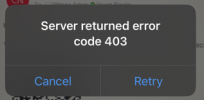
I've got a user in the US trying to provision the mobile app via QR but he's getting this:
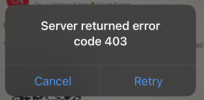
1771848493119.png

I've tried from my phone and it works fine.

I've asked him to try on/off wifi to no avail.

No blocked IPs in 3CX.

any advice please?

thank you.
 
@Alphabetic Geolocation on the Firewall in front of the PBX ?
Ask if they have VPN enabled on the phones as well.
 
@Alphabetic
Also, check if PBX blacklisted its IP - 403 is a very strong hint about this
 
Hello Alphabetic,

Most of the time this is because they use a VPN on the device.
This can be secure for sure, however most hackers also use VPN :) and with this said, most VPN services are in the 3CX Blocklist, meaning you will not see them in your system Black List, but are there in the background.
This is controlled by the: Automatic Global IP Blacklist, to be found at: Admin - Advanced - Anti Hacking

So basically user should move IP address.
Disable VPN, get off the WIFI or if the user is not on the WIFI, than just get onto one, just make sure the WAN IP changes :cool:

Paulo
 
Last edited:
Hi all.

Customer tells me he's not using a VPN.

There are no IP's blacklisted in 3CX.

There is no firewall in front of the PBX.

What can I do now?

if he can log in to the web client from his network then it's surely not an IP blacklist?
 
Try to scan the QR code with ***device*** camera and see if it gets the same 403.
P.S I assume he knows the QR code should be "fresh" (sorry, this one generates 404)
 
Just curious, from where he's scanning the QR Code? I looked at the screenshot you provide, it doesn't looks like a WebClient, rather an eMail client
1771926093423.png
 
Just curious, from where he's scanning the QR Code? I looked at the screenshot you provide, it doesn't looks like a WebClient, rather an eMail client
View attachment 51103
I had screenshot the QR from his profile and sent it over to him - i left it open to stay alive for him, he was pretty quick to do it.

I have asked him to do it himself from the web client, just waiting on his reply.
 
  • Like
Reactions: paulodagraca
Hello Alphabetic,

The way it works, is that the QR code does change all the time.
When you open the QR code screen (generate new), it does work, however when you send it by email and close the QR code on your webclient/admin than the QR-code is gone.
So yes, it's best that the pseron will scan the QR code from a pc/laptop directly.
Actually that is the only way it will work good and in the correct way.

Paulo
 
Hello Alphabetic,

The way it works, is that the QR code does change all the time.
When you open the QR code screen (generate new), it does work, however when you send it by email and close the QR code on your webclient/admin than the QR-code is gone.
So yes, it's best that the pseron will scan the QR code from a pc/laptop directly.
Actually that is the only way it will work good and in the correct way.

Paulo
As i said, i left it open.
 
Yes, I understand, and agree that it should have worked (have done this myself once before), so do you think this could have changed in release 8? or just some timeout on the scan that has got shorter?
 
Yes, I understand, and agree that it should have worked (have done this myself once before), so do you think this could have changed in release 8? or just some timeout on the scan that has got shorter?
I dunno, i test it and it worked. never had a problem sending it out this way before tbf.

for the sake of curiosity, i took a screenshot of the QR and waited 15 min and could still provision
 
  • Like
Reactions: paulodagraca
Hi all,

It might be a security feature, some (Gmail I believe is one of them) scan QR codes in emails to prevent scams - this would create a hit on the QR code, therefore invalidating it. Try sending it to them in a zip attachment that can be opened outside the email client - if this resolves it, then the email system's/client's security features are the most likely stumbling block.
 
Hi all.

customer has said:

"No VPN, No wifi, Scan QR code = server returned error code 403".

how can I troubleshoot this further?
 
Try to scan the qr code with the camera of the phone. This should open an url. Did you get the same failure there?
 
Try to scan the qr code with the camera of the phone. This should open an url. Did you get the same failure there?
is coming back with correct URL

1771943774421.png
 
iOS 26.3
AT&T
Latest 3CX app as of today
 
Alright... something smells funny xD

I gave him a call... set the network capture going... got him to turn on verbose logging in the app... scan the QR code..

"what do you see now?"

"i see the dial pad and ready to make a call"

seems to be working.. ¬_¬
 

Members Online Now

No members online now.

Forum statistics

Threads
111,831
Messages
589,277
Members
164,660
Latest member
RJenkinsROCK