Users with "Owner" role can't view reports

manageitservices

Customer
Joined
Dec 27, 2023
Messages
2
Reaction score
1
Hi,

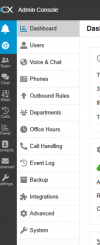
It seems since the latest v20.6 update (at least since this update is when we have started receiving emails asking why some users cant access reports anymore) users that are assigned the role of "Owner" can no longer view reports. It's my understanding that users with that role should be able to view them. As a temporary fix I have had to assign them "System Owner" which is fine but not ideal. According to the manual "Owner" role should have access to reports. Just wondering if anyone else has experienced this issue?

1751934070383.png
1751934042336.png
 
Hello,

Can you clear browser cache and check again?

Also a screenshot of the Users page showing current role of the problem extension, as the screenshot shared above shows the menu options for a System Administrator, not a Department Owner.

Best,
KS.
 
Hello,

Can you clear browser cache and check again?

Also a screenshot of the Users page showing current role of the problem extension, as the screenshot shared above shows the menu options for a System Administrator, not a Department Owner.

Best,
KS.
Hi Kyria,

Clearing browser cache completely skipped my mind and it seems that was indeed the issue.

Thanks
 
  • Like
Reactions: KyriacosS_3CX
Hi! I'm experiencing a similar issue. Owners can see reports normally, but the new reports "Inbound Calls" and "Outbound Calls" appear blank. I've already tried everything, including clearing the cache. The only solution I could find is to elevate the user to System Owner, which is not the case. I'd appreciate some help.
 
Hi @Ubiratan Martins ,

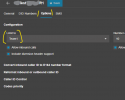
Inbound / Outbound Reports work on the Trunk level, not the extension level. For a non-system user to be able to see Trunk level information, the trunk must belong to their department, not be system wide:

1753424763210.png
 
  • Like
Reactions: Alejandro_3CX
Hi! I'm experiencing a similar issue. Owners can see reports normally, but the new reports "Inbound Calls" and "Outbound Calls" appear blank. I've already tried everything, including clearing the cache. The only solution I could find is to elevate the user to System Owner, which is not the case. I'd appreciate some help.
Hi @Ubiratan Martins ,

Inbound / Outbound Reports work on the Trunk level, not the extension level. For a non-system user to be able to see Trunk level information, the trunk must belong to their department, not be system wide:

View attachment 48771
You nailed it! It is working now. Thank you so much!
 
  • Like
Reactions: KyriacosS_3CX

Latest Posts

Forum statistics

Threads
111,951
Messages
589,884
Members
164,842
Latest member
abdullah.alshehri@rewaa