V18 Beta 1 - Gearing up for release

Quick question - in the previous v18 alpha, I noticed on new user creation, a PDF was attached (Quick Reference Guide). In the new beta it seems to be gone, for which I am glad, since it held outdated info anyway, and I created a my own version that is more tailored to our company situation.

Just wanting to make sure though that this is indeed intentionally gone, and it's not a bug.

And if it's intentional, do you plan to bring it back at some point - and could we then set our own PDF instead of the 3CX generic one?
 
  • Like
Reactions: N_G
Quick question - in the previous v18 alpha, I noticed on new user creation, a PDF was attached (Quick Reference Guide). In the new beta it seems to be gone, for which I am glad, since it held outdated info anyway, and I created a my own version that is more tailored to our company situation.

Just wanting to make sure though that this is indeed intentionally gone, and it's not a bug.

And if it's intentional, do you plan to bring it back at some point - and could we then set our own PDF instead of the 3CX generic one?
It is mentionned in the blog post and the change log.
 
  • Like
Reactions: N_G
Ah thanks. I didn't see a mention in the blog but I see the changelog mentioning "Removed getting started guides from welcome emails." - sorry for missing that one!
 
  • Like
Reactions: N_G
3cx did you think about adding switchboard to mobile app?
Highly requested at our customers. We tell them they can use mobile webclient, but this is too complicated.
Some customers even use only mobile apps esp. CEO and sales people and then miss it in home office
 
From the blog post I understand that BLF was added to webcient and desktop app. This is great!
But from our testing only see it in the app.
Can you clarify. Is webclient BLF planned?
 
Any news on hotkeys for desktop app in the beta?
 
Good to hear that works as expected.

Let me though disagree with the following.
"there is not even the "Q" up the top anymore that would quickly show them they have taken themselves out of the queue group."

There is visual feedback whether the user is logged in on queue on "Team" page.
View attachment 23043
that is only good if you have the full client open on your screen and set to the right tab. I have found a work around. instead of programming the keys as "Agent Login/Logout" i will just programme a custom speed dial instead of *62 and *63 as this works as expected with voice prompts being played.
 
Some feedback. Overall the new windows app is a great move but there are more usability tweaks to be made so that things are intuitive for normal users.

There's really no reason why contacts, voicemail etc should be hidden away behind a menu button, you end up with this dead screen space on the left. Even shrinking the window as small as it will go there's still enough space there for the icons.

The dialpad icon needs to be more prominent, perhaps with a label as well. When you open the app it's not obvious how to call a phone number especially since the global search bar is gone.
Would also really like the global search bar to come back, yes you can dial names in the dialer but that's not as obvious to users plus the list in the dialer is tiny. This is even more needed now that the contacts menu is hidden away for some reason.

There needs to be a way to open the main screen from the dialer, a team or contacts button would be fine. Some users will close the main screen and not know how to get it back.

The switchboard has been renamed "Panel", why? It's been known as the switchboard for a very long time and switchboard is a much more obvious and descriptive term. I can see from what's visible and what's hidden behind the ... menu that you really seem to want all the names to be short. I get that, but there's really no harm in having longer names, make the icons larger if you need to. They don't HAVE to be tiny like they are now. If you have users that require 3CX to be postage stamp sized for some reason, just make the screen reactive so that things shrink down as necessary.
 
Would also really like the global search bar to come back, yes you can dial names in the dialler but that's not as obvious to users plus the list in the dialler is tiny. This is even more needed now that the contacts menu is hidden away for some reason.
I would also like the global search bar to come back before the final release comes out. I personally use it a lot and I'm sure my customers do as well. It's so simply and quick to make a call with it and I really like how it pop's up the dialler when you start the call.

With it removed I'm sure I'm going to get calls from my customers asking where it has gone and how do they now search for a contact and make a call, which I would very much like to avoid. If it is possible to add it back in please do so as this will make the transition to the new version / client much easier for all our end users.

Thanks.
 
Helpdesk and Rest API could pushed back a little in favor of teams integration.
Can you give any details on this?
Will it be included in the final release of V18?
 
Tried Self-host in your Cloud on Azure then Upgrade. Failed.
Anyone got it working on Azure with Upgrade?
 
How to detach dialier inside web client ?
BLF buttons are not available when Call using: Browser

thanks
 
Hi @ivan.antic,

In V18 you can log in to the Web Client, click the Windows icon:

1626866819251.png

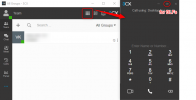
Then click Install and once completed, click it the windows icon again then provision. This will bring up the new app. Click the Dialer button which will bring a pop-out dialer. For BLFs, click the expansion button circled below:

1626867072732.png
 
Hi @ivan.antic,

In V18 you can log in to the Web Client, click the Windows icon:

View attachment 23066

Then click Install and once completed, click it the windows icon again then provision. This will bring up the new app. Click the Dialer button which will bring a pop-out dialer. For BLFs, click the expansion button circled below:

View attachment 23070

Thanks for the feedback V.

Dunno if i am missing something, but in both latest chrome and firefox there's no windows icon ?
I am on Ubuntu 18.04
 

Attachments

  • Screenshot at 2021-07-21 13-36-16.png
    Screenshot at 2021-07-21 13-36-16.png
    46.2 KB · Views: 19
@ivan.antic it will not be available as the Desktop App is only available at the moment for Windows.
 
  • Sad
Reactions: ivan.antic
Last edited:
@DavidHuang Could you solve the problem with Azure?
 

Forum statistics

Threads
111,981
Messages
590,112
Members
164,908
Latest member
FarizQasimov