V18 Beta 1 - Gearing up for release

3cx with a game changer teams intergration :cool: i will have have plenty of customer who will want that. Will you need an SBC for this to work?
 
3cx with a game changer teams intergration :cool: i will have have plenty of customer who will want that. Will you need an SBC for this to work?
I have it setup and working. No separate SBC required. Just follow the instructions in the guide.
 
  • Like
Reactions: N_G and Evolute IT
I have it setup and working. No separate SBC required. Just follow the instructions in the guide.
Did you use ISO or Self-Host in your Cloud?
 
Did you use ISO or Self-Host in your Cloud?
Self-hosted in the cloud. Although I don't think it shouldn't matter. Just make sure port 5062 is open in your firewall.
 
Self-hosted in the cloud. Although I don't think it shouldn't matter. Just make sure port 5062 is open in your firewall.
Did you use 3CX PBX Express? and open the port after install?
 
Did you use 3CX PBX Express? and open the port after install?
Yes, it was originally a v16 install via PBX express. Then upgraded to v18. Yes, I updated the port after install.
 
No, I've tried two upgrades and both failed. Waiting for message back from @NikosT_3CX
I just tried an upgrade from V16 to V18 on a host at Azure and it appears to have failed. It is still down after over an hour.
 
I just tried an upgrade from V16 to V18 on a host at Azure and it appears to have failed. It is still down after over an hour.
It's a known issue now and 3CX has asked to test/try tomorrow instead.
 
2. the contacts and mailbox have disappeared in a "submenu". How do I make all the items appear in the left bar? To access the mailbox, I now have to go to the submenu. Also to get into the phonebook, users have to do an "extra click".
Überhangmenü.PNG
I second on that, Contacts and Mailbox are needed alot, why hiding these important items in a submenu when are is enough space?
 
It's a known issue now and 3CX has asked to test/try tomorrow instead.
Thanks for the update - had to restore a backup. Do you know if this affects just Azure hosts or all?
 
I second on that, Contacts and Mailbox are needed alot, why hiding these important items in a submenu when are is enough space?
I will third this. Having to access these items via submenu, and especially not being able to see the voicemail indicator, is a problem. Can this be a configurable option - ala the way MS Outlook navigation is configurable - being able to move items around to see all, or hide some, and reorder them in a way that makes more sense to the user? For example, some users will never use the Meet tab or Panel tab, but will use Contacts tab and Voicemail tab frequently.
 
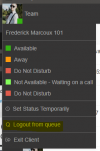
I still need to see the good old big "Q" everywhere in the Windows Client and Webclient! I only have V18 in Standard Version to test it but I also can not see it in your screenshot in die blog post.... Why did you even remove it? It is a communication system with call center functions and we need these functions and for this the Q button..
 
I still need to see the good old big "Q" everywhere in the Windows Client and Webclient! I only have V18 in Standard Version to test it but I also can not see it in your screenshot in die blog post.... Why did you even remove it? It is a communication system with call center functions and we need these functions and for this the Q button..
1626884699062.png
 
Unfortuantely i don't get call control working on 3 different jabra devices.
Are the requirements the same?

Kr,
 
Went to test the new Office365 SMTP integration by switching from Custom we see this :

Requires Microsoft 365 Integration to be configured

We already have 365 integration enabled, we are just not all the features, only using Contacts, Calendar and two users with admin signin.
What specifically needs to be turned on?
The email address we are trying is already an admin on the 365 integration page in 3CX yet we get this:
Code: ErrorAccessDenied Message: Access is denied. Check credentials and try again. ClientRequestId:
 
Went to test the new Office365 SMTP integration by switching from Custom we see this :

Requires Microsoft 365 Integration to be configured

We already have 365 integration enabled, we are just not all the features, only using Contacts, Calendar and two users with admin signin.
What specifically needs to be turned on?
The email address we are trying is already an admin on the 365 integration page in 3CX yet we get this:
Code: ErrorAccessDenied Message: Access is denied. Check credentials and try again. ClientRequestId:
You need to first add the API permission "Mail.Send" and then redo the "Sign in to M365". Don't forget to "Grant admin consent" in Azure.

After that, wait an hour and you'll be able to configure the email sending.

I had the same issue.
 
  • Like
Reactions: accentlogic
You need to first add the API permission "Mail.Send" and then redo the "Sign in to M365". Don't forget to "Grant admin consent" in Azure.

After that, wait an hour and you'll be able to configure the email sending.

I had the same issue.
Thanks, missed the new mail.send in the list on the page made the changes waiting propagation.
 
  • Like
Reactions: Evolute IT
Noticed an issue today with the new Windows app. Firstly the scenario with the chrome extension, we often get calls for someone and know that they don’t want to take it, so when we type in someone’s name to transfer the call to, it offers the persons voicemail as a destination. When using the Windows app today, the voicemail wasn’t offered. I had to type in the persons name, note down the extension number then transfer it to *4<ext>
Please can we get the option to transfer to an extensions voicemail reinstated
 
Thanks for the update - had to restore a backup. Do you know if this affects just Azure hosts or all?
It affected all the Debian installs.

New update is working now. (it's downloading the 3CX packages now)

Work both fresh install & upgrade from existing system.
 
  • Like
Reactions: dandersonn

Forum statistics

Threads
111,980
Messages
590,106
Members
164,908
Latest member
FarizQasimov