3CX will support Windows in v20 Update 2, so you should wait for it to be released in order to upgrade.
Said this, CFD apps should work without changes after the upgrade, but there are a few things that you need to check. For example, in 3CX v20 there are changes related to office hours. Previously these were global and now they are related to departments. Because of this change, your existing CFD apps might require some changes. You need to know the following:
1) A CFD app is considered "global" if you don't specify otherwise.
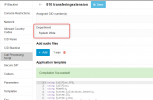
2) You can edit the CFD app to assign it to a department.
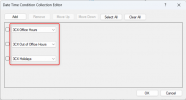
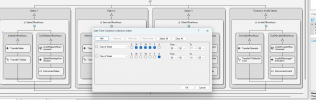
When a CFD app is global, and the app uses the Date & Time Conditional component with "Office Hours", "Out of Office Hours" or "Holidays" configuration, then it will follow the default department office hours. If your CFD app is assigned to a department, then it will follow the office hours of that department. With this in mind you should be able to configure it to do what you need.
In any case, as 3CX v20 is a big change compared to v18, you should carefully test your CFD app before upgrading the production environment. There are other things that might affect your upgrade. For example, I remember in the past a CFD app that was accessing a database, and stopped working after an upgrade because the new version of .NET used by 3CX was preventing unsecure connections. The user had to upgrade their SQL server to fix the issue. So in some cases, if your app is interacting with external systems, you should check if that part needs some adjustment.....